Workflow · Listing and closing workflows
How to verify MLS submissions and listing status changes
Keep the seller's signed authorization for every value, the data entry form it came from, who keyed it and when, and a dated read-back of the published listing. The filing windows, correction deadlines and fines of CRMLS, ARMLS, Stellar MLS and Canopy MLS, side by side, with the verification record to keep per listing.
What are you actually verifying?
Five things, in this order. The source fields: the signed listing agreement and the data entry form the seller signed. The authorization: a seller signature behind every value and every later change. The entry owner: who keyed it, on what date. The submitted values: what actually went into the MLS. And the published record: what every other agent, and every portal that pulls the feed, now sees. The first four are inside your office. The fifth is the only one the MLS and the public can see, which is why it gets checked last and dated.
The MLS asks for the first two. CRMLS can demand at any time a copy of any documentation needed to verify the accuracy of a listing record and any written authorization its rules require, and it may remove the listing if nothing arrives within a day. ARMLS gives five days for the same request. Canopy requires the brokerage to keep the originals of all listing forms and produce them on request. Keep the paper filed by listing and the request takes a minute.
Who does what is short. The listing agent owns the seller's signature and signs off the sold report. The coordinator or listing input person keys the entry and every change from the signed page. A second person reads the published listing back against the form. The MLS tells you in writing when a window has been missed.
What do four MLSs require?
There is no national deadline. Each MLS writes its own, and even the word day changes meaning across a state line. CRMLS counts calendar days excluding holidays. ARMLS counts every calendar day, weekends and holidays included. Stellar MLS excludes weekends and federal holidays. Canopy MLS counts business days. The rows below are the current rule texts for one MLS each in California, Arizona, Florida and the Carolinas. Swap in your own MLS's rules page before you use the table.
What four MLSs require of a listing entry and its status changes
| Event | CRMLS (CA) | ARMLS (AZ) | Stellar MLS (FL) | Canopy MLS (NC/SC) |
|---|---|---|---|---|
| Days are counted as | Calendar days, holidays excluded | Calendar days, weekends and holidays included | Days excluding weekends and federal holidays | Business days |
| New listing entered | 2 days from the agreement's Effective Date | 2 days after all seller signatures | 5 business days from signature or start date, 1 business day once publicly marketed | 1 business day from the Effective Date |
| Price or terms change | 2 days after the authorized change is received | 2 days after the change's effective date | 2 days after the signed authorization is received | 2 business days after receiving the authorized change |
| Pending | 2 days of acceptance | 3 days after all parties sign, 4 around a holiday weekend | 2 days of the contract's effective date | 2 business days after the Effective Date |
| Sold, with the price | 2 days of final closing | 2 days after close of escrow | 2 days of the close date | 5 business days after closing |
| Fix a reported error | 2 days of the notice | 3 days, the due date on the notice | Up to 24 hours on a first automatic violation | 2 business days |
| Documents when the MLS asks | 1 day, or the listing can be removed | 5 days, or the listing can be removed | Send corrections in writing to Admin, with documentation if asked | 2 business days, or a Category II fine |
| A late status change costs | $250, no warning | $100, and the first offense each year is a warning | Level I automatic fine: $100 first offense, $250 second | Category II violation, immediate fine notice |
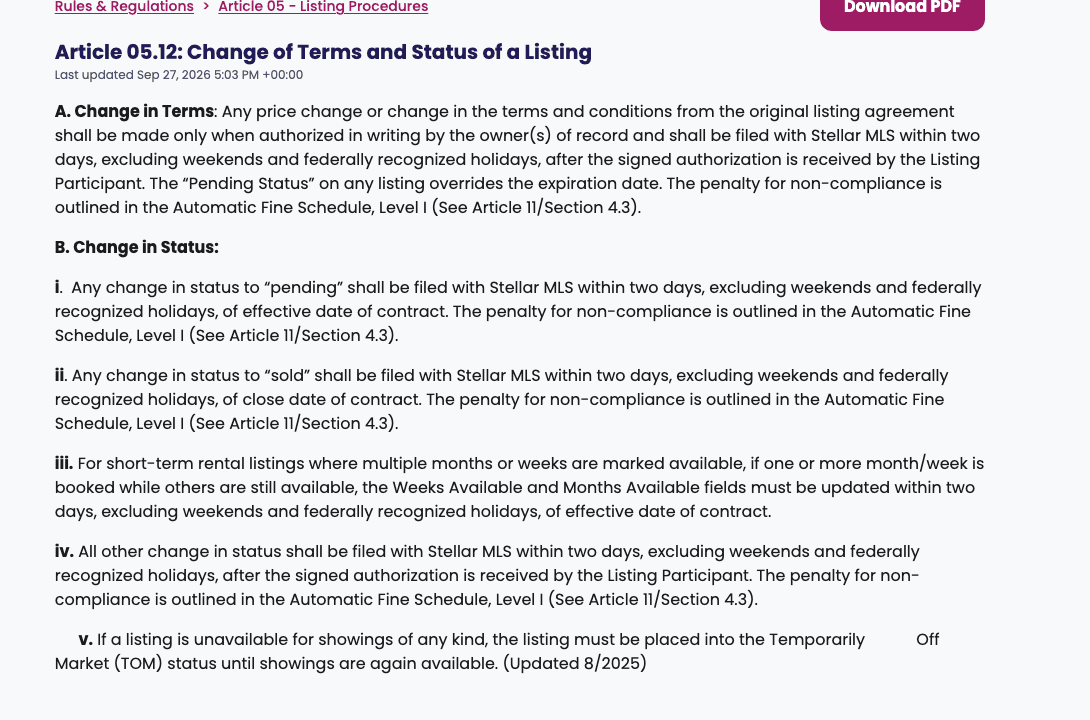
Two cells deserve a second look. The pending clock runs from acceptance or the contract's effective date everywhere, so a contract signed on Friday evening and first opened on Monday is already outside CRMLS's two days and has two of ARMLS's three behind it. Stellar and Canopy skip the weekend. And the price-change clock at three of the four runs from the day the signed authorization reaches you, not the day the seller agreed on the phone. A verbal yes starts nothing and authorizes nothing.
How do you run it, step by step?
Step 1: Start the record the day the last seller signs
Write down the date every necessary signature was in hand, because the entry clock in all four MLSs runs from the signed agreement: the last signature at ARMLS, the later of the signature and the start date at CRMLS and Stellar, the Effective Date at Canopy. File the signed listing agreement where the checker can open it without asking you.
- If it fails
If the seller is slow to return the signed agreement, CRMLS runs the two days from the day it comes back and may ask you to prove the delay. Keep the email that shows when it arrived.
Step 2: Key the entry from a signed data entry form
Every value in the MLS comes from a field the seller signed off, never from memory or a prior listing. Stellar requires the current approved data entry form with all required fields and signatures. ARMLS marks its required fields with an R on the profile sheet and will not accept the listing without them.
Step 3: Name one person who keys and one who checks
The entry owner is whoever has the MLS login that day. The checker is anyone else on the file. Both names and both dates go in the record before the listing goes live.
- Owner
- Agent names both
Step 4: Read the published listing back the day it goes live
Open the listing as another agent sees it and go down the data entry form field by field: price, status, square footage, lot, taxes, HOA, remarks, the expiration date. CRMLS puts this step in its rules: on receipt of the first publication, the listing broker makes all necessary corrections. Save a dated printout of the published record in the file.
- Owner
- Checker
- If it fails
A wrong value found here is fixed the same day and logged as a correction with the source field beside it. The same error found by the MLS is a notice with a two-day correction clock at CRMLS and a two-business-day one at Canopy.
Step 5: Change nothing without the signed authorization in hand
A price change, a new expiration, a withdrawal: each is filed only after the seller has signed, and the window runs from the day you receive the signature at CRMLS, Stellar and Canopy, and from the change's effective date at ARMLS. At CRMLS, submitting the change is itself a representation that the contract was modified in writing or other written authorization obtained.
Step 6: Report pending from the executed contract, inside the window
The clock is acceptance or the contract's effective date, not the day you hear about it. Two days at CRMLS and Stellar, two business days at Canopy, three days at ARMLS. Print the pending listing and file it beside the executed contract.
- If it fails
If the contract falls through, the cancellation is its own report: two days at CRMLS and three at ARMLS, and the listing goes back to active at once while the agreement is still valid.
Step 7: Report sold with the price from the settlement statement
Two days from closing at CRMLS, ARMLS and Stellar, five business days at Canopy, and the price comes off the settlement statement. The printed sold listing closes the record.
- Owner
- Agent
Step 8: When the MLS writes, answer inside its window
Send the document it asks for, or make the correction, from the record you already have: one day for documents at CRMLS, five at ARMLS, two business days at Canopy. Log the notice, what you sent and the date.
- If it fails
A citation you dispute is contested in writing. CRMLS allows 20 calendar days from receipt of a citation to request a review and will not process one until the violation is corrected. Leaving a citation uncorrected for two more days is a second citation.
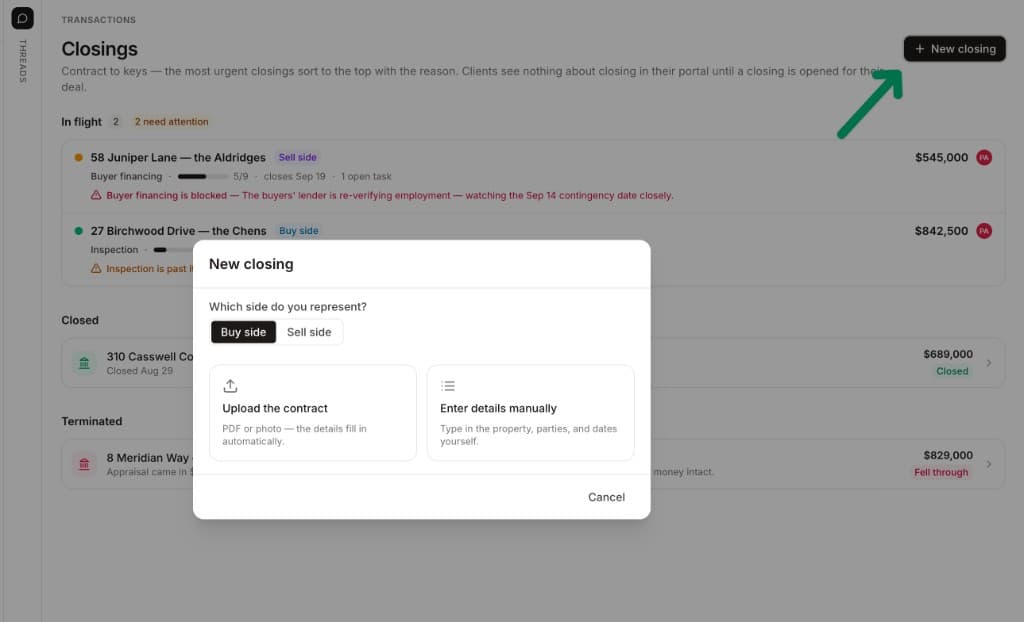
Step six is the one that slips, because the contract arrives when everyone is busy and the MLS change is a two-minute job that waits for the end of the day, then the week. DeedSpring puts the deadline on the file. Open the sell-side closing by uploading the executed contract and it reads the dates off the contract. Add an Internal only task under the first milestone, Report pending to the MLS, due one day after the contract date, owned by the deal owner. The coordinator checks every active file every hour and flags a task nobody has moved on Today and on the closing's Overview, and the Activity tab records who did what and when.
What goes in the verification record?
One sheet per listing, one row per value at entry and one per change after it, kept with the listing agreement. Seven columns. The last two stay blank on a listing that went in clean and was never questioned, which is the point: an empty Correction column and an empty MLS notice column are the proof that the first five were done.
The verification record: one row per entry or change
- Field or changeOne row per value at entry, and one per later change: price, status, expiration, remarks.
- Source documentThe listing agreement paragraph, the data entry form field, the amendment or the executed contract.
- Signed by, onEvery seller of record and the date the last signature reached you.
- Keyed by, onThe person who entered it and the date, against the window your MLS counts from.
- Read back by, onThe checker who compared the published listing to the source, and the dated printout.
- CorrectionWhat was wrong, what it was changed to, who changed it and when. Blank on a clean row.
- MLS noticeDate received, what was asked, what you sent and when. Blank unless the MLS wrote.
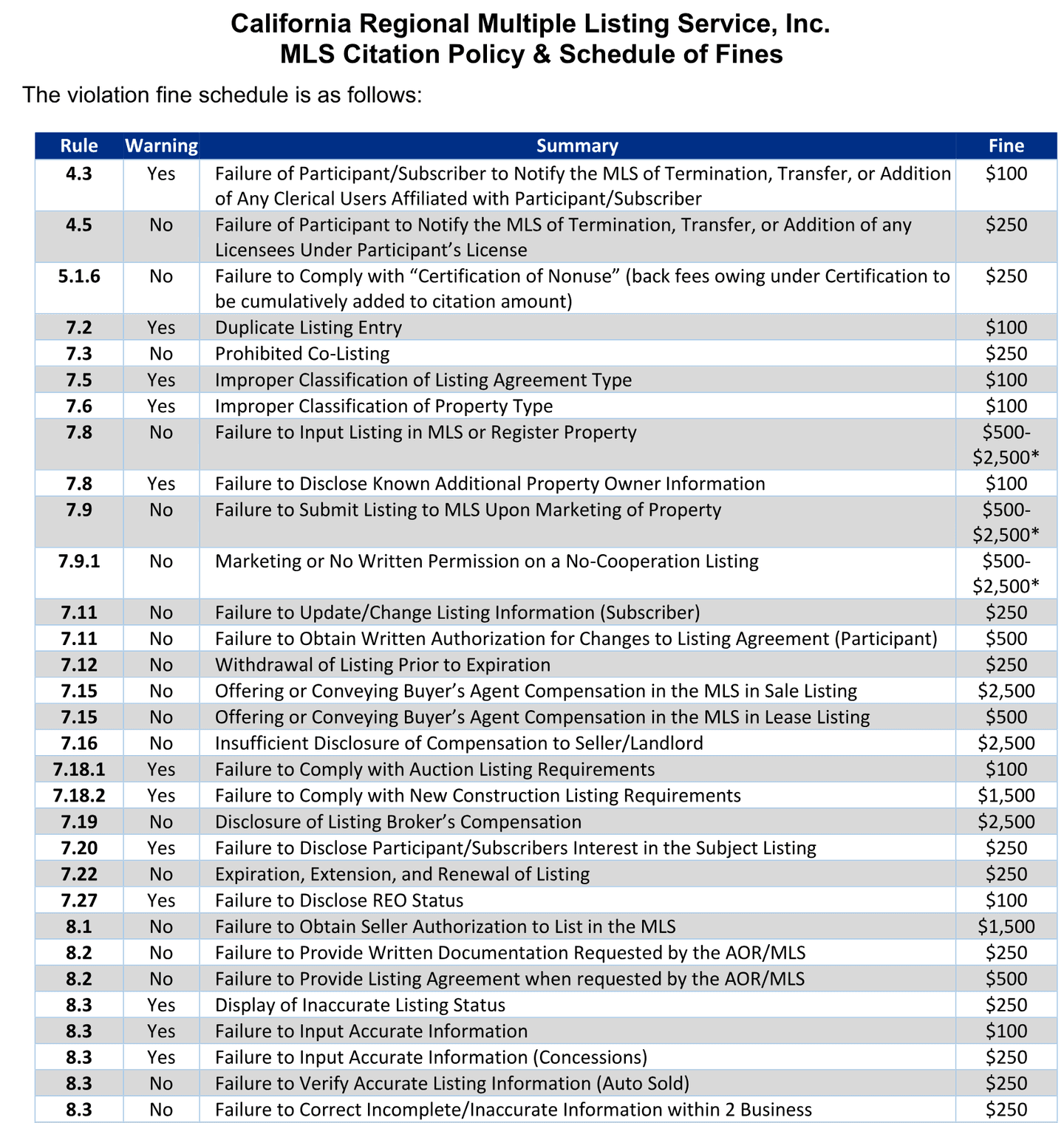
The record is also the cheapest insurance against the fine schedule. At CRMLS a listing not updated after a change is $250, a change made without the seller's written authorization is $500 to the broker, an inaccurate status is $250, a wrong value is $100, and a document not produced when asked is $250, or $500 when the document is the listing agreement. Every one of those is a row in the record with a source beside it.
What does it look like when nobody checks?
It looks like the other agent finding it. Stellar runs an automated Listing Data Checker across its database and takes confidential reports from agents. CRMLS says most of its investigations begin with a report from another agent, that it receives about 3,000 reported violations a month, that about 10 percent end in a citation and fine, that most are corrected after a warning notice, and that 20 percent of investigations find no rule was broken. Most of those reports are another agent reading a listing back before the listing office did.
In April 2024 a buyer's agent on r/realtors described a townhouse that had closed a week earlier, after more than a month under contract, and was still showing for sale on the MLS, Zillow and Realtor.com. They had asked the listing agent, who was also the broker, at least ten times. The status changed after they had started reporting it to the MLS. One reply described an office rule that ties the listing agent's pay to the sold status.
“At my office, you need to upload the MLS listing sheet once it's closed, so I can't get paid until that's done.”
The printed MLS sheet showing Sold is the row's evidence, and the person who wants paying owns the status change.
How does DeedSpring keep the record?
Before there is a contract, the listing lives on a seller-side deal with the property, the listing copy, the pricing and the disclosures, and the signed listing agreement and data entry form sit on the deal's documents. When the contract is executed, open the sell-side closing from it and the sell-side playbook arrives with disclosures and payoff already on the chain, each task timed from the contract or closing date. Add the pending report and the sold report as tasks on that chain, each with a date, an owner and a place to file the printout, and the Activity tab is the audit trail: every date that moved, every note, with who did it and when. The coordinator will not mark a milestone done without evidence in writing, and a status change promised on the phone is not evidence in writing.