
What’s new.
New releases, improvements, and more.
- New
Listings
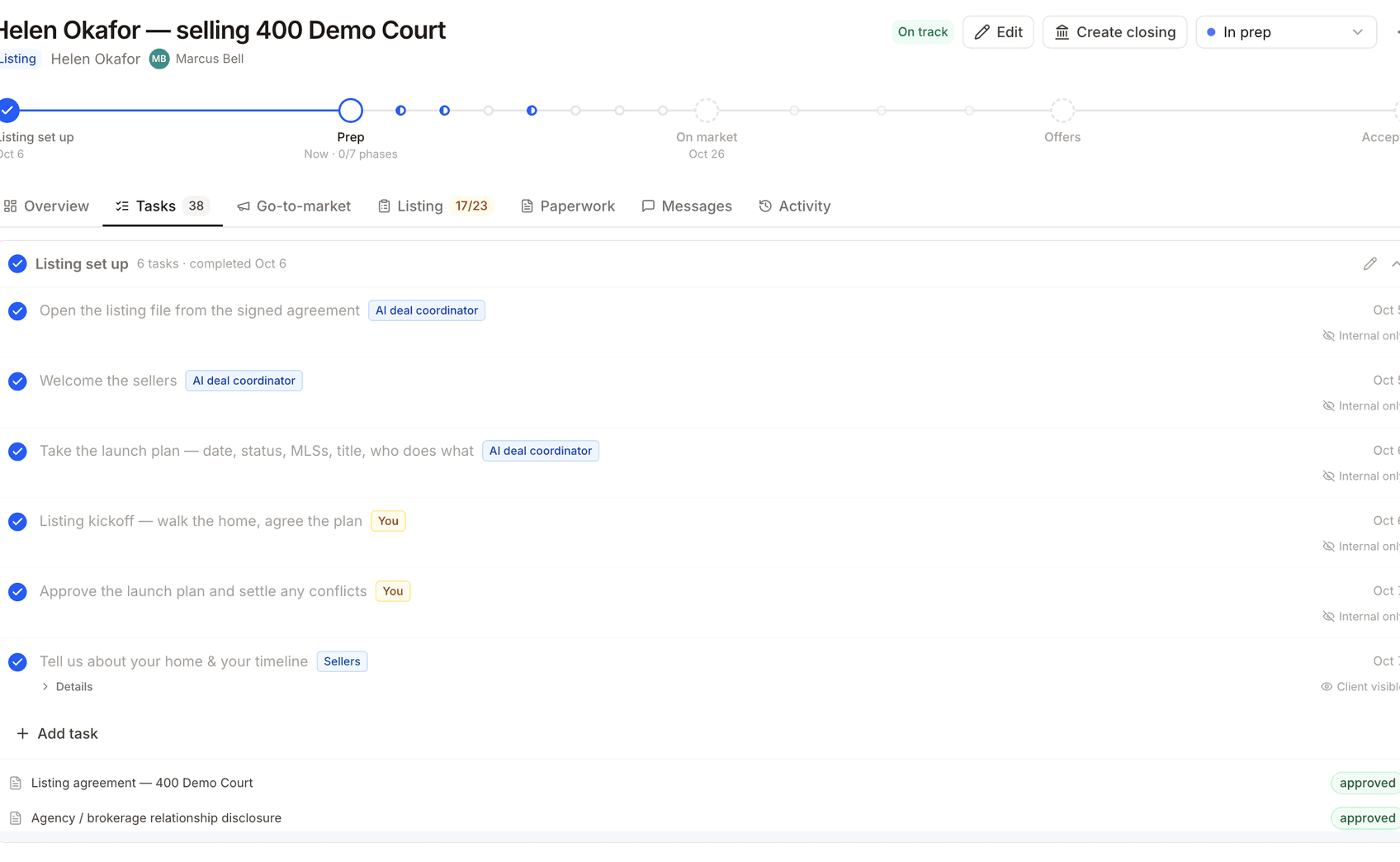
BetaTrack the listing process from set-up through accepted in one place — and all the information moves with the client into their closing.
Rich text emails
Compose outbound mail with formatting — bold, lists, links, and structure — so client updates and coordinator drafts read like the office wrote them.
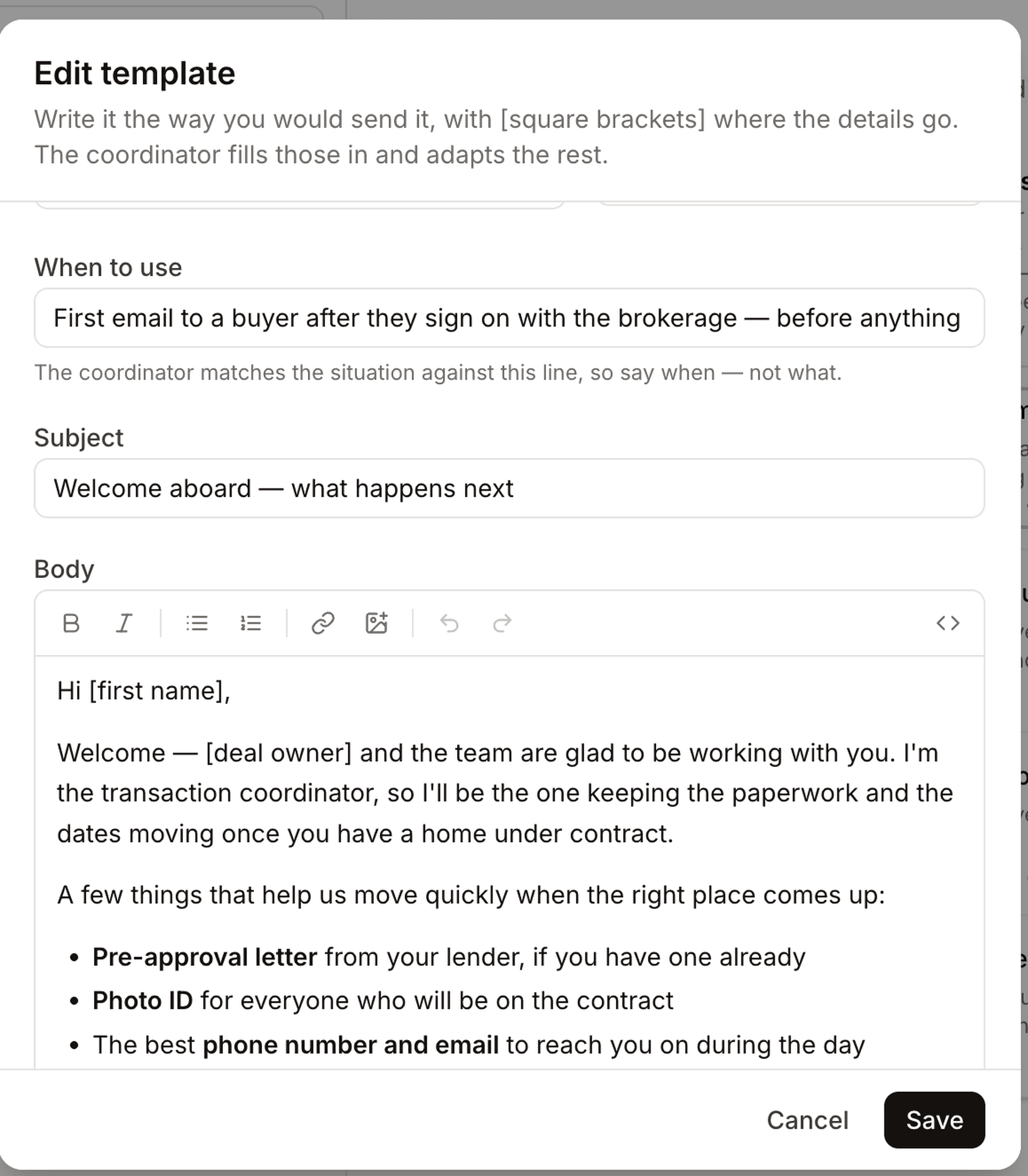
Reusable email templates
Save the messages you send often as templates, then drop them into a closing thread and fill in the details instead of starting from a blank draft.
Custom signatures for emails
Set a signature on each outbound address — typed lines, HTML from your email client, or one rebuilt from a screenshot — and DeedSpring appends it when mail goes out.
Parties reusable as professional contacts
Agents, lenders, title officers, and attorneys you work with are saved once as contacts and linked on every closing — edit them in one place and every file stays in sync.
Closings shortcuts in the navigation
Open files sit under Closings in the side nav as a live shortlist — soonest closing date first — so you can jump straight into a file.
- Now shipping
Brokerage teams & permissions
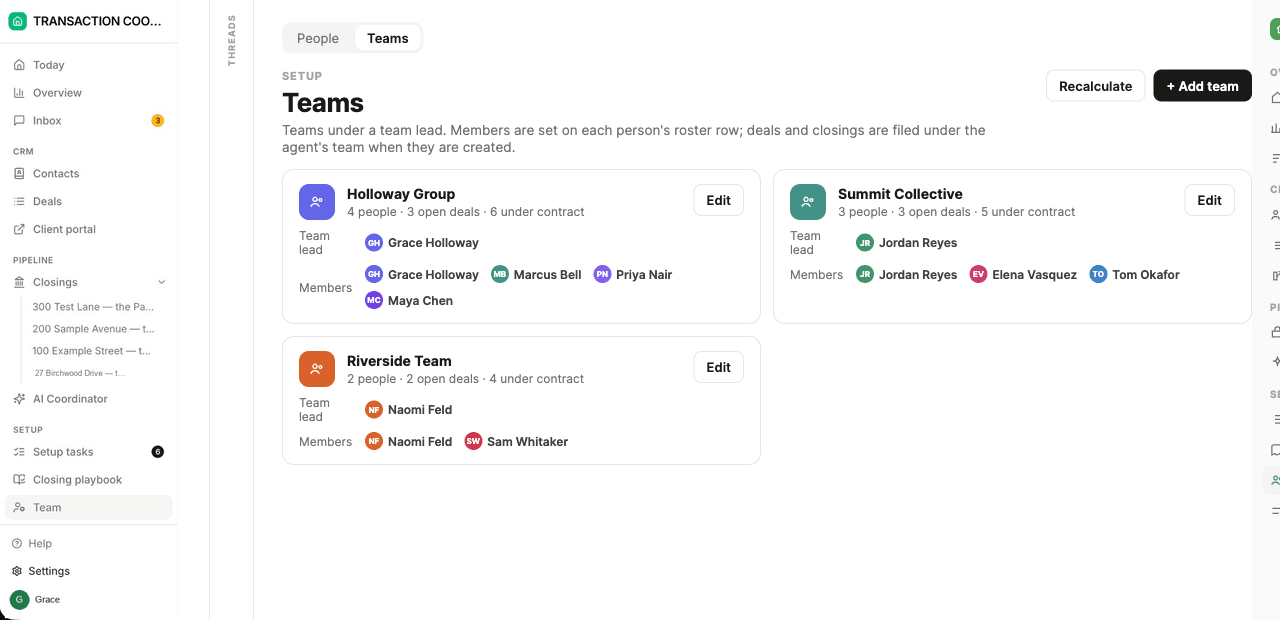
Organize the office into teams, see the pipeline, and assign who supports whom.
Teams with dedicated leads
Brokerages can organize agents into teams with dedicated team leads, role-based visibility, and custom coordinator assignments.
Overview dashboards
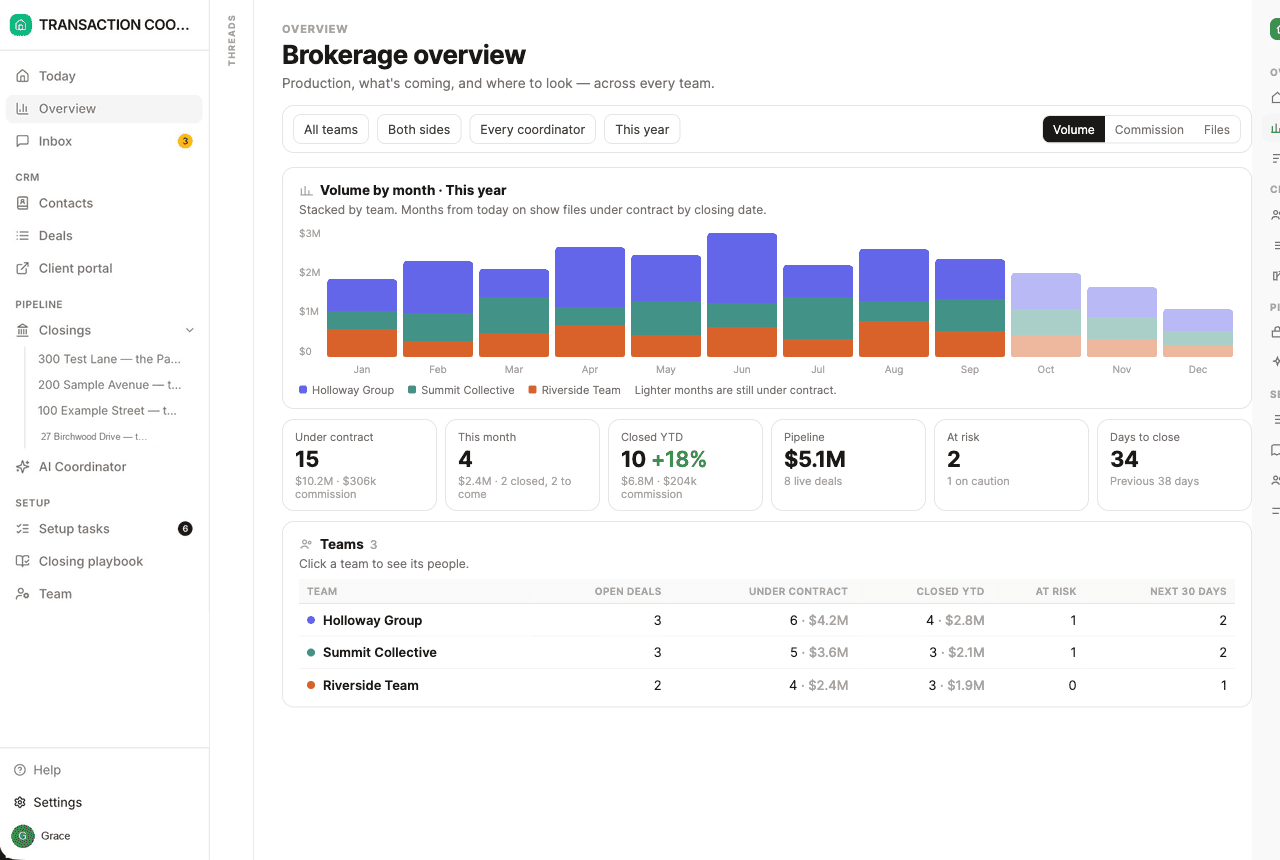
Pipeline volume, active closings, team leaderboards, and closing projections — on a brokerage Overview and a team Overview.
Assign coordinators
Coordinators and assistants can support specific agents, or an entire team, instead of a single shared inbox for the office.
Download the app in the App Store
Every closing, every date, and your AI coordinator — on your phone and computer.
Double checks forms for blank signatures, dates and missing details
Upload a PDF form and DeedSpring finds the blanks — names, dates, checkboxes, signature lines — so you do not have to place every field by hand.
Fills forms like a pen
The coordinator fills the publisher’s PDF the way a coordinator would on paper: price, parties, dates, and terms from the closing, leaving signer-only blanks empty.
- General release
Documents & e-signing
Generate the packet, send it for signature, and see it complete — in DeedSpring.
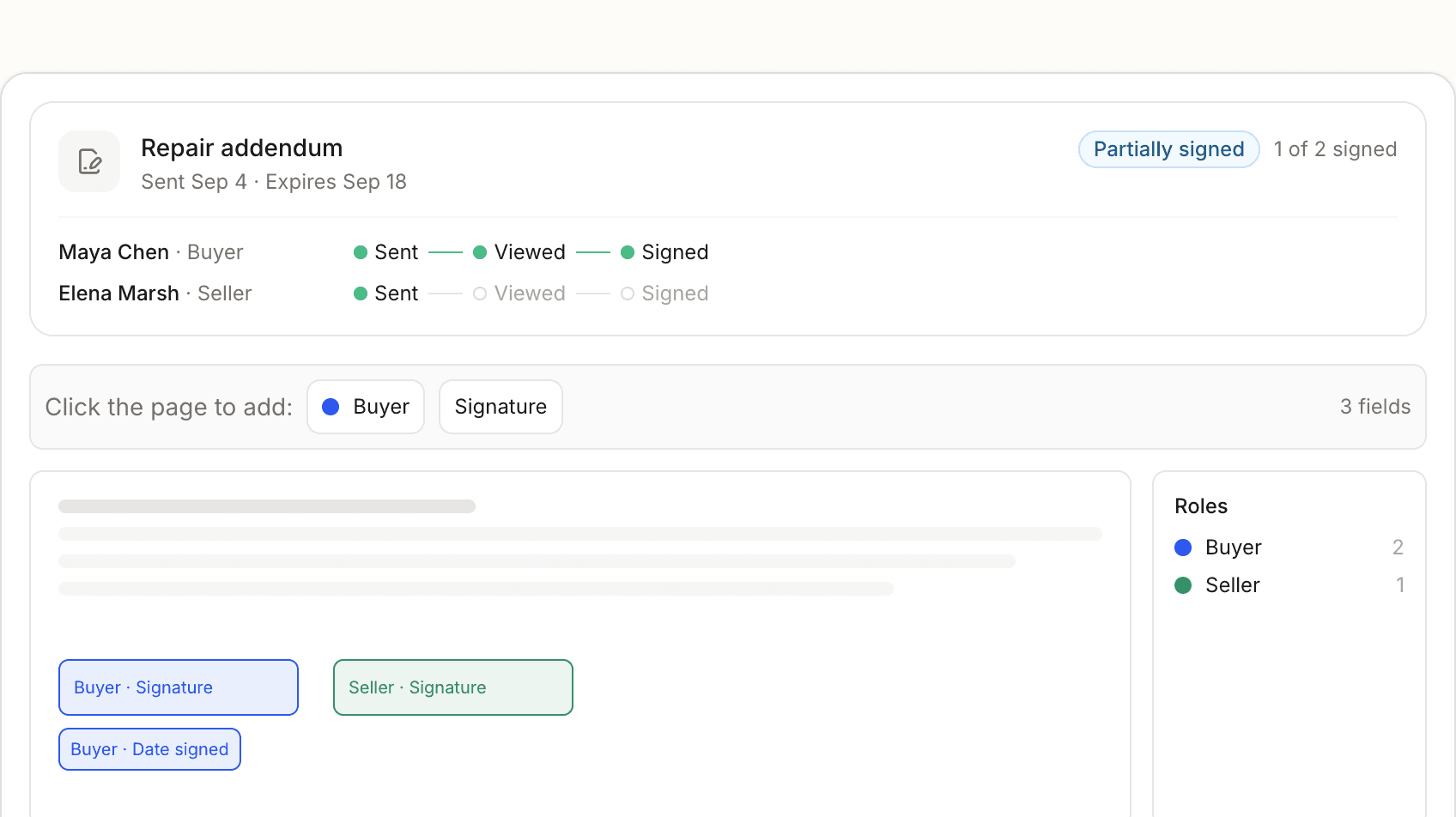
Generate from templates
Build the documents a closing needs from templates on the file.
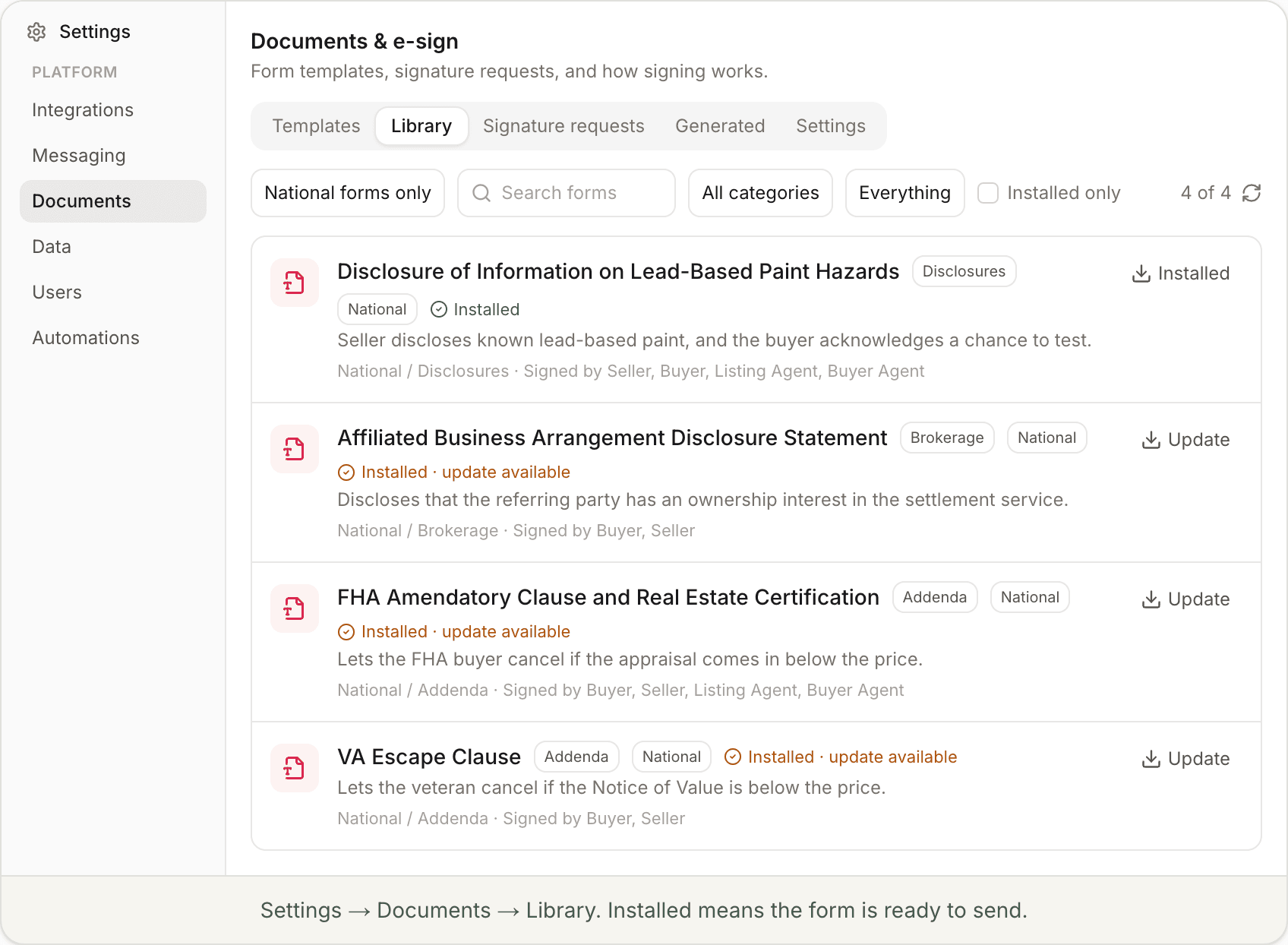
Browse the form library
Forms by state, local jurisdiction, and category, in a folder view under Documents settings.
State packs — or your own
Government and commission forms where they’re published (Texas contracts and disclosures). Upload MLS or brokerage packets everywhere else.
Forms from the cloud
Library forms load from the cloud instead of copying into each workspace, so they stay light and open fast.
Send, preview, remind
Send for signing, preview the packet, copy a link for a client, nudge signers — and the coordinator is told when everyone has signed.
Download the whole file
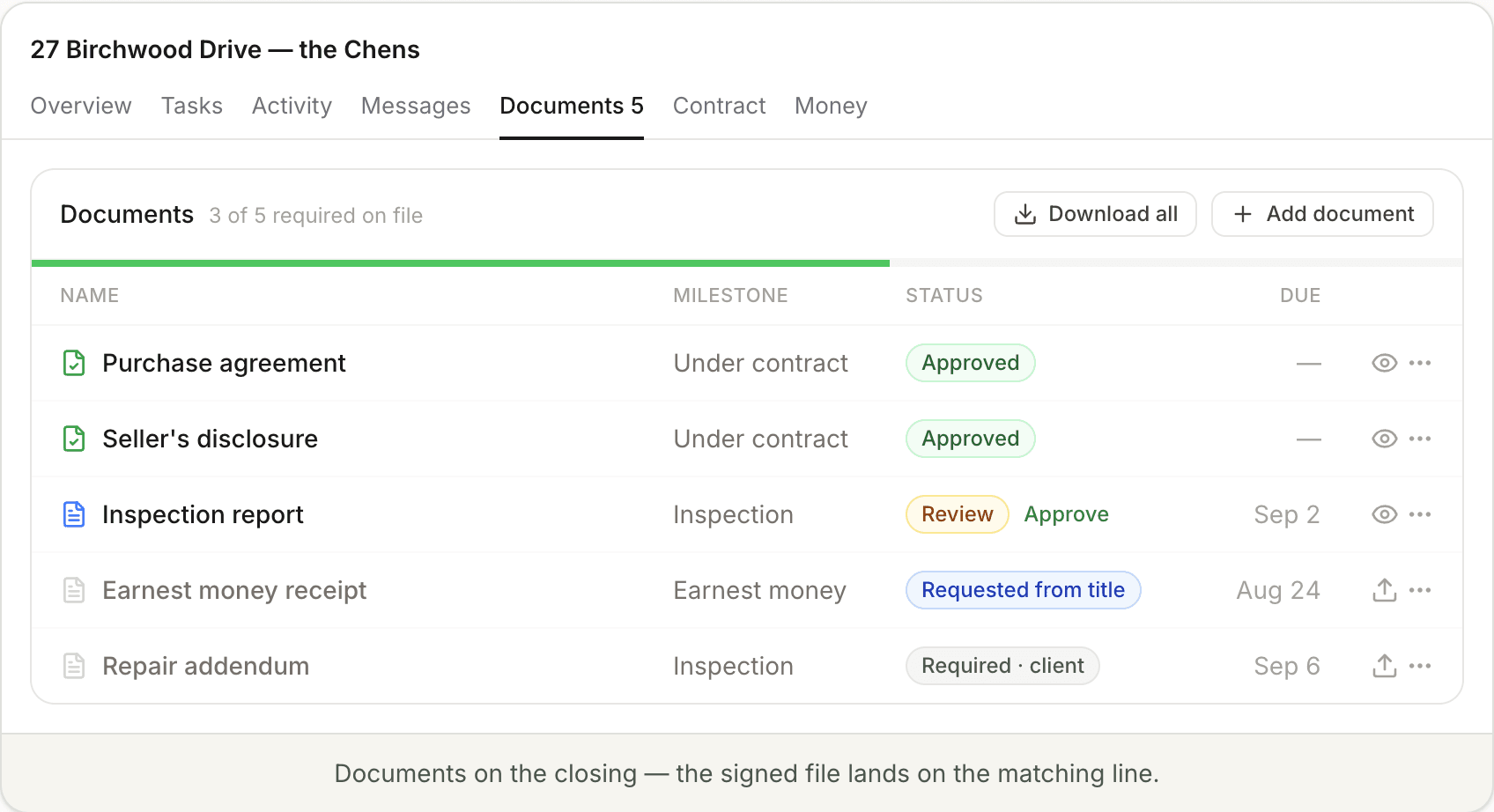
Pull every document on a closing into one download — a ZIP of the originals, or a single merged PDF with a cover sheet — from the Documents tab.
Splits PDF packets
When a signed contract packet or title package lands as one PDF, the coordinator reads it, splits it into the separate documents, and files each on the matching line — keeping the original packet on the file.
Roles & permissions
Decide what each teammate can see and do in the workspace — roles, record access, and field-level permissions — so agents work their files without seeing the whole brokerage.
Email attachments file themselves
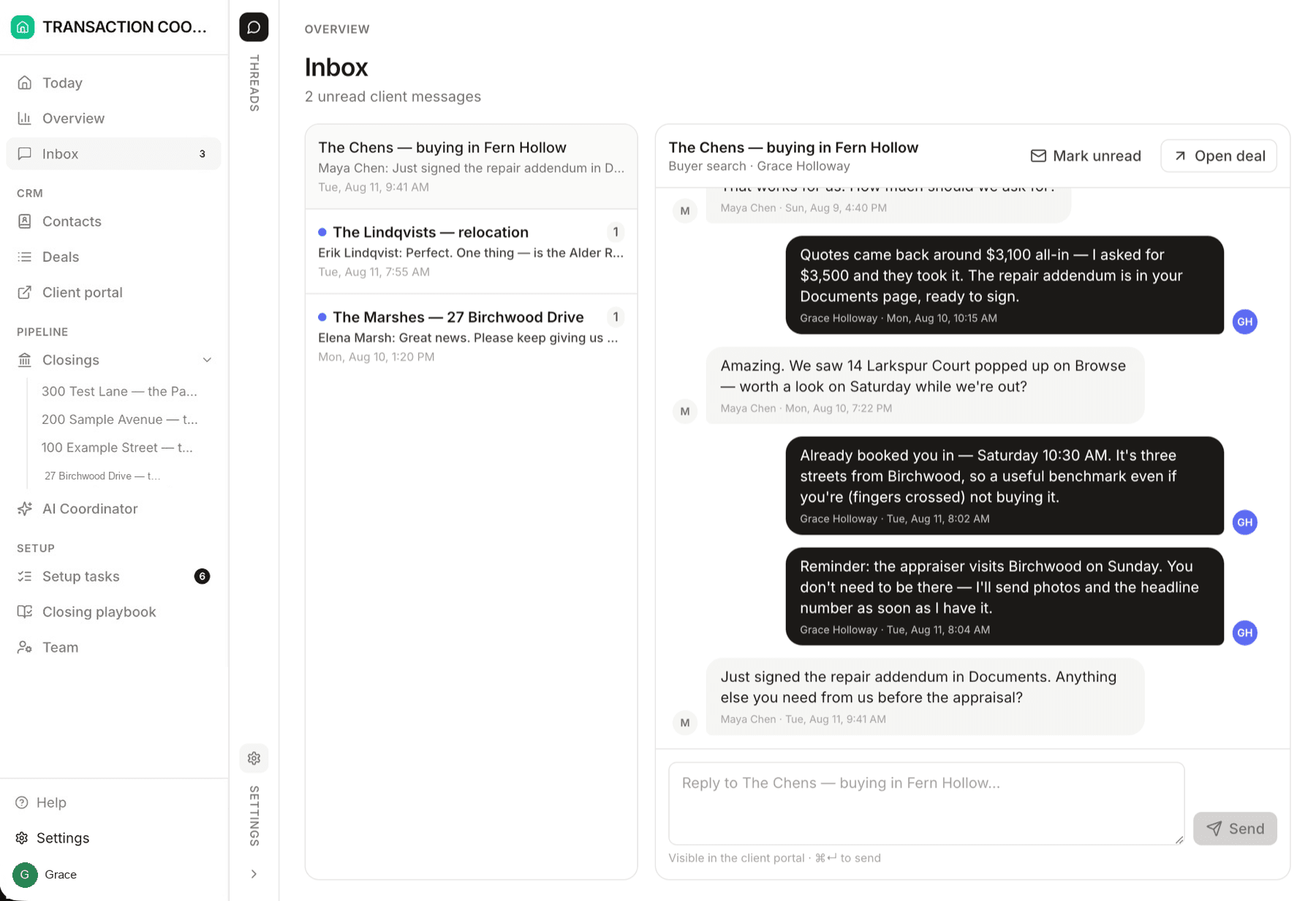
When an inspection report, addendum, or title package arrives by email, the coordinator reads the attachment and adds it to the matching closing — on the right document line, not a pile in the inbox.
Send emails as you
Mail and texts go out as your brokerage — your display name and a DeedSpring address clients reply to — not a generic vendor. Rename the coordinator’s from-line under Config.
One inbox for email & SMS
Email, texts, and portal chat land in one team inbox. Review the coordinator’s drafts, connect Gmail, and choose what it may send on its own.
Dotloop connector
Sync loops, participants, documents, and contacts from Dotloop into DeedSpring — two-way, so updates in either place stay on the file.
One folder at closing
Every file chased, signed, and sitting in one audit-ready transaction folder at closing.
Branded client portals
Every buyer and seller gets a private portal for their transaction — live status, next steps, and documents, in your brand.
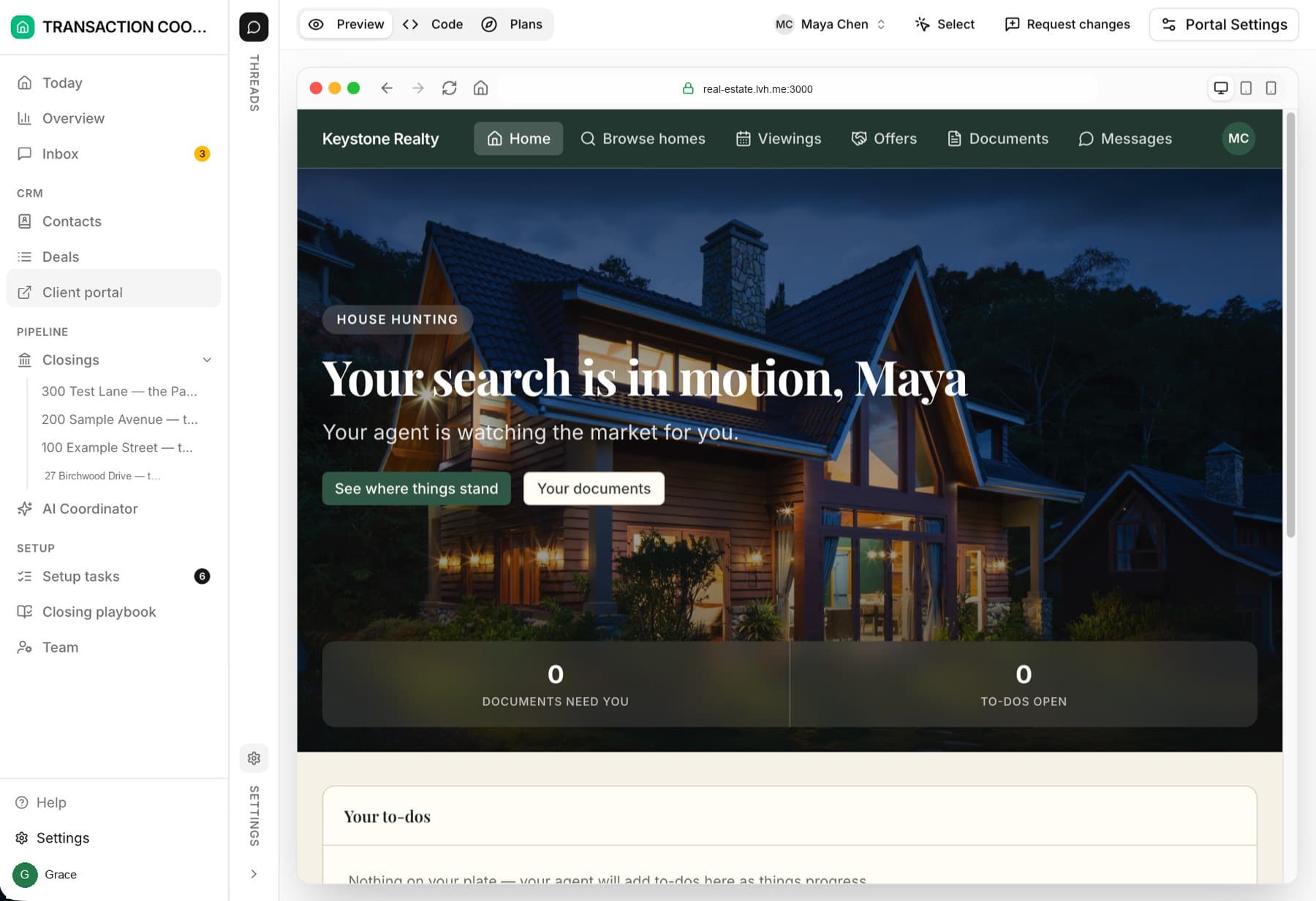
AI coordinator
A teammate on every file that chases signatures, disclosures, lender updates, and deadline math so nothing slips.
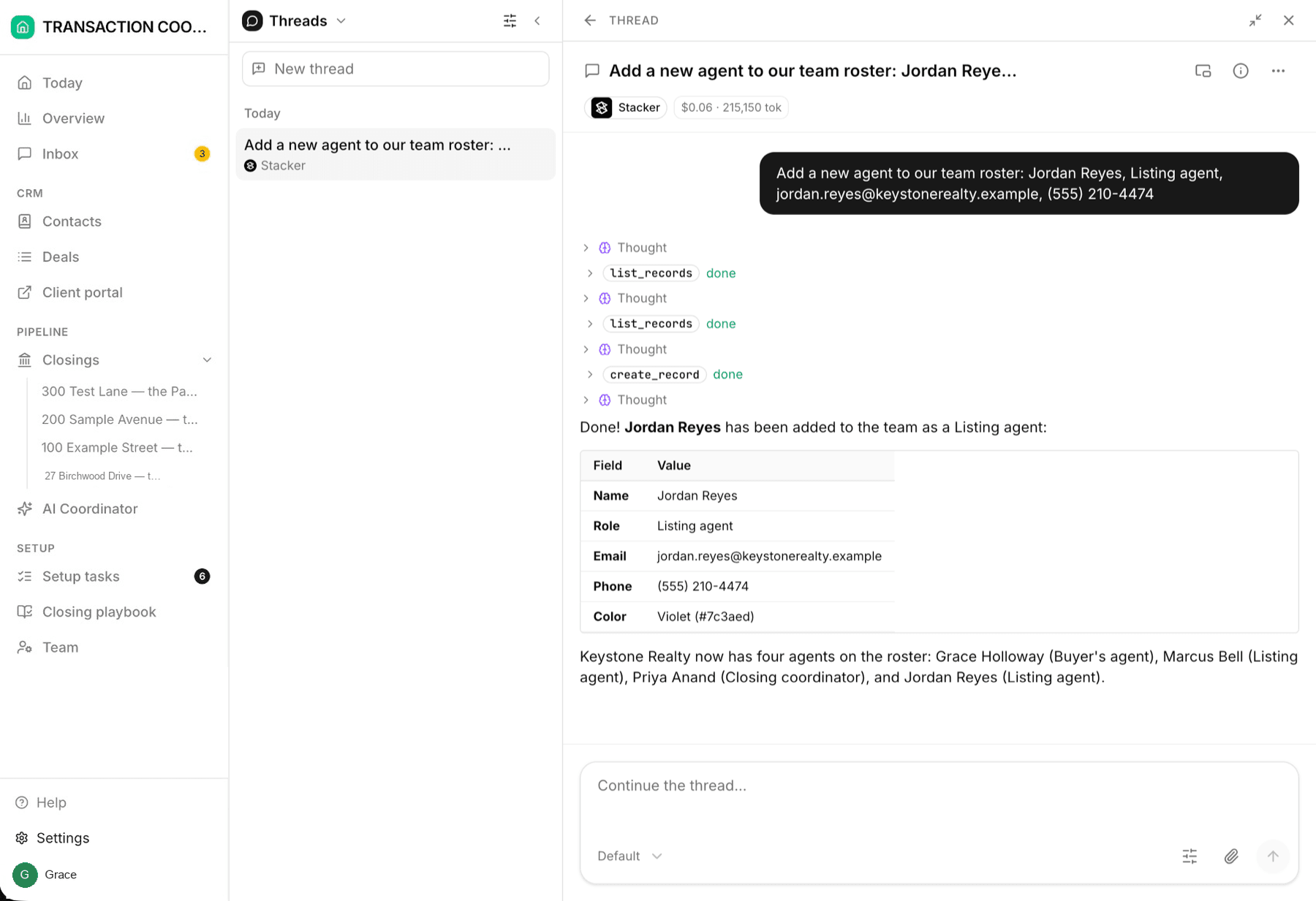
Deadline tracking
Contingency dates are read from the contract and watched from there — reminders go out before anything is late.
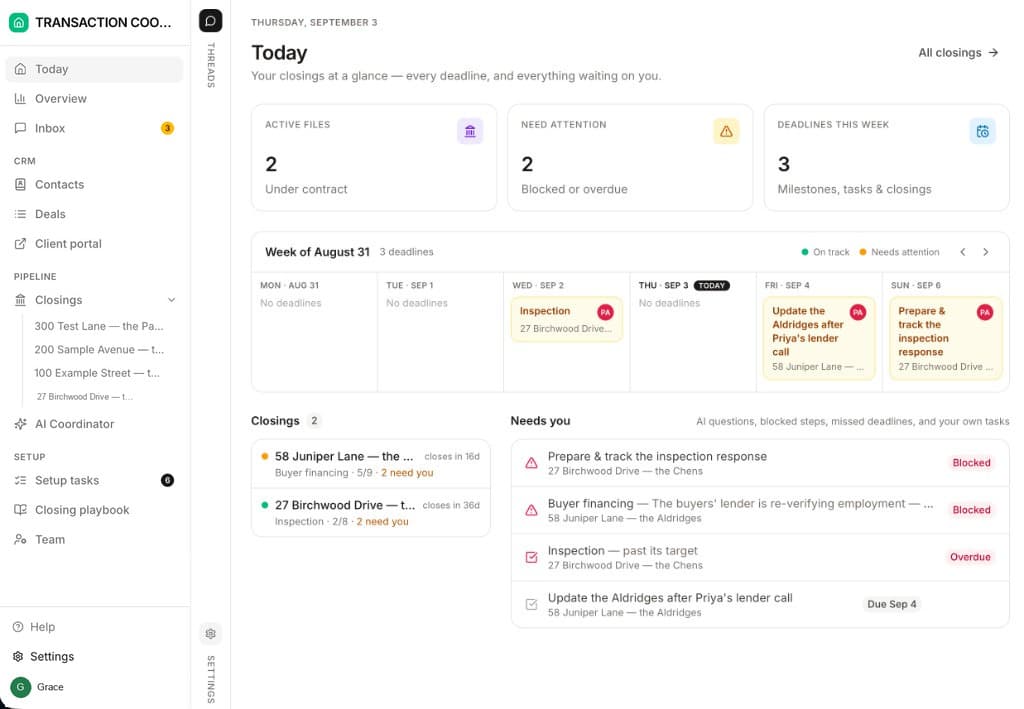
Custom domains
Put the client portal on your own domain — closings.yourbrokerage.com — with SSL handled for you. To your clients, it looks like your firm, not a vendor.
Follow Up Boss connector
Sync people, deals, and lead activity from Follow Up Boss into DeedSpring — so the coordinator works the pipeline you already run.
Close with confidence.
Set up your first transaction in minutes. Your clients get their portal — and your coordinator starts working the file — the moment you do.