
Welcome to DeedSpring
DeedSpring runs your closings end to end — every file from executed contract to keys, with an AI Transaction Coordinator that reads the contract, watches the deadlines, chases the parties and drafts the mail, a team inbox for email, texts and portal chat, and a matching client portal that keeps every buyer and seller in the loop. Pipeline, listings, showings, and offers are there too, behind switches. This guide shows you around and gets you productive fast.
One system, two front doors
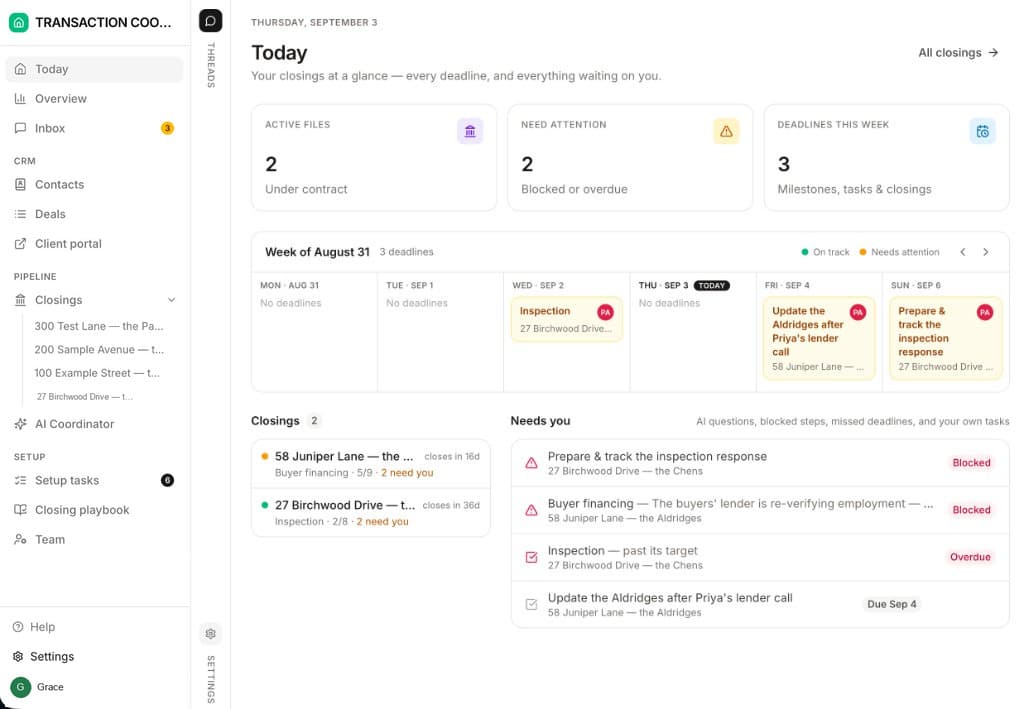
Everything in DeedSpring lives on one shared database — contacts, deals, properties, showings, offers, closings. What differs is who is looking at it:
Your workspace
Client portal
Because both run on the same records, there is nothing to sync and nothing to copy. Update a closing date in your workspace and the client's timeline updates the moment they refresh. Read more about how the two fit together →
Your workspace arrives ready to explore
New workspaces come pre-loaded with realistic sample data — a demo brokerage called Keystone Realty, with live-looking deals, closings, and clients. The screenshots throughout this Help Center use it. Explore freely: when you're ready to bring in your real business, the Setup tasks page walks you through replacing the sample data step by step, with the AI assistant doing the heavy lifting.
Popular guides
A tour of your workspace
Every page in the sidebar and what it's for.
Managing deals
Gather contacts, properties, and documents on a deal before you open a closing.
Meet your AI coordinator
What the AI Transaction Coordinator does on every closing, and what it won't.
Enquiries, leads & the Lead Agent
From first message to signed agreement, with an AI that answers first.
Getting a listing to market
The Listing tab, Validate, the input sheet, and the Listing Coordinator.
Offers & contracts
Write the terms once; the contract and addenda follow. Counter, accept, close.
Starting a closing
Open a closing from an accepted offer and stamp on the right playbook.
Tracking closings
Work the milestone chain on the closing detail page, or just Ask AI.
Documents on a closing
Signed copies come back by email and land on the closing, under Documents.
Sending for signature
Forms are already uploaded. Send them to be signed.
Inbox, email & SMS
Connect your Gmail, review the coordinator's drafts, decide what it may send.
Config
Pick your side, switch on the services you run, and switch the AI on or off.
The client portal
The branded home your buyers and sellers sign in to.
Compliance review
A review on every file, an AI first pass, a human decision, a broker sign-off.
Commissions
Statements from gross to agent net, approval, the CDA, and marking paid.
Your first hour
If you like a checklist, this is the one we recommend: