
The client portal
Your clients get a branded portal of their own — a home page that always answers “where do things stand and what do I do next?”, backed by pages for showings, offers, documents, and messages. It's one portal, and it adapts to whether the person signing in is buying or selling. Here's what each side sees.
What buyers see
A buyer signs in and lands on a home page built around their search: where things stand, documents that need them, and open to-dos. Once they go under contract, the same portal carries them through the closing.
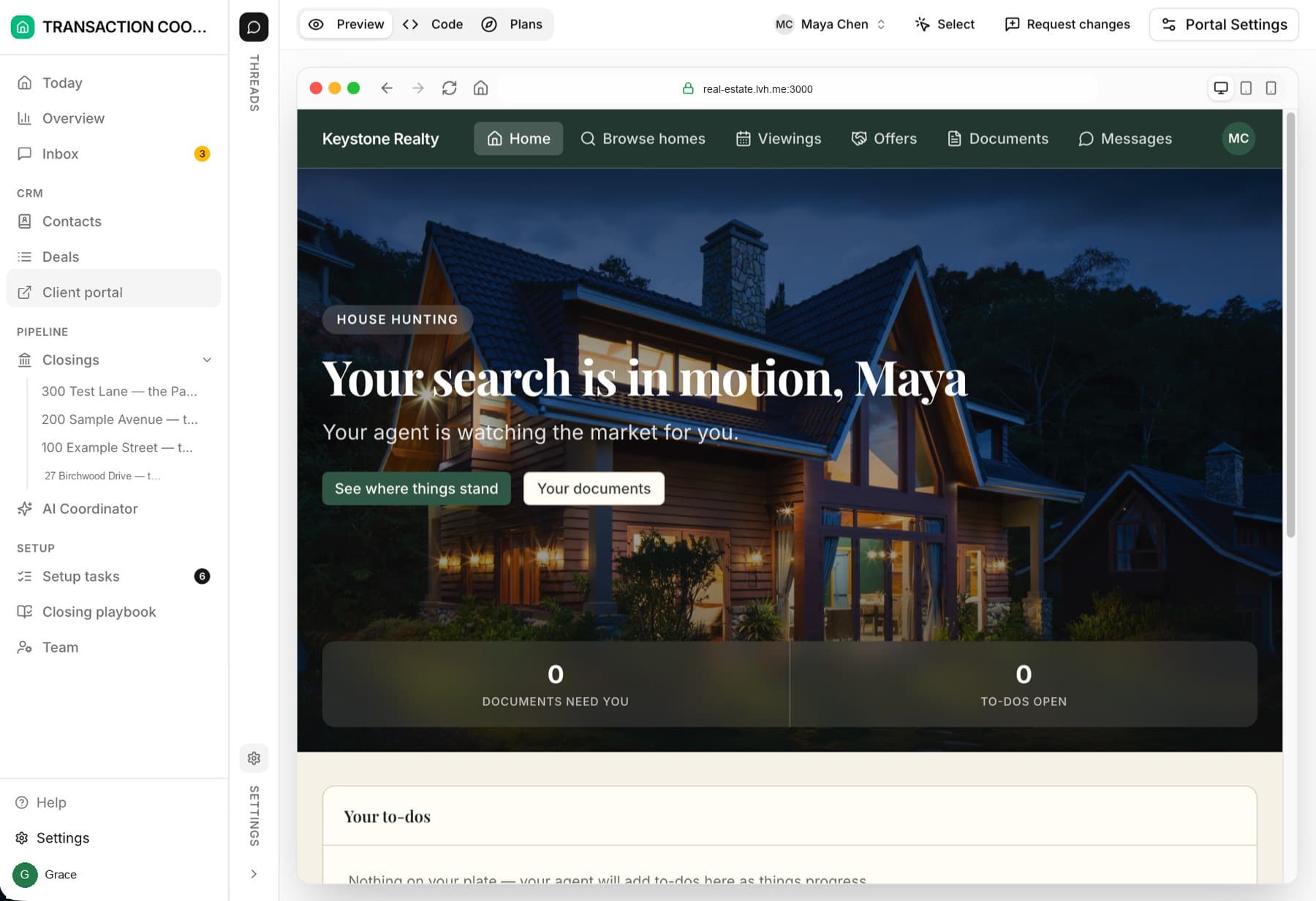
Browse homes
Showings
Offers
Documents & Messages
What sellers see
A seller's home page leads with their sale: the status banner, the countdown to closing, and the numbers they care about — offers received, documents outstanding. Before going under contract, it's the market story for their listing.
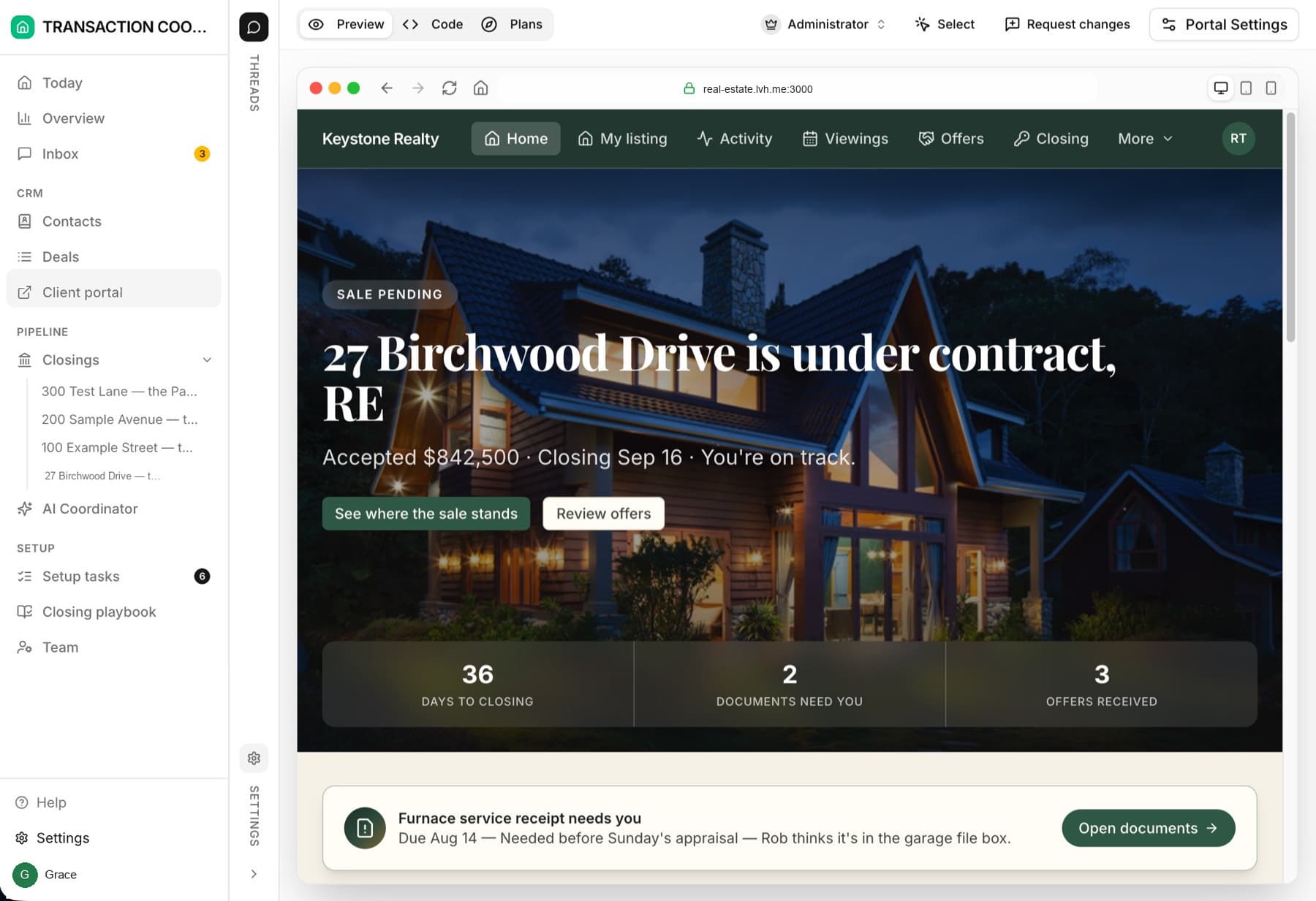
My listing
Activity
Showings & Offers
Closing
What keeps the portal safe
Each signed-in client sees only the deals they're a member of, and only the client-appropriate fields on those records — internal notes, risk flags, and other clients' data never reach the portal. Closing milestones respect their audience setting, so buyers and sellers each get a timeline written for them. The rules are laid out in Workspace vs. client portal.
Make it yours
The portal takes your brokerage's name, logo, colors, and welcome copy — the Finish setting up your portal setup task handles it in one conversation. For deeper changes (new sections, different layouts), see Customizing your portal.