
Managing deals
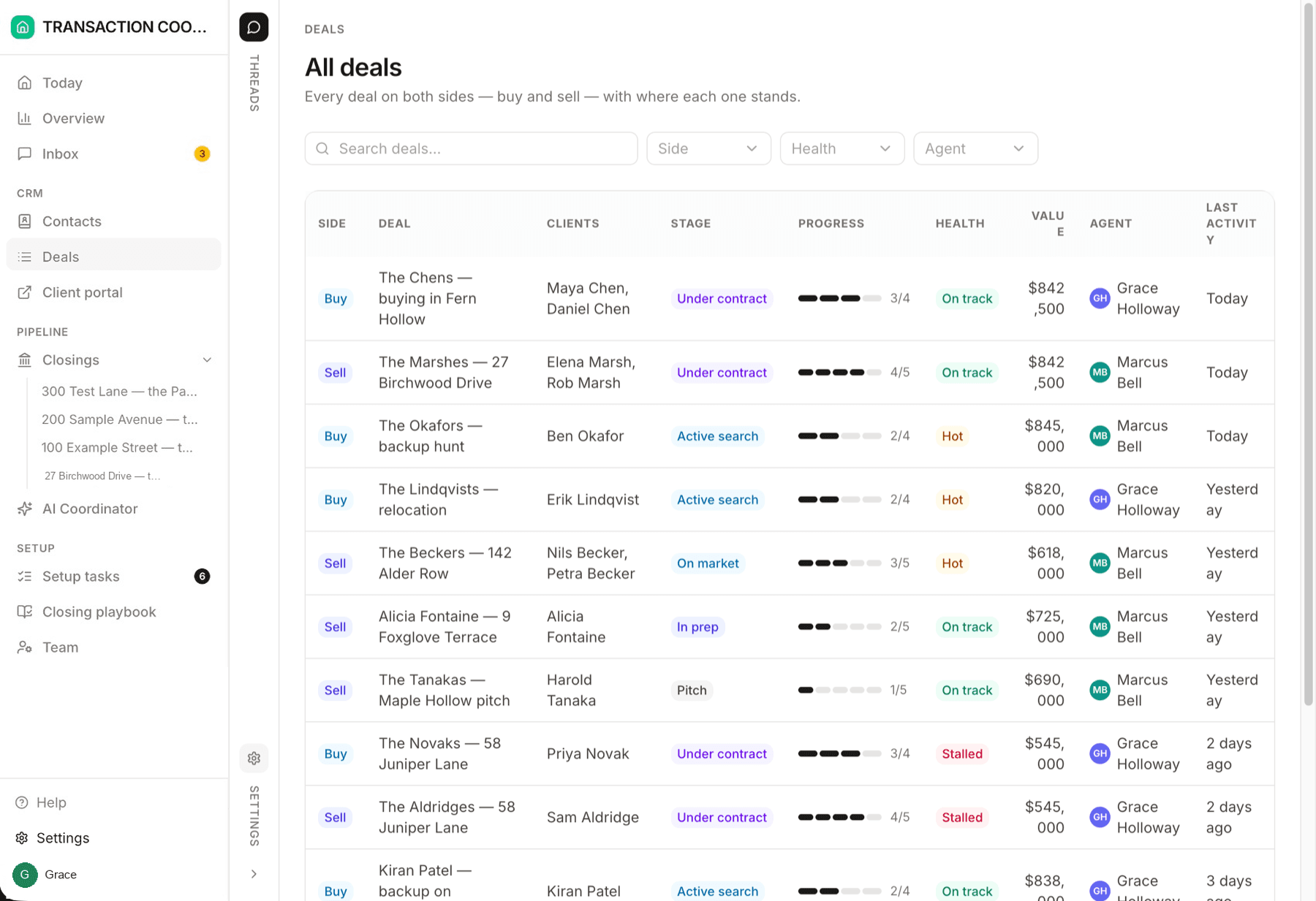
A deal is where you start before the closing — or when you have a listing and want everything connected in one place. Contacts, properties, documents, buyer preferences: track it here before you jump into a transaction.
Closings are for work that is already under contract. A deal is the earlier chapter: a buyer's search, a seller's listing, or any engagement you want to hold together until it is time to open a closing. Open Deals from the sidebar, under CRM, next to Contacts — the All deals tab is the whole pipeline — then click a deal to work the detail page.
Inside a deal
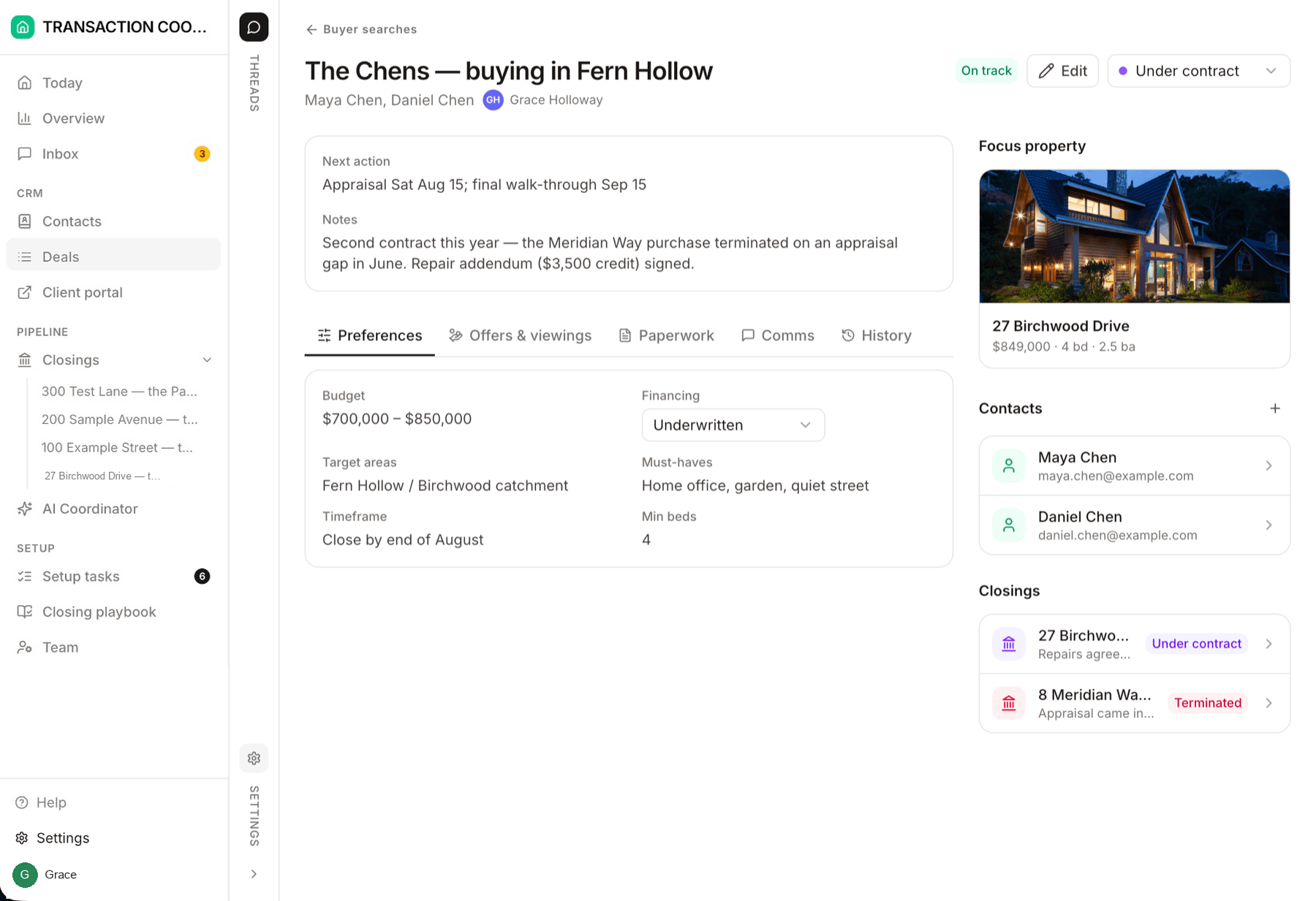
The detail page is the hub. Everything that belongs to this engagement should be reachable from here, so you are not hunting across directories when you are ready to go under contract.
Contacts
Properties
Documents
Preferences
Buyer searches and seller listings
Every deal has a Side — buyer or seller — and the Deals page has a tab for each side you represent. Same records as All deals; different columns for the work in front of you.
Buyer searches
Buyer-side deals with search criteria: budget range, target areas, minimum beds, must-haves, timeframe, and financing status, plus lender and loan details once financing is in motion.
Seller listings
Seller-side deals for listing work: the property, photos, listing copy, pricing, and disclosures — so you always know what stands between a signed agreement and a live listing, and you are not starting a closing until there is a contract.
Change what appears on the page
The deal detail page is not fixed. Open a thread with the assistant and say what should show up — buyer information and preferences, extra fields, or which document types belong on this page. It edits the workspace the same way it edits everything else in DeedSpring.
- "Add must-have and deal-breaker fields to buyer deals, and show them on the detail page."
- "Put pre-approval letters and listing agreements on the deal documents section — not inspection reports until we're under contract."
- "Show school district and HOA on seller listing deals."
Working with the assistant covers how threads work.
When you're ready for the transaction
Once an offer is accepted, open a closing — that is the jump from deal to transaction. Starting a closing walks the + New closing dialog (or drop the executed contract into a thread). From there, Tracking closings is the page you work the milestone chain from.