Migration guide · Product guides, pricing and migration
Leaving a brokerage that uses SkySlope: files, archives and access checks
SkySlope Suite files stay with the brokerage and never transfer to your next one. Here is what you can download before your account is deactivated, one archived file at a time, what has no export at all, and how to restart the open deals.
What happens to my SkySlope files when I leave?
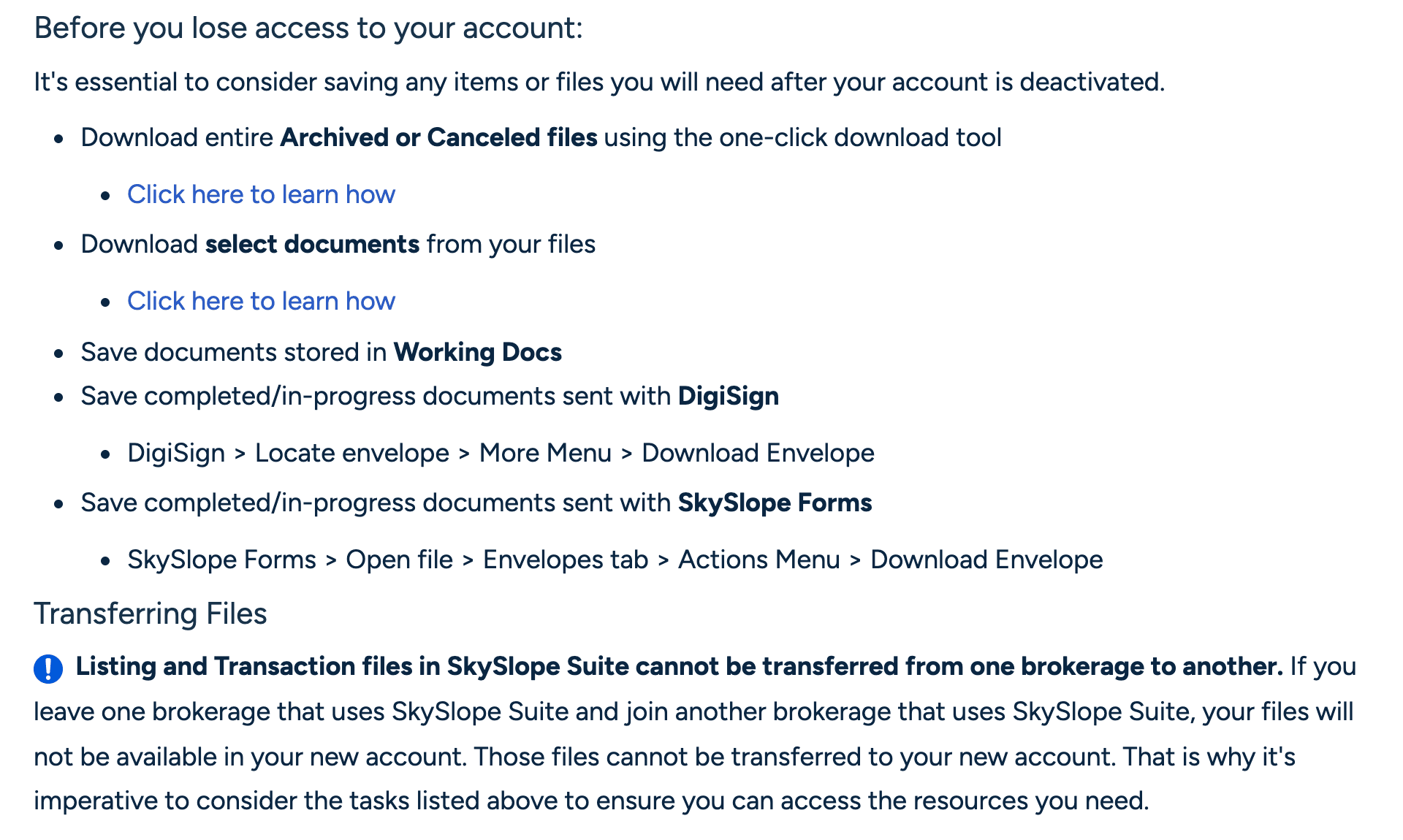
Your brokerage created your account, so your account goes when you do. SkySlope's help page on leaving says you lose the account, your Listing and Transaction files, and your connected Forms and DigiSign access, and that Listing and Transaction files “cannot be transferred from one brokerage to another.” Join another SkySlope brokerage and you start with an empty account.
The terms behind that are blunt. SkySlope's End User Terms of Use say your right to use the SkySlope software ends immediately and automatically when you cease your business relationship with the brokerage, and that on termination your right to access and use the services is “immediately, automatically, and without notice” revoked. The same document says SkySlope has no liability for failing to store any transaction or document, and that if you want to keep documents you should export them somewhere else.
The switch is in your admin's hands. An Office Manager, Admin or Broker opens Manage Agents, opens your name and clicks Deactivate User. There is no confirmation step. The same page can reactivate you, so a brokerage that cut you off a day early can let you back in to finish. One corner nobody can reach for you: Personal Docs in Working Docs opens only when you log in yourself, so your admin cannot recover anything you left there.
What can I take with me?
Everything on this list is a download you do yourself, one file at a time. The brokerage keeps the originals.
What leaves a SkySlope brokerage with the agent, and how
| Item | How you get it out | What you get | Who can do it |
|---|---|---|---|
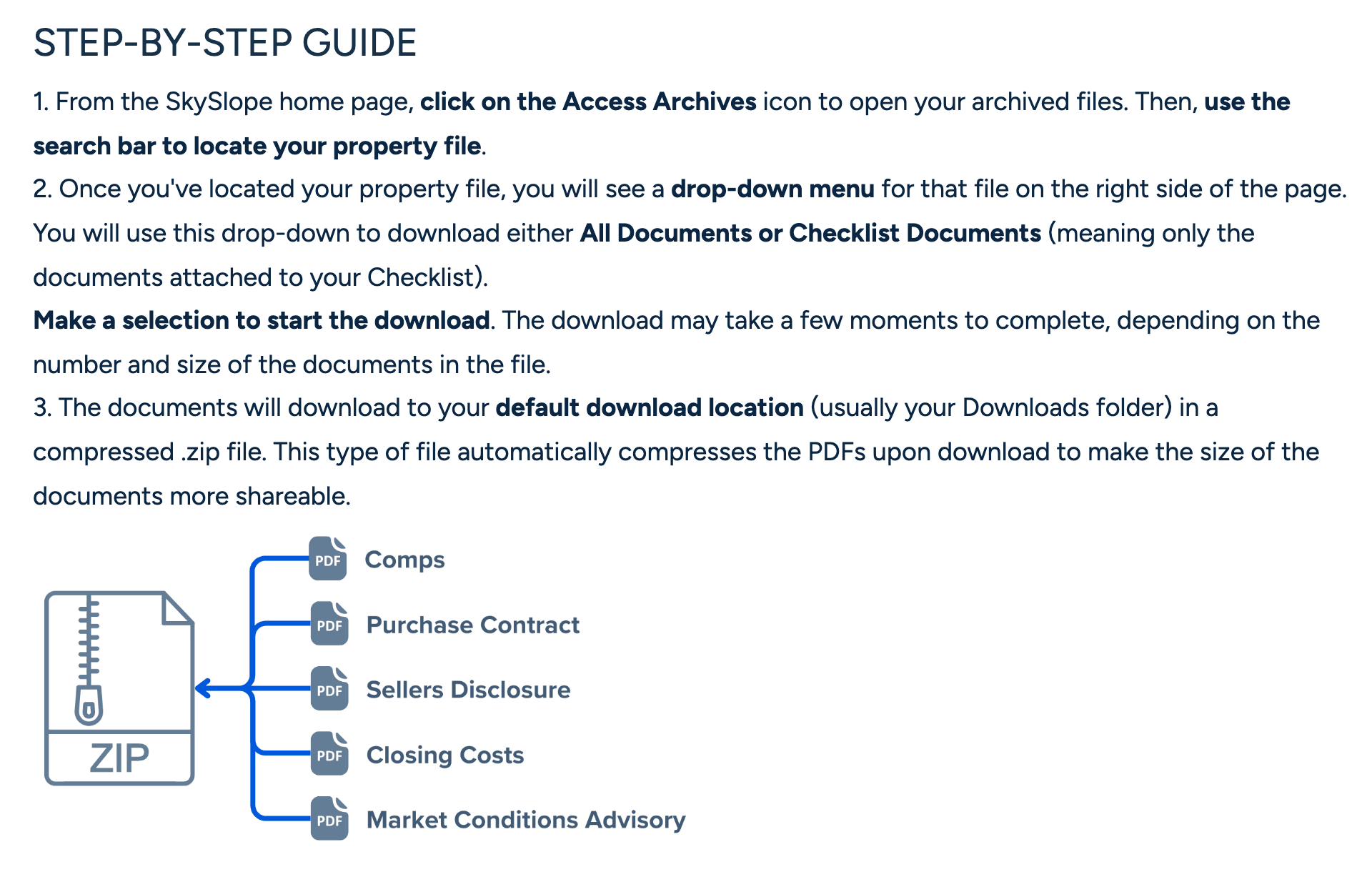
| Archived or canceled files | Access Archives, then each file's drop-down: All Documents or Checklist Documents. | One .zip of PDFs per file. No bulk option. | You, for your files. Admins, for every file in their offices. |
| Documents on a pending file | Documents tab, tick the documents, Download Documents. | One .zip of the documents you ticked. | You, or anyone with access to the file. |
| A closed file in one click | Only after an Admin or Broker closes and archives it. | The same per-file .zip from the Archives. | Admin or Broker to archive. Agents cannot. |
| Personal Docs in Working Docs | Assign each document to a property file, or email it out. | The PDF lands in the file or in your inbox. | You only. Your admin cannot open Personal Docs. |
| DigiSign envelopes | DigiSign, locate the envelope, More menu, Download Envelope and Download Certificate. | The signed PDF in its current state, plus a Certificate of Completion. | You. |
| SkySlope Forms files | Forms file, Signed Documents tab, select all, Download. Envelopes tab for envelopes. | Signed PDFs. Still readable without a Forms subscription. | You. |
| A summary of the transaction | Transaction Actions, Download Summary. | A Transaction Summary Sheet PDF. | You. |
| Checklist statuses and reviewer comments | Ask your auditor for an Update Agent email. | An email snapshot of each item's status and correction comments. | Your Admin/Auditor sends it. You receive it. |
| The file Log | No download route. Assume it stays behind. | Nothing. | Nobody. |
| The file itself, to your next brokerage | Cannot be transferred. | Nothing. Your new brokerage creates an empty account. | Nobody. |
The first row is the slow one. SkySlope's download is one zip per archived file. When a brokerage with several broker-owners asked for a download by month or year, the product team replied that “we don't have a faster way to get all the files downloaded.” Forty closings is forty downloads. Do one first, open the zip and count the PDFs against the file's Documents tab, then do the rest.
What stays behind?
The checklist stays behind. Item statuses, reviewer comments and the file's Log have no download. The nearest thing is an Update Agent email: your auditor sends it from the Checklist tab and it carries each item's current status and any correction comments, so ask for one on every pending file before you go. The Log tab, which records the emails sent out of the file, stays with the brokerage. Assume you will never see it again. Download the Transaction Summary Sheet too, from Transaction Actions on every transaction.
Files you cannot archive are the other problem. Agents and Limited TCs cannot close or archive a file. Only an Admin or Broker can, and only a file in the Archives downloads whole in one click. A closed file still sitting in Manage Transactions has to be archived by your admin before you can take it in one piece. Otherwise you tick its documents on the Documents tab and download them as a zip, which works on any file that has a Documents tab. An Incomplete transaction has no Documents tab, so there is nothing in it to download.
How do I get everything out before my access ends?
Start the week you give notice. The downloads are quick, but there are as many of them as you have files, and your admin can end them with one click.
Step 1: Make the list
Open Manage Listings, Manage Transactions, Access Archives and Canceled Contracts and write down every address. This is the count you reconcile against at the end.
Step 2: Get closed files archived
Ask for any closed file still sitting in Manage Transactions to be closed and archived, because only a file in the Archives downloads in one click.
- Owner
- Admin or Broker
Step 3: Download every archived and canceled file
In Access Archives, open each file's drop-down and choose All Documents. One zip per file.
Step 4: Pull the documents off every pending file
On each pending file's Documents tab, tick everything and click Download Documents.
Step 5: Download the summary sheet for each transaction
Transaction Actions, then Download Summary, on every transaction.
Step 6: Empty Personal Docs
Assign each document to a property file or email it to yourself, because nobody at the brokerage can do this for you after you are gone.
Step 7: Save every envelope
In DigiSign, download the envelope and its certificate for each completed envelope. In Forms, open each file's Signed Documents tab, select all and download.
Step 8: Ask for a last Update Agent email on each pending file
It is the only record of your checklist statuses and the reviewer's comments that you can keep.
- Owner
- Admin/Auditor
Step 9: Open every zip and reconcile
Count folders against the list from step 1 and PDFs against each Documents tab, and re-download anything short.
Step 10: Then ask to be deactivated
Give your admin the date. If you want the same email address at your next SkySlope brokerage, their deactivation is what lets the new brokerage create your account.
Run the whole sequence on one archived file first, open the zip, and only then start on the rest.
What should I check before the admin deactivates me?
Before you say deactivate
- Every address from Manage Listings, Manage Transactions, Access Archives and Canceled Contracts has a folder on your own drive.
- Each archived zip opens, and its PDF count matches that file's Documents tab.
- Each pending file has its ticked documents, its Transaction Summary Sheet and a final Update Agent email.
- Personal Docs is empty.
- Every completed DigiSign envelope has its PDF and Certificate of Completion saved, and every Forms file's Signed Documents are downloaded.
- Any DigiSign subscription you pay for yourself on this account is canceled under Preferences, Billing Management.
- Your admin has the deactivation date in writing, and your next brokerage knows whether you are reusing the same email address.
What about the deals that are still open?
A pending file stays a pending file at the old brokerage. SkySlope has no handoff for an active deal to another brokerage's account, so what moves is paper: the documents you downloaded and the summary sheet. At the new brokerage you create a fresh transaction, upload them, and the checklist starts from zero under a new auditor.
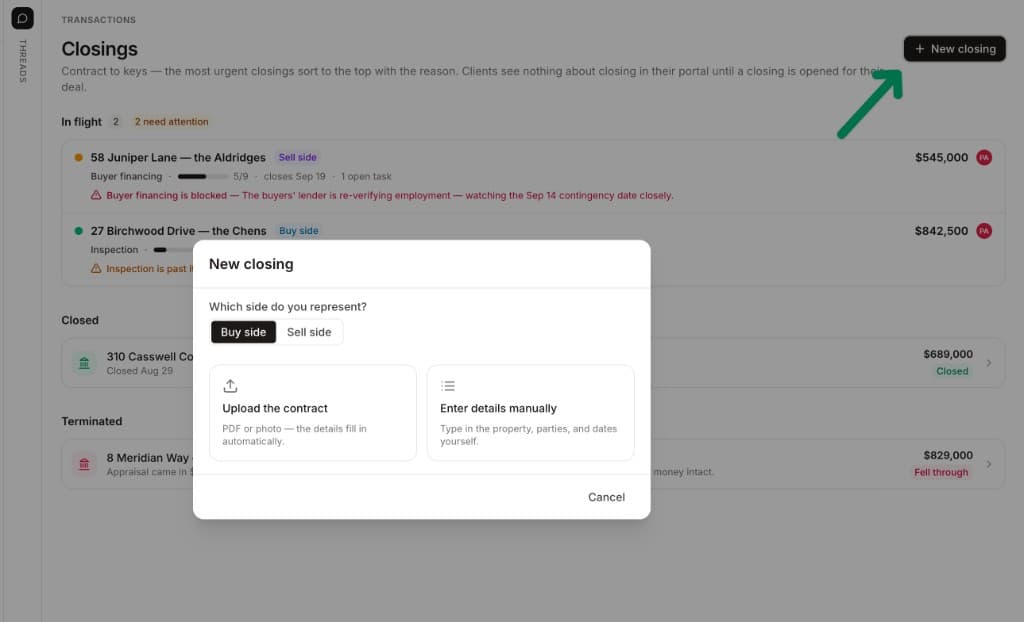
If you are running those deals yourself in the gap, or your next brokerage does not hand you a system, DeedSpring is where to open them. There is no SkySlope import, so you open each live deal by uploading the executed contract. DeedSpring reads the price, deposits, contingencies and dates into deadlines on the file, and the PDFs from your SkySlope zip go on the Documents tab, where a packet is split into its separate documents and filed on the matching line. Leave DeedSpring one day and the whole file downloads as a ZIP or a single merged PDF.
What happens to SkySlope Forms and DigiSign?
They were yours through the brokerage, and they go dark with the account unless you pay for them. Anyone can buy SkySlope Forms at $15.99 a month or $149 a year, DigiSign is included, and some MLSs and associations provide Forms as a member benefit. Without a Forms subscription you cannot create files, but your signed documents stay readable on the Signed Documents and Envelopes tabs. Download them anyway, from the Signed Documents tab.
DigiSign envelopes download in their current state, so a half-signed envelope comes down half signed. A completed one carries every signature and a Certificate of Completion you download beside it, and a completed envelope cannot be voided. If you were paying for DigiSign on the brokerage account yourself, at $6.25 a month billed annually, cancel it under Preferences, Billing Management before the account closes. The plan renews automatically, and each SkySlope account carries its own subscription.
What does the brokerage have to do?
Keep the files, because nobody else can. The departing agent's listings and transactions stay in the brokerage's account on the same checklists, and an Admin can reactivate an archived file to correct it. SkySlope's terms say the storage available “will depend upon the plan and features purchased”, and that after that period transactions and their documents may be deleted and may not be recoverable. Whatever your state requires you to keep, keep your own copy of it.
Deactivate on an agreed date. Let the agent finish the downloads above, then deactivate from Manage Agents. If the agent is going to another SkySlope brokerage and wants the same email address, your deactivation is what unblocks their new account. And if the brokerage itself is leaving SkySlope, cancellation takes effect at the end of the current term, support will confirm how to download your files, and the download is still one archived file at a time. Start those downloads the month you give notice.
Where DeedSpring fits after the move
SkySlope was where your brokerage checked the paperwork. Once you have it out, DeedSpring is where the deal runs. Upload the executed contract and it reads the price, deposits, contingencies and dates into deadlines on the file. It checks every open closing every hour, flags what is slipping, and drafts the chases and client updates for you to send, with anything sensitive or negotiable always waiting for a person. Your buyers and sellers get a portal, e-signing is built in, and your documents come out again as a ZIP whenever you want them.