
Comparison · Software comparisons and alternatives
SkySlope vs dotloop: which one to buy, and what neither one does
SkySlope Suite is the brokerage's compliance system. dotloop is the agent's deal room that teams and brokerages can also run review through. Here is who should buy which, what each costs, and the coordination work neither one does.
Who actually buys each one
SkySlope Suite has one customer: the brokerage. The brokerage signs up at $340 a month and up, creates an account for each agent, and keeps those accounts when agents move on. An individual can buy SkySlope Forms with DigiSign for $15.99 a month or $149 a year, but that is a forms-and-signatures product. It has no file review in it.
dotloop sells to the agent first. Premium is $34.99 a month or $344 a year, and a free account gives you ten transactions to try it on. Teams and Business+ are the plans a team lead or broker buys, and dotloop quotes them on a call. That split matters more than any feature list, because review in dotloop only exists once your account is attached to a team or brokerage. A solo Premium agent has nobody to submit a file to.
Ownership, since brokers ask: dotloop has been part of Zillow Group since 2015, and Fidelity National Financial has held a majority of SkySlope since 2017.
Side by side
SkySlope Suite and dotloop on the things that decide the purchase
| SkySlope Suite | dotloop | |
|---|---|---|
| Who buys it | The brokerage. It creates each agent's account. | Agents buy Premium. Teams and brokerages buy Teams or Business+. |
| Published price | From $340 a month. SkySlope won't say what that covers. | Premium $34.99/month or $344/year. Teams and Business+ quote only. |
| E-signatures | DigiSign add-on: $6.25 a month per account. | Included on every plan. |
| Who submits for review | The agent, or a Limited TC. | The agent, or a team admin acting as the agent. |
| Who approves | Admin/Auditor or Broker. Office Managers cannot. | The Teams or Business+ admin profile. |
| The review step | Quick Audit: accept or reject each document. Comment required on reject. | Approve or return each document in the folder. Note on return. |
| Outside TC | TC Access: an in-office TC opens files for agents. | Add to My Team shares one loop, permanently. |
| When an agent leaves | Files stay with the brokerage. The agent loses the account. | The admin chooses whether the agent keeps their loops. |
| Getting files out | One zip per archived file. No bulk download. | Per-document PDF export. Assume no bulk download. |
How broker review works in each
In SkySlope, a file is a checklist. The agent, or an in-office TC with TC Access, fills in a Create Transaction form with the property, MLS number, price, and acceptance and closing dates, and the file lands on the checklist your brokerage built for that office. Checklists are per office and per file type, listing or transaction; the defaults can be hidden but never deleted. In California and Arizona SkySlope will read those fields off the contract for you. Everywhere else you type them.
Review happens in Quick Audit. The reviewer opens the first pending document, clicks Accept or Reject, and a Reject has to carry a comment to the agent. Smart Assist, SkySlope's AI, pre-checks signatures and initials in 21 states and suggests Cleared or Flagged. The roles are strict. Only an Admin/Auditor or a Broker can accept or reject. An Office Manager can see the file and cannot approve it. A Limited TC can submit documents and cannot rule on them.
In dotloop, a file is a loop, and the checklist's job is done by a Loop Template on Teams and Business+: the people, documents and tasks added when the loop is created, and what has to be in it before review. Admins can make a template mandatory. The agent submits whole folders, and anything already approved is skipped. The admin approves or returns each document, adds a note on a return, and the stage change emails the agent. When the agent resubmits, the folder goes back to Needs Review. On the plan cards, Teams is where Transaction Templates, Automated Compliance Workflows and Charts and Reporting appear; Business+ adds Multi-Office Compliance for brokerages with more than one office.
The difference that bites is who can submit. dotloop is explicit: a transaction coordinator added to a loop with Add to My Team cannot submit it for review. The agent has to. The way round that is a team admin working on behalf of the agent, which the activity log records under the admin's name, and which the agent can switch off. SkySlope simply gives the TC a role of their own.
Both tools review what is already in the file. Neither turns the executed contract into a deadline calendar, watches those dates, or emails the lender when the appraisal is late. SkySlope's contract reading stops at pre-filling fields in two states; dotloop's tasks are a list you tick. That gap is where DeedSpring sits, from $25 a closing. More on that at the end.
What each one costs
SkySlope Suite starts at $340 a month, with no long-term contract required. The pricing page does not say what that covers, so treat the number as the floor for a quote. Forms is included. DigiSign is an add-on: unless your brokerage's contract covers it, each account pays $6.25 a month, billed annually, and a TC with accounts at three brokerages pays three times. Books, SkySlope's accounting product, is a separate add-on too.
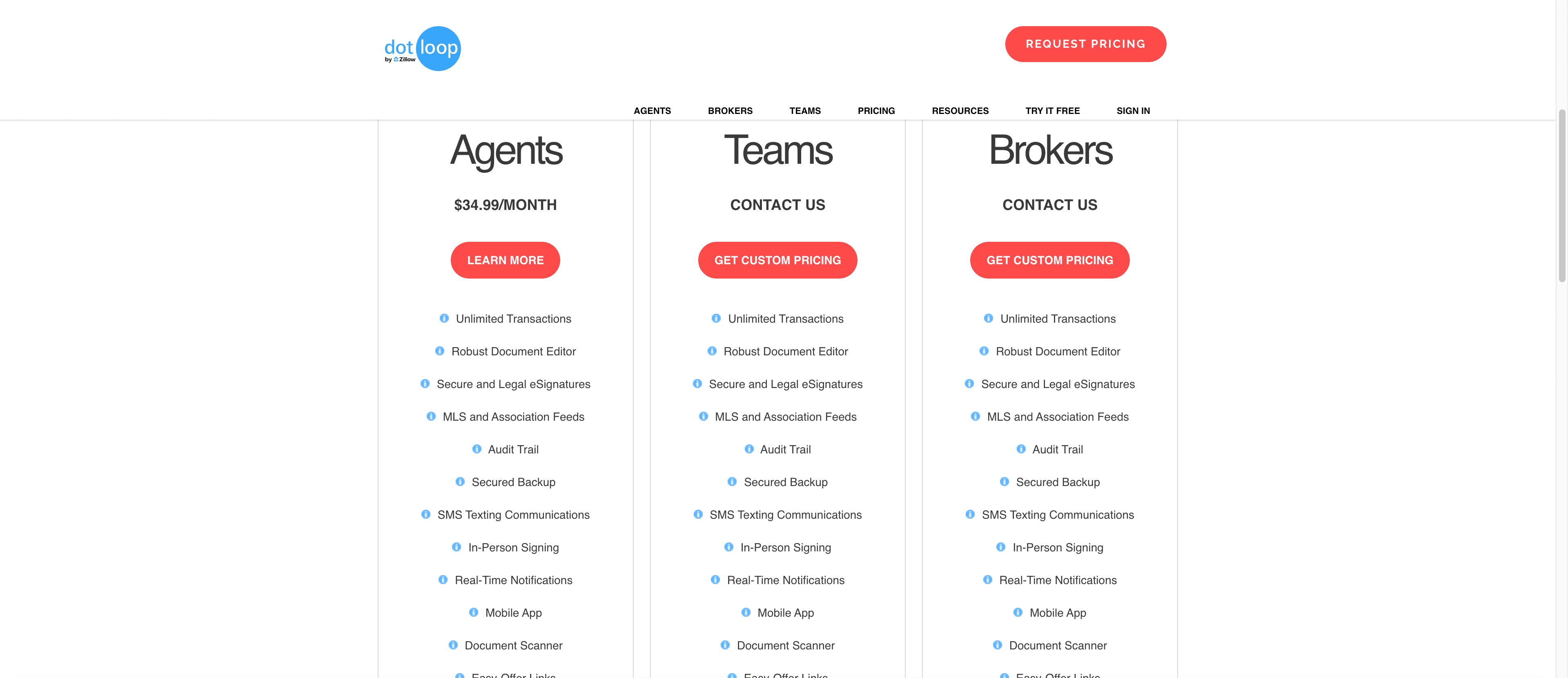
dotloop publishes one price and it is the agent's: Premium at $34.99 a month or $344 a year, an 18% saving for paying up front. That is up from $31.99 and $314 a year ago. Teams and Business+ are quote only, and the same page carries a link reading “or Buy for $29 User/Month” that dotloop does not explain, so ask what it means before you accept the quote. E-signatures come with every dotloop plan, so signing is never a separate line.
What happens when an agent leaves
SkySlope's answer is firm: files cannot be transferred to another brokerage, and the agent loses the account on the way out. Any role can download an archived file as a zip, one file at a time. When a brokerage asked for a download by month or year, SkySlope's product team replied that there is no faster way. If the brokerage itself cancels, that takes effect at the end of the current term.
dotloop puts the call with your admin. When you remove an agent, you choose whether they keep access to the loops they created, and you can grant or revoke that later through dotloop Support. They lose the team's templates either way. Documents export one at a time as tamper-evident PDFs, and the Dropbox backup integration skips archived documents, so plan the export before anyone hands in their keys.
Who should pick SkySlope
A brokerage that mandates review and wants a transaction coordinator in the loop, which is what the Limited TC and Office Manager roles are for. Quick Audit with Smart Assist is the tighter review loop of the two, and files stay with the house when agents leave, with no policy to write. One multi-state operator on r/RealEstateTechnology put it plainly: “SkySlope won because the checklists are granular enough to catch gaps before they become a DBPR problem.” Budget DigiSign per account, and ask what the $340 covers before you sign.
Who should pick dotloop
An agent buying for themselves. SkySlope will not sell you Suite, and dotloop Premium at $34.99 gives you loops, e-signatures, task templates and an audit trail. A team whose lead wants to work deals as the agent, which is exactly what On Behalf Of is for. And a team that expects agents to arrive with their own loop history and leave with it, because dotloop's removal screen makes that a checkbox. Decide how your admins should answer that checkbox before the first agent leaves.
If your brokerage already chose
Then the decision is made and the job is knowing what is still yours. On SkySlope, find out whether DigiSign is in the brokerage's contract, and download your archived files before you leave, because they will not follow you. On dotloop, get your TC attached to the team or they cannot submit for you, and ask, on your way out, to keep access to your loops. Plenty of agents treat the mandated system as the filing cabinet and run the deal somewhere else. One Florida team on the same thread runs dotloop for team management and SkySlope for compliance, side by side.
The job neither one does
SkySlope and dotloop are where the paperwork goes to be checked. DeedSpring is the coordinator who makes sure the paperwork, and the deal, show up on time. Upload the executed contract and it reads the price, deposits, contingencies and dates into deadlines on the file; it checks every open closing every hour, flags what is slipping, and drafts the chases and client updates for you to send, with anything sensitive or negotiable always waiting for a person. Your buyers and sellers get a portal, e-signing is built in, and if your brokerage mandates dotloop it will key the closing in there for you on request.
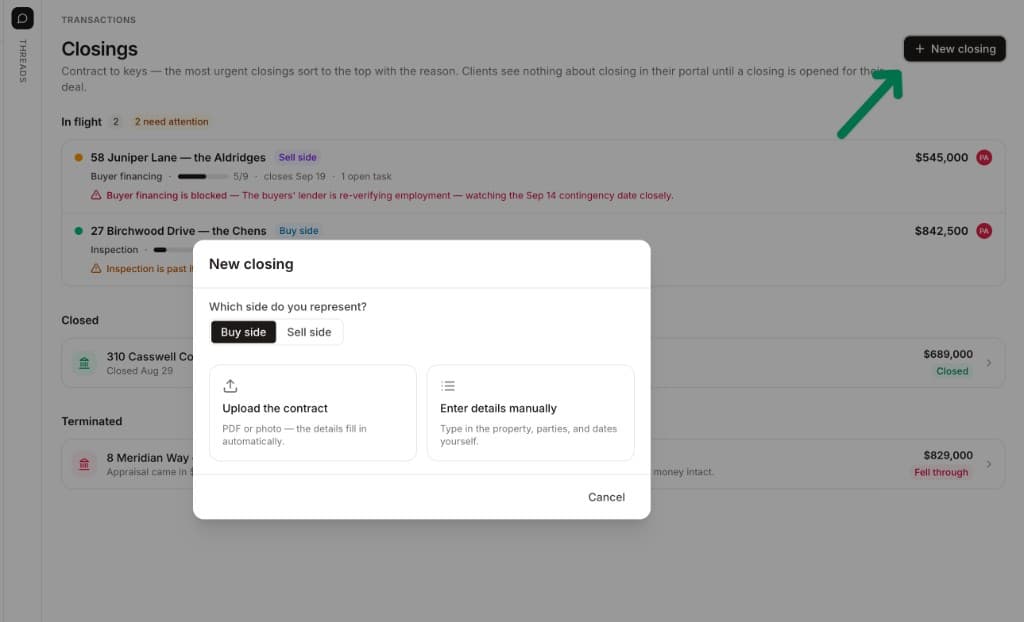
Starter is $15 a month for one closing a month. Standard is $25 a closing, less at volume, with unlimited agents and teammates and unused closings rolling over. Both are month to month.
How we compared
We compared SkySlope Suite as a brokerage buys it with dotloop Premium, Teams and Business+, using both vendors' pricing pages and help articles on review, roles and departing agents. Prices and pages were checked in October 2026.