
Comparison · Software comparisons and alternatives
dotloop vs Docusign for real estate: which one to buy, and what neither one does
Buy a Docusign Real Estate plan if you pay for signing yourself and mostly send association forms: $120 to $300 a year. Buy dotloop Premium at $344 a year if you want the whole deal file in one place. Here is what each costs, what proof each leaves after signing, and what happens to your files when the account closes.
Which Docusign are you comparing?
Docusign on an agent's invoice can mean three different products. The general eSignature plans, Personal, Standard and Business Pro, sell envelopes per user and list no real estate forms. The eSignature Real Estate plans, Real Estate Starter, Real Estate and the NAR-member REALTORS® plan, add association forms and, on the two upper tiers, a transactions workspace. Docusign's real estate page pitches them at individual agents, small brokerages and groups of agents. Docusign Rooms for Real Estate is the third: a transaction system a brokerage buys, sold through sales under the Enhanced plans.
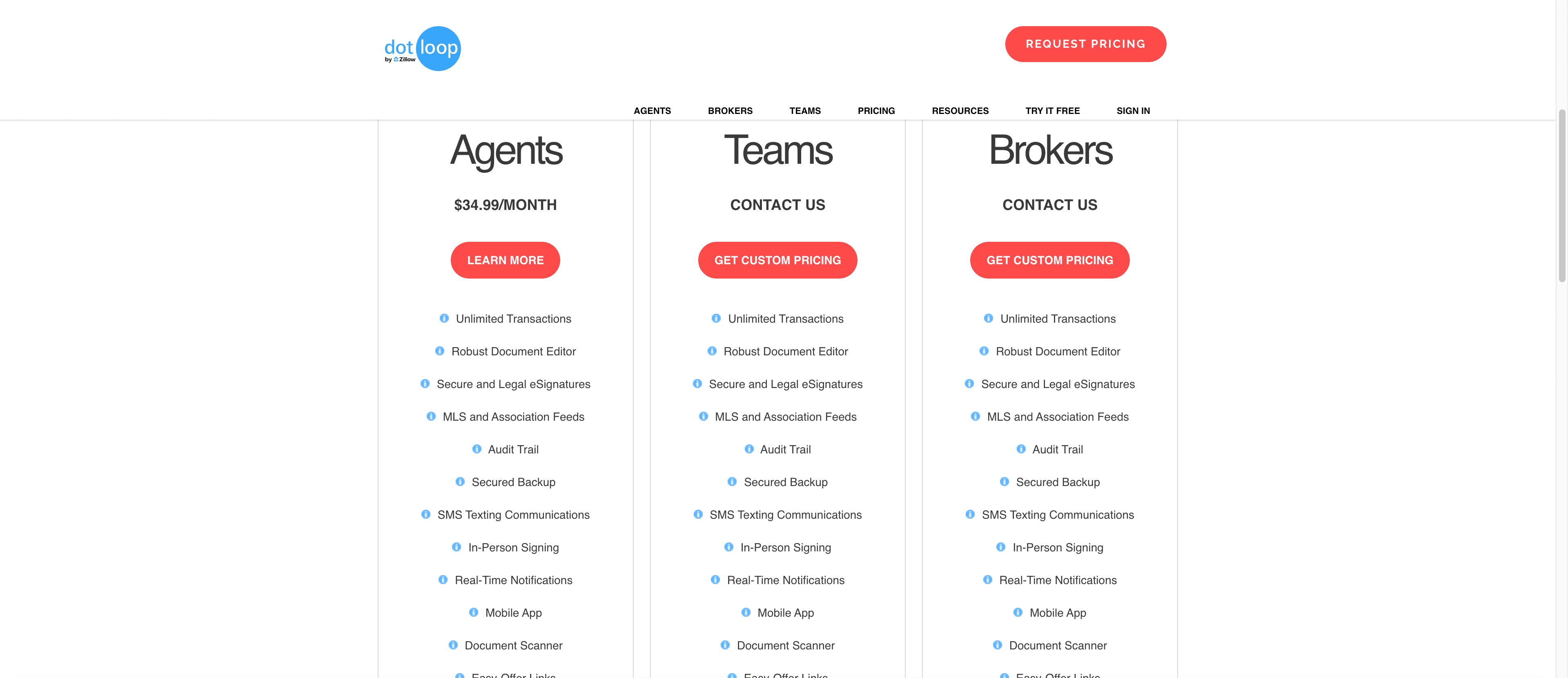
dotloop is one product on three tiers, and it belongs to Zillow Group, which bought it in 2015. Premium is the tier an agent buys. Teams and Business+ add broker review and are quoted on a call. Our SkySlope vs dotloop comparison covers that review flow in detail. This one covers forms, signing, the proof each product leaves behind, and what happens to your files when the account ends.
What does each one cost?
dotloop publishes one price. Premium is $34.99 a month or $344 a year, after up to ten free transactions on a free account. Teams and Business+ show a request-pricing button. Docusign publishes six prices across two product lines, and Rooms is quoted.
dotloop and Docusign, plan by plan
| Plan | Sold to | Price | Envelopes | Forms |
|---|---|---|---|---|
| dotloop Premium | An agent | $34.99 a month or $344 a year. Ten free transactions first. | Not counted. Unlimited transactions. | MLS and association feeds. |
| dotloop Teams and Business+ | A team or brokerage | Quote only. | Not counted. | The same feeds. |
| Docusign Real Estate Starter | One user | $120 a year. | 5 a month. | Association forms. |
| Docusign Real Estate | 1 to 5 users | $300 per user a year. | 100 per user a year. | Association forms plus Workspaces for Real Estate. |
| Docusign REALTORS® | 1 to 5 users, NAR members | $240 per user a year. | No hard cap, under the reasonable use policy. | Association forms plus Workspaces for Real Estate. |
| Docusign eSignature Personal, Standard, Business Pro | Any sender | $132, $360 or $540 per user a year. | 5 a month on Personal. 100 per user a year on the others. | None listed. |
| Docusign Rooms for Real Estate | A brokerage | Quote only, under the Enhanced plans. | Custom limits. | Association, MLS or brokerage forms. |
The Docusign plans to look at are the Real Estate ones. Starter is $120 a year for a single user and five envelopes a month. Real Estate is $300 per user a year for one to five users and 100 envelopes a user a year. REALTORS® is the same plan at $240 for NAR members, with no hard envelope cap under the reasonable use policy, which lets Docusign charge for envelopes over an allowance or stop new sends. On Starter that works out at $2 an envelope if you use all 60. Send fewer and each one costs more. The general eSignature plans cost more for the same allowances, $132, $360 and $540 a year, and list no forms.
Two things to know before you check out. These Docusign prices are annual billing. Monthly Standard and Business Pro plans carry ten envelopes a user a month instead, and anything over an allowance is billed per envelope at a rate the page does not state. And Docusign's own product page showed the three general plans at $10, $25 and $40 a month on the day we checked, below the checkout page. The checkout page is the one that bills you, so budget from it.
Which one has your association's forms?
Both real estate lines bundle association forms, and neither names the associations. dotloop's plan cards list MLS and association feeds on every paid tier, and its pricing FAQ says a free account can reach them too. Docusign's Real Estate plans list association forms with autofill, and Rooms lists association, MLS or brokerage-specific forms. The general eSignature plans list none. So the first question for either vendor is your association's name. Get the answer before you pay.
Off-library documents are where they differ. In dotloop a flat PDF becomes a signable form inside the loop once you add signature, initial, text, date, checkbox and strikethrough fields. Autofill from loop data only works on interactive forms from your brokerage, association or custom templates, so a scanned addendum still needs its blanks typed. On Docusign, strikethrough, collaborative commenting and signer attachments come with Real Estate and REALTORS® only. Starter signs what you upload without them.
What proof do you have after signing?
dotloop signers need no account. The client gets an email with a subject beginning ACTION NEEDED, opens the document, adopts a signature and shares it back. Every signer needs their own email address, so a couple who share one inbox is a setup problem before it is a signing problem.
Afterwards dotloop attaches a Signature Verification Certificate to each signed document: date and time, an ID, the signer's IP address and the security level, reached from a link that stays live on downloaded PDFs. Document History keeps every version of the document and what happened in it. Docusign's equivalent is the certificate of completion: who signed, when and where, drawn from an audit trail that logs viewing, printing, sending, signing and declining. The finished document is sealed with public key infrastructure. Neither vendor says how long that evidence stays reachable once the account closes.
On legality the two vendors read the same law differently. dotloop's help page says electronic signatures are legal for real estate and that state-law exceptions are pre-empted by the federal E-SIGN Act. Docusign's own US legality guide, updated January 20, 2026, lists real estate, documents to be notarized and documents to be recorded among the categories where caution should be exercised. Both are vendor summaries of the same statutes.
Can your broker review the file?
Signing is where the two overlap. The file around it is where they split, and one r/realtors commenter put it in seven words: “Docusign is easier, Dotloop has more features.” Every dotloop tier is built around a loop, the record that holds the documents, people and task list for one deal, and Premium gives you unlimited loops, task templates and a clause manager. Broker review lives on Teams and Business+, which add automated compliance workflows, reporting and, on Business+, multi-office compliance. A Premium agent with no team has nobody to submit to.
Docusign's Real Estate and REALTORS® plans give you Workspaces for Real Estate, a place to organize transactions, forms and documents, with no approval step. The compliance layer is Rooms, which markets a custom approval process, audit trails for each deal, task templates with due dates and reminders, and integrations with Lone Wolf, zipForm Plus, Box, Dropbox, OneDrive and Google Drive. Nothing on that page is priced. Make the demo run on your own forms before you sign.
Either way, what gets reviewed is what someone already put in the file. Neither dotloop nor Docusign reads the executed contract into a deadline calendar, notices that the appraisal is late, or emails the lender about it. That is a coordinator's job, and it is what DeedSpring does beside either one, from $25 a closing.
What happens to your files when the account closes?
Cancel dotloop Premium and the account drops to the free tier. It stays open with your loops in it. You lose the Premium features. dotloop does not say what happens to loops beyond the free tier's ten, so download anything you need before you cancel.
Docusign documents live in the sender's account, and if that account belongs to your brokerage, it leaves with the brokerage. When Keller Williams ended its Docusign deal on July 14, 2026, a market-center notice told agents they would no longer be able to access their Docusign accounts or retrieve old files, and an association's transition instructions warned that documents in a deactivated brokerage account would be deleted and would not transfer. The Rooms FAQ answers the ownership question in three words: “You own your data.” Before you sign for Rooms or dotloop Business+, get in writing what an agent keeps when they leave and what the brokerage keeps when it leaves the vendor.
Who should pick Docusign
An agent who pays for signing and mostly needs association forms signed. If you are an NAR member, REALTORS® at $240 a year with no hard envelope cap is the best published line either vendor has. If you are not, Starter at $120 covers five envelopes a month, and Real Estate at $300 covers a hundred a year with the workspace, strikethrough and commenting. Anyone who signs documents outside real estate too, since the general plans sign anything. And a brokerage that wants Docusign's approval process across its offices, which means Rooms, on a quote.
Who should pick dotloop
An agent who wants the deal file as well as the signature. Premium at $344 a year gives you unlimited loops, the forms feed, e-signatures, task templates and an audit trail, with no envelope to count. A team whose lead wants compliance stages and reporting, on Teams or Business+. And anyone whose brokerage already runs dotloop, because a loop your broker can review beats an envelope your broker cannot see. If you are a solo Premium agent, know that review is not on your tier.
The job neither one does
dotloop and Docusign are where the paperwork goes to be signed and checked. DeedSpring is the coordinator who makes sure the paperwork, and the deal, show up on time. Upload the executed contract and it reads the price, deposits, contingencies and dates into deadlines on the file. It checks every open closing every hour, flags what is slipping, and drafts the chases and client updates for you to send, with anything sensitive or negotiable always waiting for a person. E-signing is built in: send a form from the library, nudge the signers, and the coordinator is told the moment everyone has signed.
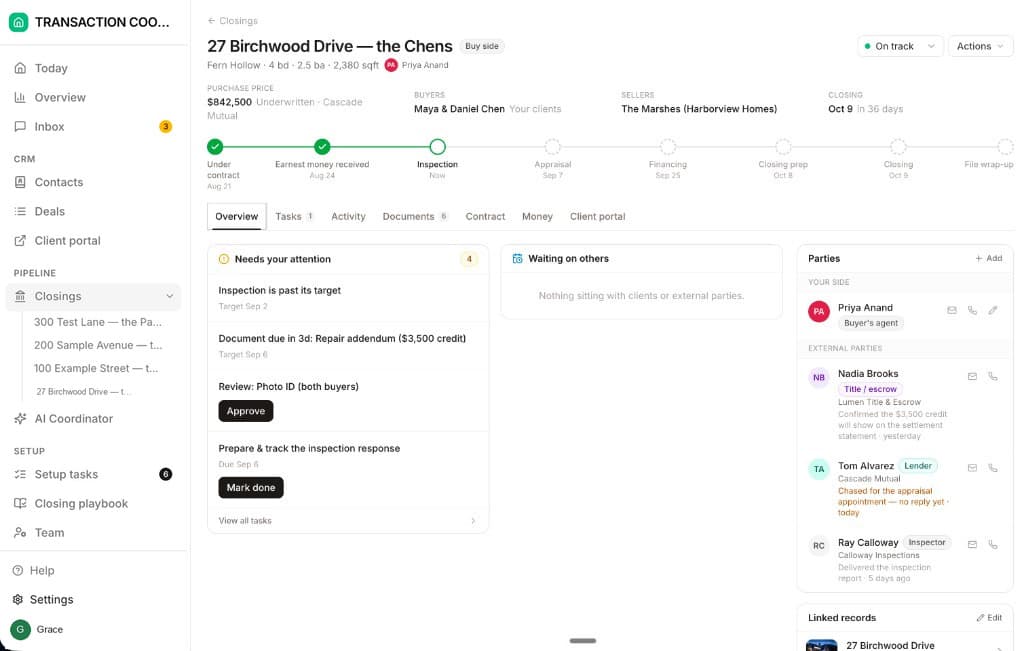
Starter is $15 a month for one closing a month. Standard is $25 a closing, $19 at twenty or more, with unlimited agents and teammates and unused closings rolling over. Both are month to month.
How we compared
We compared dotloop Premium, Teams and Business+ with Docusign's eSignature, eSignature Real Estate and Rooms plans, using both vendors' pricing pages, help articles and product pages on forms, signing evidence and account closure. Prices and pages were checked in October 2026.