
Workflow · Transaction coordinator operations
How to build a transaction deadline calendar from the contract
Two dates on the executed contract, the Effective Date and the Closing Date, start nearly every clock; the rest start when a document is received. Where each form puts them, how TREC, C.A.R. and Florida count the days, and the one rule that keeps the calendar honest: a date moves only on a signed amendment.
Which dates come straight off the contract?
Two, and every other deadline hangs off one of them. The first is the Effective Date. On the Texas One to Four Family contract, TREC 20-19, the broker writes it in the execution block on page 10, under the instruction “BROKER: FILL IN THE DATE OF FINAL ACCEPTANCE.” The C.A.R. RPA calls it Acceptance: the offer or final counter offer fully executed in writing and Delivered to the other party or their authorized agent (¶25A). Florida's AS IS contract makes it the day the last of the buyer and seller signed or initialed and delivered the offer or final counter-offer (¶3(b)). Read it from the signed pages. A cover email saying the deal is executed is not a date.
The second is the Closing Date: TREC ¶9A, RPA ¶3B and Florida ¶4, with each form's wording in the table. If the Effective Date box is blank or the signature dates disagree, stop. The agent settles it with the other side in writing before you count a single day. A blank day count on a TREC form is a question for the agent too. A blank on the Florida form takes the printed default.
Which clock each deadline runs on, by form
| Deadline | TREC 20-19 (Texas) | C.A.R. RPA 6/26 (California) | FR/Bar AS IS (Florida) |
|---|---|---|---|
| Effective Date / Acceptance | Execution block on page 10. The broker fills it in. | ¶25A: the offer or final counter fully executed and Delivered. | ¶3(b): the day the last party signed or initialed and delivered. |
| Deposit | ¶5A: earnest money and option fee within 3 days after the Effective Date. | ¶3D(1): initial deposit within 3 business days after Acceptance. | ¶2(a): 3 days after Effective Date if the blank is empty. |
| Inspection / option period | ¶5B: the days written in, after the Effective Date, by 5:00 p.m. local time. | ¶3L(3): investigation contingency 17 Days after Acceptance unless changed. | ¶12(a): 15 days after Effective Date if the blank is empty. |
| Financing | 40-11 ¶2A: Buyer Approval within the days written, after the Effective Date. | ¶3L(1): loan contingency 17 Days after Acceptance unless changed. | ¶8(b): Loan Approval Period 30 days after Effective Date if the blank is empty. |
| Title (a receipt clock) | ¶6B: commitment within 20 days after the Title Company receives the contract. | ¶3L(6): 17 Days after Acceptance or 5 Days after Delivery, whichever is later. | Standard A(ii): examine the Title Commitment within 5 days after receipt. |
| Closing Date | ¶9A: the written date, or 7 days after ¶6D objections are cured, whichever is later. | ¶3B: a number of Days after Acceptance, or a date. | ¶4: the written date. ¶5(a) extends it up to 7 days for CFPB requirements. |
| Counts back from closing | 40-11 ¶2B: Property Approval on or before the 3rd day before the Closing Date. | ¶3J: Final Verification of Condition 5 Days prior to COE. | ¶9(c): title evidence 15 days prior to Closing Date if blank, 5 if ¶8(a) is checked. |
How do you count the days?
Each form says how. On TREC 20-19, ¶5A(2) extends the last day for the earnest money, the option fee or additional earnest money when it falls on a Saturday, Sunday or Legal Holiday, to the end of the next day that is none of those. It names those payments and no other deadline. ¶5B and 40-11 ¶2A carry no extension wording of their own, so when an option period or a Buyer Approval period lands on a Sunday, flag the row for the agent rather than moving it. Option notices are due by 5:00 p.m. local time where the property is located, and ¶5E makes time of the essence for that paragraph.
The RPA defines the count in ¶25I: the first Day after an event is the first full calendar day following it, ending at 11:59 pm, and when the Scheduled Performance Day lands on a Saturday, Sunday or Legal Holiday the performing party may perform on the next day. ¶25J makes a Day a calendar day, with one exception: the deposit is counted in business days. Florida's Standard F counts calendar days and extends any period that ends on a Saturday, Sunday or national legal public holiday to the next day that is none of those, other than the time for acceptance and the Effective Date in Paragraph 3.
A short demonstration on made-up dates, counting the day after the Effective Date as day one. Effective Date Thursday November 5, 2026, with 7 option days, 21 Buyer Approval days and closing on or before Monday December 7. The earnest money's third day is Sunday November 8, and ¶5A(2) carries it to Monday November 9. The option period ends Thursday November 12 at 5:00 p.m. Buyer Approval lands on Thursday November 26, which is Thanksgiving, and 40-11 ¶2A has no extension wording, so that row is flagged for the agent. Property Approval under 40-11 ¶2B is due on or before the 3rd day before the Closing Date, Friday December 4. Write the arithmetic beside every date so the next person can check it.
Which deadlines start only when something is received?
The title clocks, and on signing day none of them has a start date. TREC ¶6B gives the seller 20 days after the Title Company receives a copy of the contract to furnish the commitment, and extends that automatically up to 15 days or 3 days before the Closing Date, whichever is earlier. ¶6D gives the buyer until the earlier of the Closing Date or the days written in after receiving the Commitment, Exception Documents and survey to object, then a 15-day Cure Period after the seller receives the objections, then 5 days after the Cure Period ends to terminate. ¶7B(2) lets the buyer terminate within 7 days after receiving the Seller's Disclosure Notice or prior to closing, whichever comes first.
The RPA's seller-document contingencies in ¶3L(5) to ¶3L(8) end 17 Days after Acceptance or 5 Days after Delivery, whichever is later, and ¶3N(2) gives 5 Days after Delivery for the escrow provisions. Florida's Standard A(ii) gives the buyer 5 days after receipt of the Title Commitment to examine it.
Put a placeholder in each of those rows and a task beside it to log the day the document arrived, who received it and how. A guessed receipt date is the commonest way a calendar looks finished and is wrong, and an empty placeholder never turns red on its own, so the morning review below checks for receipts still unlogged.
What are the steps, in order?
The coordinator does every step except the fifth, which is the agent's. Done means every row has a date or a receipt placeholder, the agent's initials and a record in your system.
Step 1: Confirm the two anchors from the signed pages
Read both off the executed contract and note the page each came from. A blank or contradicted Effective Date goes back to the agent before any row is built.
Step 2: List every clause with a number of days or a written date
Walk the form, the special provisions and every attached addendum. A blank TREC day count stays blank until the agent confirms it.
Step 3: Mark what starts each clock
The Effective Date, the Closing Date, or a receipt. Every receipt row gets a placeholder and a task to log the day the document arrives.
Step 4: Derive the date in the form’s words
Write the arithmetic, the weekday and the time of day where the form states one. Apply only the extension the clause itself grants, and flag anything that lands on a weekend or holiday.
Step 5: Get the agent’s initials on every date
The agent checks each date against the contract page and initials the row. A disagreement over what a clause means goes to the broker before any date goes to the client.
- Owner
- The agent
Step 6: Enter one record per row, with the clause in the description
Each record names the date it counts from and the paragraph that created it, with a reminder a few days out and, for a 5:00 p.m. deadline, one that morning.
Step 7: Review three lists every morning
Overdue, due in the next 72 hours, and receipts still waiting to be logged. A missed date goes to the agent and broker the same day and is never edited away.
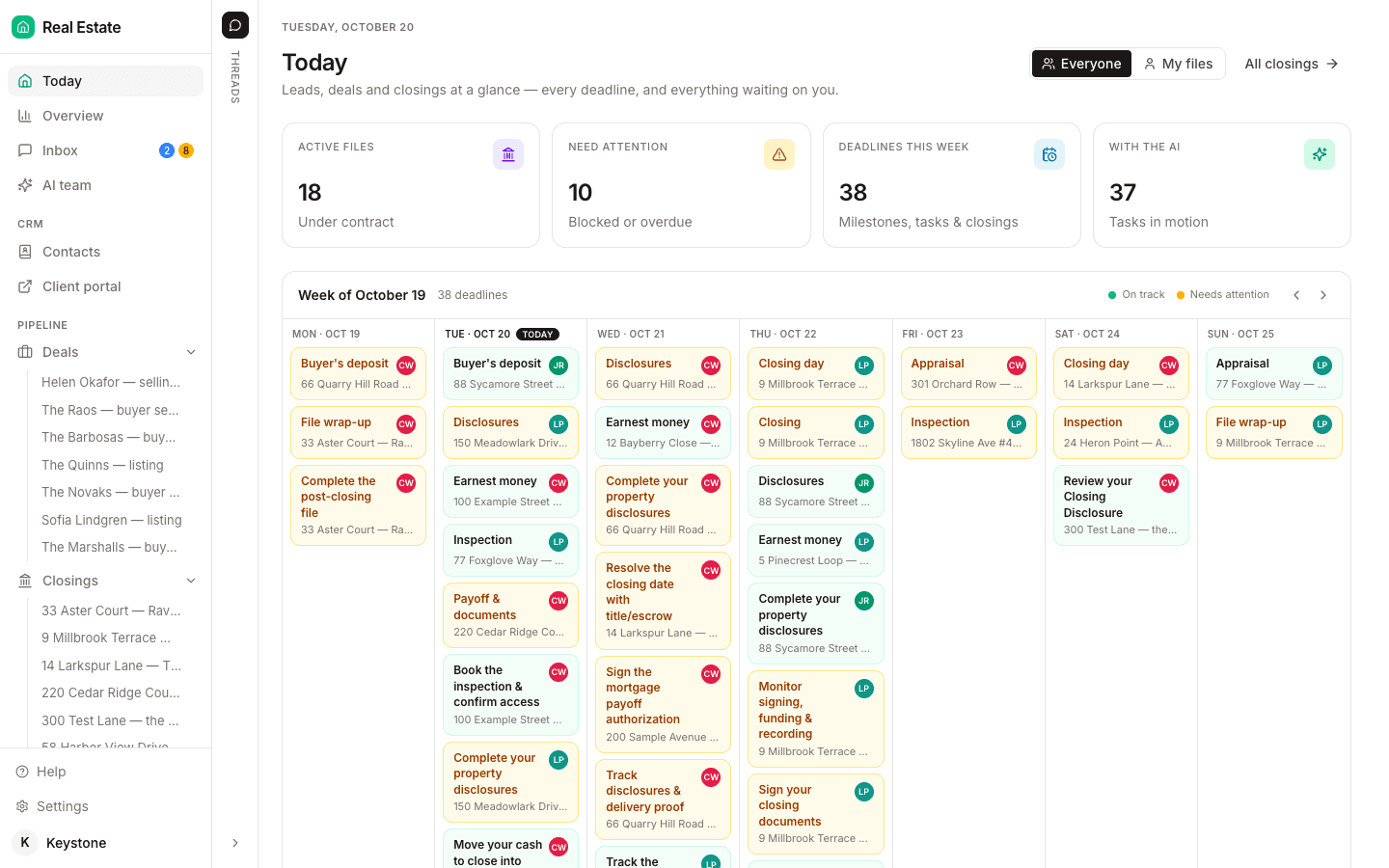
The seventh step is what DeedSpring's Today page shows when you sign in: active files, what needs attention, the deadlines due this week, and a week calendar of every dated milestone and task across your closings.
Where do the dates live in your software?
Most tools take the anchor typed in. Open To Close's Dates 101 page builds a Date Template from a reference date, a number of days, a direction and a weekend or federal-holiday roll: a Contract Acceptance Date of June 1 with 14 HOA Due Days gives June 15. SkySlope takes the Acceptance and Closing Dates when the file is created, and its admin notifications fire a set number of days before closing, when a file passes its closing date, and when either date changes. Paperless Pipeline's anchor-date guide separates anchors, entered once from the contract, from the dates derived from them, and puts a typical file at five or six anchors and twenty or more derived deadlines. dotloop's public API exposes six contract and offer dates and no option, financing or appraisal field, so on a loop those rows live as plain tasks.
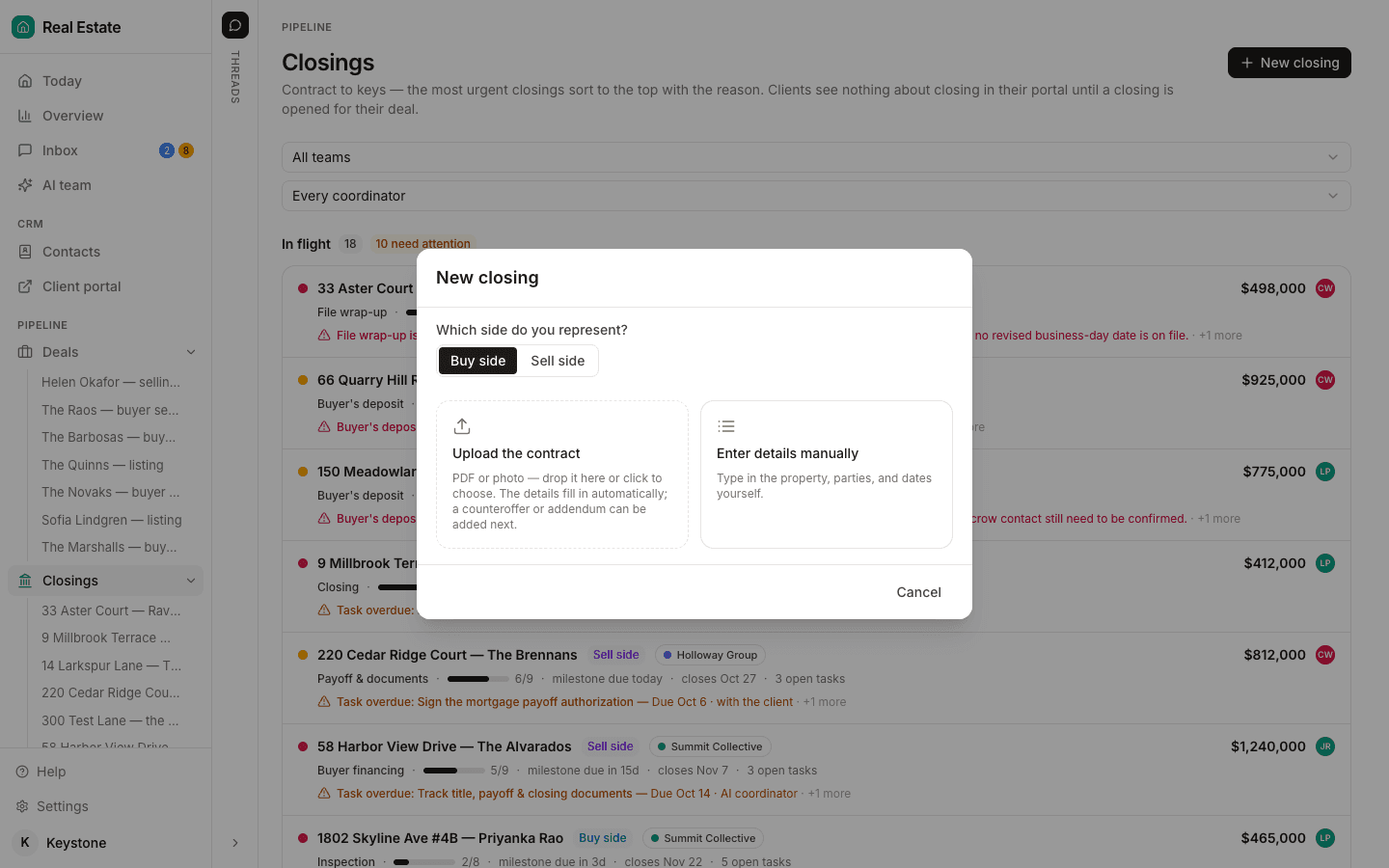
ListedKit reads the anchor. Its help page has Ava extract the execution date first as the base for every timeline and lets you click a date to see where it was pulled from. DeedSpring reads the whole contract and then watches the dates. Upload it when you open the closing and the AI coordinator extracts the price, deposits, contingencies and dates, shows you what it found, and sets the deadlines once you confirm. Playbook timings count from the contract date or the closing date.
What do you do when an addendum moves a date?
Nothing until it is signed. TREC 20-19 ¶22 says the contract cannot be changed except by the parties' written agreement, and the instrument is the Amendment to Contract, 39-11, whose numbered boxes name the dates it moves: box (3) changes the Paragraph 9 closing date, box (7) extends the option period, for an additional option fee, to 5:00 p.m. on a written date, and box (9) moves the date for the buyer's notice that Buyer Approval cannot be obtained. The RPA incorporates addenda and amendments only when “Signed and Delivered by all Parties” (¶25C), and ¶19H sends a copy of any amendment that affects escrow to the Escrow Holder within 3 Days after mutual execution. A phone call or an email that says the other side agreed moves nothing on the calendar. Trackxi's deadlines post gives coordinators the same rule: the original date remains until the change is fully executed.
When closing moves, recompute only the rows that count back from it. On a TREC file that is 40-11 ¶2B Property Approval, the ¶6C(1) fallback survey due no later than 3 days prior to the Closing Date, and the 3-days-before-closing cap in ¶6B. On the RPA it is ¶3J Final Verification of Condition. In Florida it is the ¶9(c) Title Evidence Deadline. Every row written as days after the Effective Date or after Acceptance stays where it was. An option extension under box (7) touches one row.
Keep the superseded date on the file, struck through, with the execution date of the amendment beside it. A calendar that shows only current dates cannot explain why a deadline moved.
What does DeedSpring do with the dates?
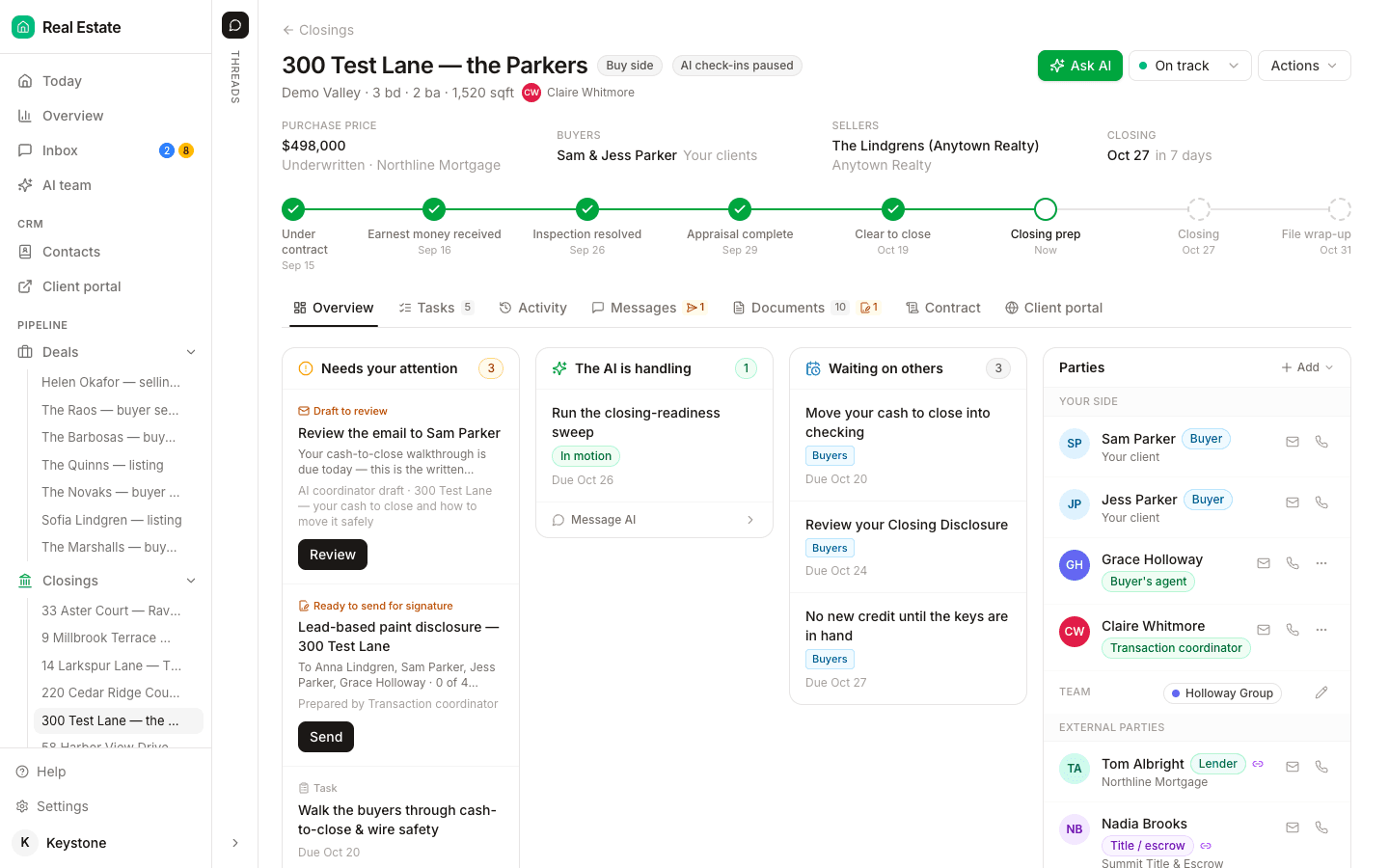
The first task on every DeedSpring playbook is the coordinator's: read the executed contract, extract the price, deposits, contingencies and dates, and set or correct the deadlines on the closing. The extracted terms sit on the closing's Contract tab. It then checks every active file every hour and flags anything past target on Today and on the closing's Overview. Move a date on a milestone or task and the countdown, the client's timeline and the attention list follow it. Connect Google Calendar and it creates one event per deadline, with the property and closing in the title and the contract clause in the description, and moves the event when the date moves.
Starter is $15 a month for one closing a month. Standard is $25 a closing, down to $19 at volume, with unlimited agents and teammates and unused closings rolling over. Both are month to month.