
Workflow · Transaction coordinator operations
How to log transaction coordination time usefully
Log ten working days in a spreadsheet with five columns: file, phase, activity code, minutes, interruption flag. Code what you did, never which app, in blocks of five minutes or more, and you get hours per file by phase, which is what a per-file fee and a hiring decision both need.
What is the log for?
Three decisions, and all of them need hours per file rather than hours per week. The first is your fee: a per-file price only works if you know what a file costs you in minutes. The second is capacity, which is a 40-hour week divided by hours per active file, and the capacity article takes that number from here. The third is what to automate, which is whichever activity code eats the most minutes without needing your judgment.
The published numbers are all estimates, and they come in two shapes. ListedKit's estimate runs by phase: intake 30 to 90 minutes, contingency management 45 to 90 spread over two or three weeks, mid-transaction communication 60 to 120, compliance and closing prep 45 to 60, for 3 to 6 hours on a clean deal and 8 to 15 on a complex one. ProFile TM, a TC firm, runs by task instead: fifteen rows from reviewing the contract package at 20 minutes to brokerage compliance at 45, adding up to just under nine hours. Neither tells you which minutes were chasing. Your log should answer in both shapes.
Why not just track hours a week?
Because it is easier, and it loses the file. One agent on r/realtors put the case for the week plainly.
“I don’t track each deal because they will vary widely. I track hours working in and on my real estate business each week.”
That is the right call for an agent whose income is a commission. It is the wrong call for a coordinator paid by the file, because the variation is the point. A week total cannot tell you that the two short-sale files took half of it. The next question on the same r/realtors thread was whether prospecting, open houses, mailers, CE classes and travel count towards the hours. For a coordinator the answer is a rule, written down before day one, and it is the last rule in the template below.
The log also has to catch the minutes no checklist shows. TC Track puts an interruption at the task's own time plus 10 to 15 minutes of rebuilding context, so fifteen interruptions a day is three hours that appear on no task list, and a status chase at one question and twenty minutes. A log with only a minutes column records those three hours as a slightly slow Tuesday. A log with an interruption flag and a CHASE code records them as the two biggest buckets you have.
What goes in each row?
Five fields that matter and two that help. File is the ID from Monday's list. Phase is one of four, chosen to mirror the published estimates so your totals compare. Activity is one of six codes, and the point of the six is that chasing, reviewing, setting up and redoing are kept apart from who you were talking to. ProFile TM's list has lender communication at 45 minutes and title communication at 30, which says where the minutes went and nothing about whether they were a chase, an answer or a review. Minutes is to the nearest five. Interrupted is Y or blank. Date and a short note are the two that help.
TemplateTime-log row and activity codes
Paste the first line into row one of a blank sheet. The codes and rules are for the sheet's second tab, so the person logging can see them.
file,date,phase,activity,minutes,interrupted,note

PHASE (one per row)
  INTAKE    contract in hand to timeline set and introductions sent
  CONTING   inspection, appraisal, financing and title windows
  WAITING   nothing due from you, monitoring and check-ins
  CLOSEPREP final review, figures, signing, keys, file wrap-up

ACTIVITY (one per row)
  SETUP     opening the file, dates, calendar, templates, intros
  REVIEW    reading a document to check signatures, dates, versions
  CHASE     asking anyone for anything they already owe you
  RESPOND   answering a question that came to you
  REWORK    redoing SETUP or REVIEW because something changed or was wrong
  ADMIN     the file's billing, compliance upload, archive

RULES
  Log a block when it ends. Five minutes or more. Round to five.
  One block, one file. A new file is a new row.
  Code the purpose, never the tool. An email to the lender is CHASE.
  interrupted = Y when someone else started the block.
  Anything not for a file goes in file NONFILE, activity ADMIN.
The rules are borrowed from the time study the Bureau of Labor Statistics has run since 2003. Its time-use survey walks each person through the previous day activity by activity and asks how long each one lasted. When two activities overlap, the interviewer asks the person to split them into separate intervals, and if they cannot, to name the main one, and only that one is recorded. And the survey codes what the person was doing, so someone who was “on the computer” paying bills is coded as managing household finances and never as computer use. Swap the household for a file and those are the three rules a coordinator needs: a block has one duration, one code, and the code is the purpose.
How do you run the ten days?
Step 1: List the active files on Monday morning
One short ID per file under contract, the address or the client's name, and nothing else. A file that terminates during the ten days keeps its ID so its minutes survive.
Step 2: Log each block when it ends
Finish the block, then write the row. Never reconstruct the day at five o'clock. The diary method asks for each activity as it happened with how long it lasted, and diary records come out higher than answers to “how long do you usually spend”, so a reconstructed day undercounts.
Step 3: Code the purpose, not the tool
An email chasing the appraisal is CHASE. Reading the appraisal when it arrives is REVIEW. Fixing the closing date because the amendment moved it is REWORK. The federal survey does the same with “on the computer”: paying bills is coded as paying bills. If a block honestly covers two codes, split it. If you cannot, record the main one.
Step 4: Flag the block someone else started
A call about 58 Juniper while you are on 27 Birchwood closes the Birchwood row and opens a Juniper row with interrupted set to Y. The code is whatever the call was, usually RESPOND or CHASE. If the flag is on more than half your rows by Wednesday, the log has already answered its question: fix the interruptions with a daily queue before you price anything.
Step 5: Keep non-file time out of the files
Your own invoicing, marketing, CE and lunch go to NONFILE so they do not inflate a file. If NONFILE passes a fifth of a day, you are logging two businesses in one sheet. Keep going, and read the file rows only.
Step 6: Total by file and by phase on Friday
A pivot on file and phase gives minutes per file so far and where they fell. Put each file beside ListedKit's ranges: intake 30 to 90 minutes, contingency work 45 to 90, communication 60 to 120, closing prep 45 to 60. A file far outside a range is the one to open and read row by row.
Step 7: On day ten, divide
Minutes per file over ten days, divided by sixty, is your hours per active file for the window. CHASE minutes divided by all file minutes is your chase share. The first number prices a file. The second tells you what to hand off.
Which rows can you stop logging?
The CHASE rows, once they are someone else's. A chase is the one activity in the six that needs no judgment from you until the answer comes back, and the interruption flag will show it arriving in the middle of everything else. DeedSpring's AI coordinator sends the chase on the tasks assigned to it, notes who said what, and keeps going until the item is confirmed in writing. It checks every active file every hour. Every chase it sends is one line on the closing's Activity tab, with who and when, so the record you were keeping by hand is kept for you. Anything sensitive or negotiable waits for you as a draft.
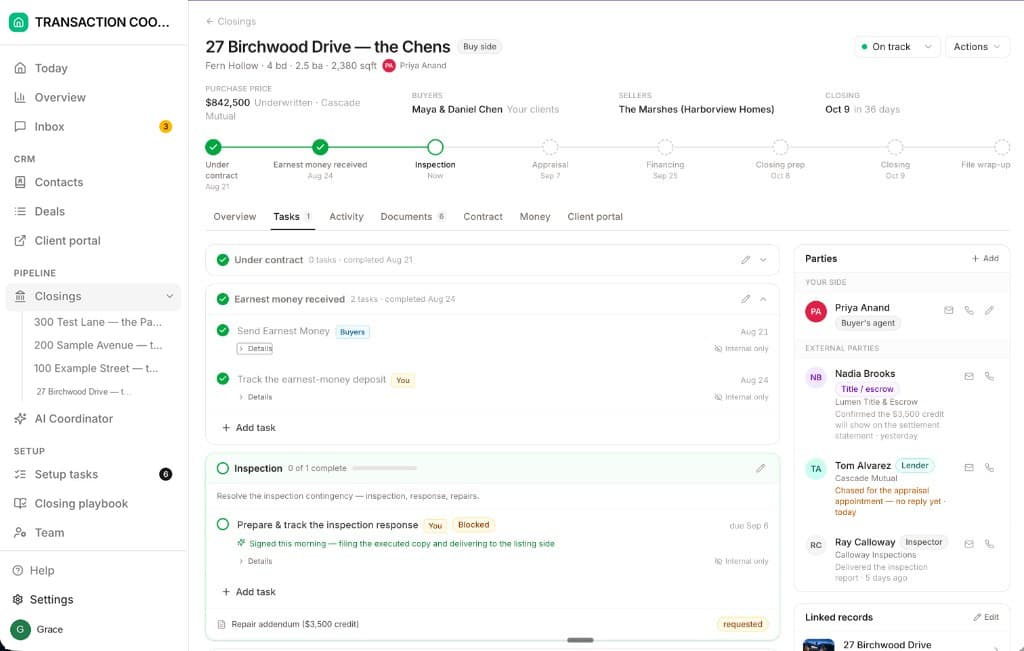
Run the ten days before you switch anything on, so you have the before number. Run them again a month later with the coordinator working the chases. The difference in the CHASE bucket and in the interruption flags is your measured saving.
Which tracker should hold the log?
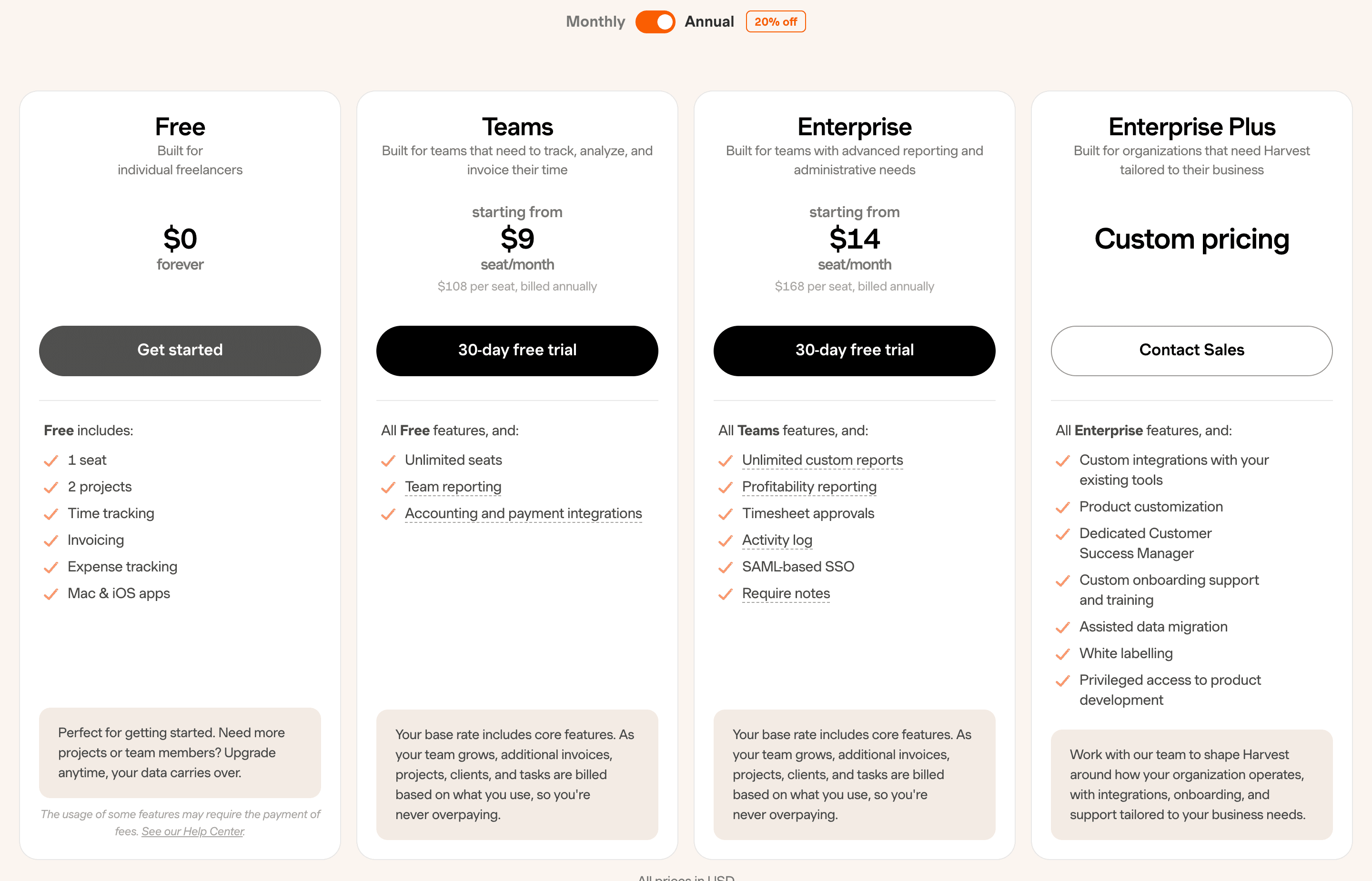
A spreadsheet, unless you already pay for a timer. The free time trackers all stop just short of what a per-file log needs. Harvest's free plan is one seat and two projects, and a per-file log wants one project per file, so it is out after your second closing. Teams starts at $9 a seat a month billed annually.
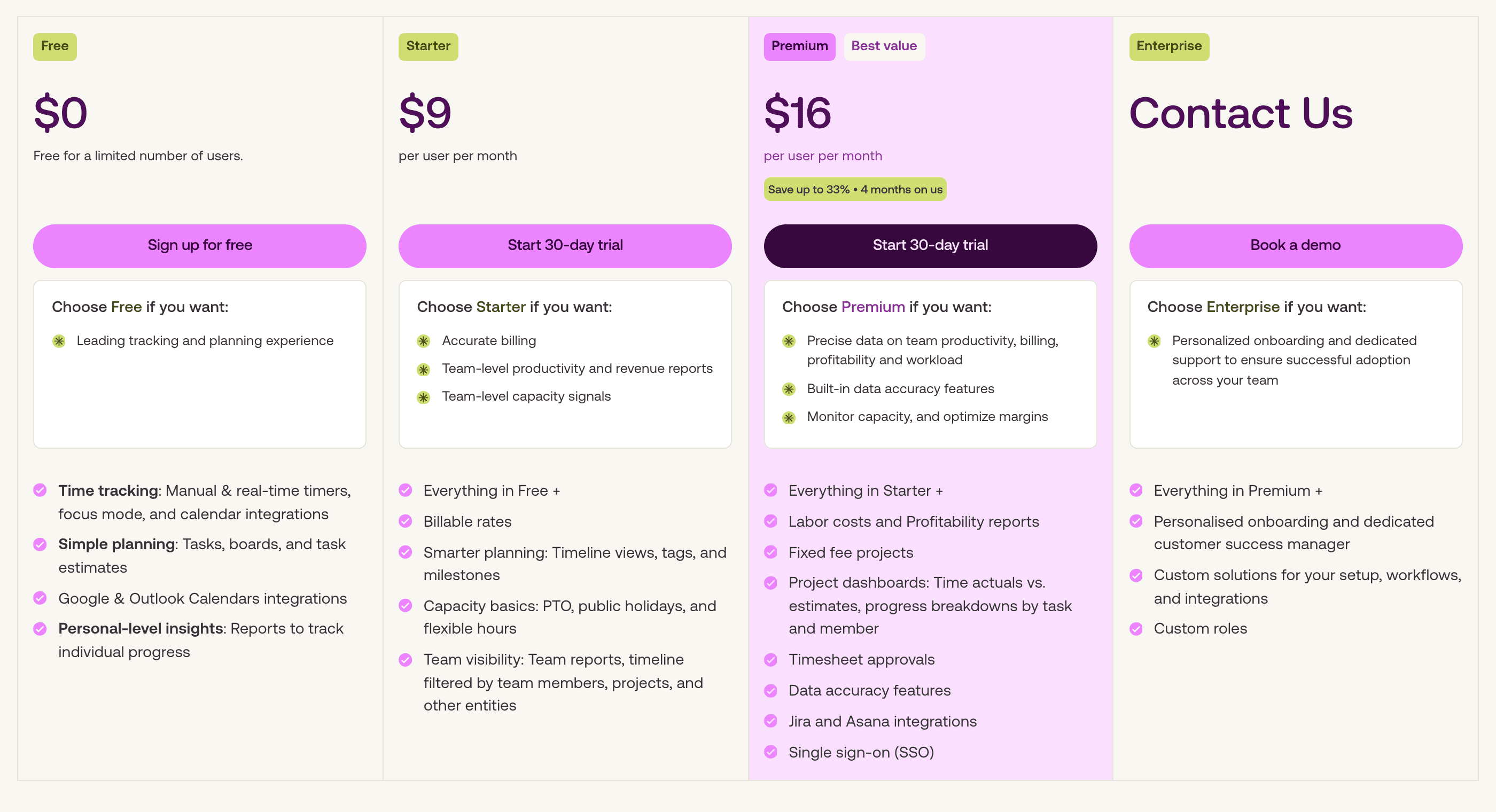
Toggl's free plan is free forever for up to three users, with unlimited projects, tasks and boards, so one project per file and one task per activity code works. Its reports export as PDF. A CSV or XLSX of your entries starts on Starter at $9 a user a month billed annually. Clockify's free plan takes up to five users with unlimited projects, exports reports as PDF only, and its reports cover up to a month at a time. Neither gives you the rows back in a form you can pivot without paying, and the pivot is the whole exercise. So log in the sheet from day one, or run the ten days inside Toggl's 30-day Starter trial and export on day ten.
Do not expect the activity log in your transaction software to hold it either. Open To Close's Activity tab records who opened the transaction and which menus and tabs they opened, with the date and time, and does not record emails sent. dotloop writes a completed task to the loop's Activity Log. Both record when something happened and never how long it took, so they help you reconstruct a day you forgot to log. Neither knows that the task you ticked at 4:10 took forty minutes because the lender called twice in the middle of it.
What do you do with the numbers?
Say one file logged 540 minutes over the ten days, 180 of them CHASE, with six interrupted rows, and say your fee on it is $400. That is nine hours on the file so far and a third of it chasing. Nine hours against $400 is $44 an hour before the file closes, and the pay-per-file article has the market rates to set that against. The third tells you the first thing to take off your desk. The six flags tell you whether a batching window, the kind the weekly status review and a daily queue give you, would recover more than a hire would. Those figures are an example to replace with your own totals on day ten.