
Case study · Investigations and price histories
KW's DocuSign Rooms shutdown: what happened to agents' files on July 14, 2026, and what to do now
Keller Williams' corporate DocuSign contract ended on July 14, 2026. Documents already in a Command Opportunity stayed, envelopes sent for signature are still downloadable from a read-only account, and documents that only lived in a DocuSign Room are gone unless you downloaded them or your Market Center ran the API Nation backup. Here is what to download now, who holds the office copy, and how to keep your files out of the next vendor switch.
What happened on July 14, 2026?
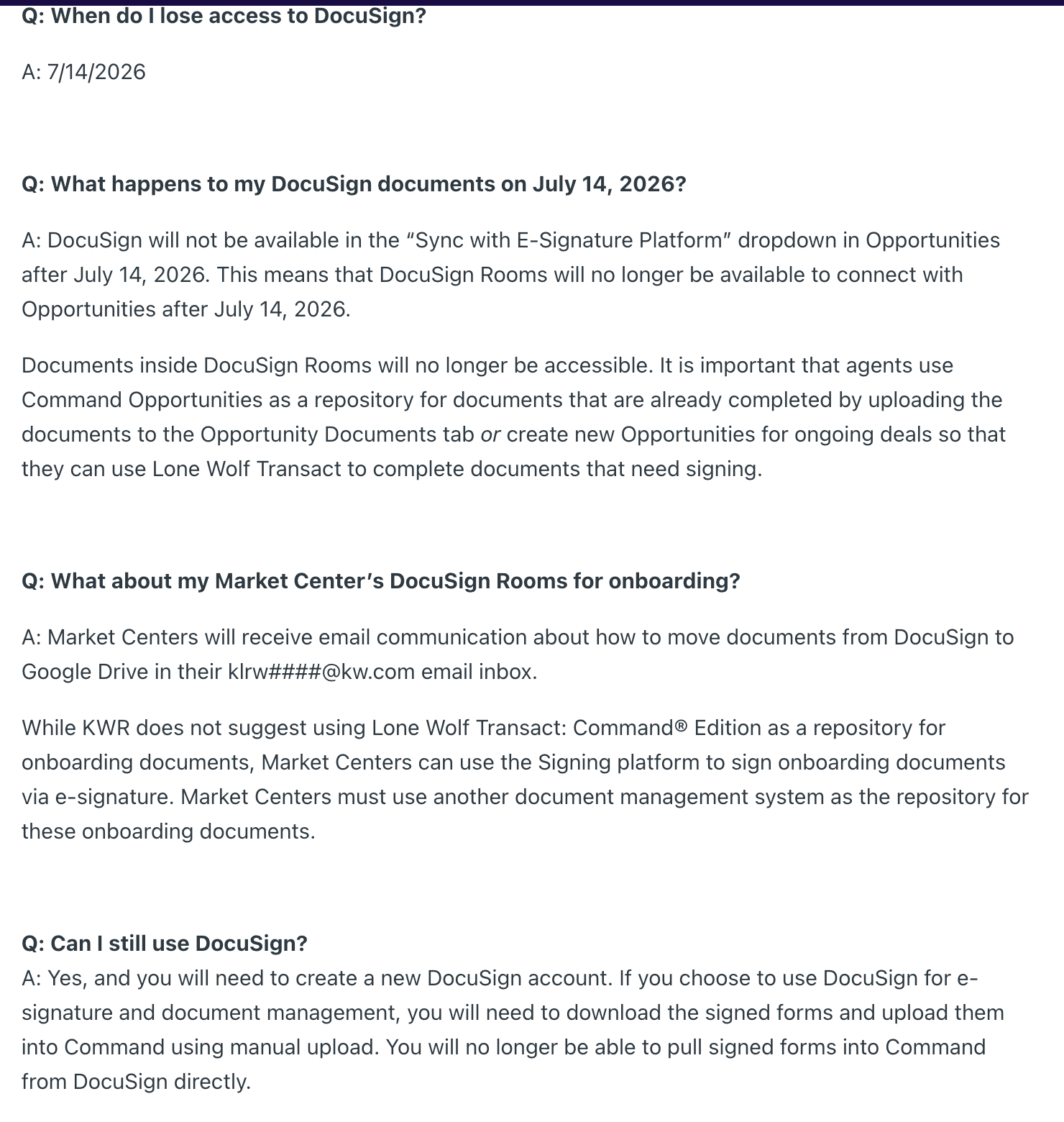
Since 2019 Keller Williams agents had used DocuSign Rooms inside Command, KW's own platform, on a corporate account KW provided. In early 2026 KW began moving Market Centers to Lone Wolf Transact: Command Edition. Its leadership FAQ answers the question of when agents lose DocuSign access with a bare date, 7/14/2026, the day DocuSign left the e-signature dropdown in Opportunities.
Market centers put a time on it. KW Exclusive Properties in Simi Valley told agents access ended July 14 at 11:59 PM. KW Metropolitan in New Jersey called it a Tuesday, which it was. The agent-facing copy of the FAQ on KW Answers appeared on July 6, eight days before the cutoff, with the same text as the leadership version.
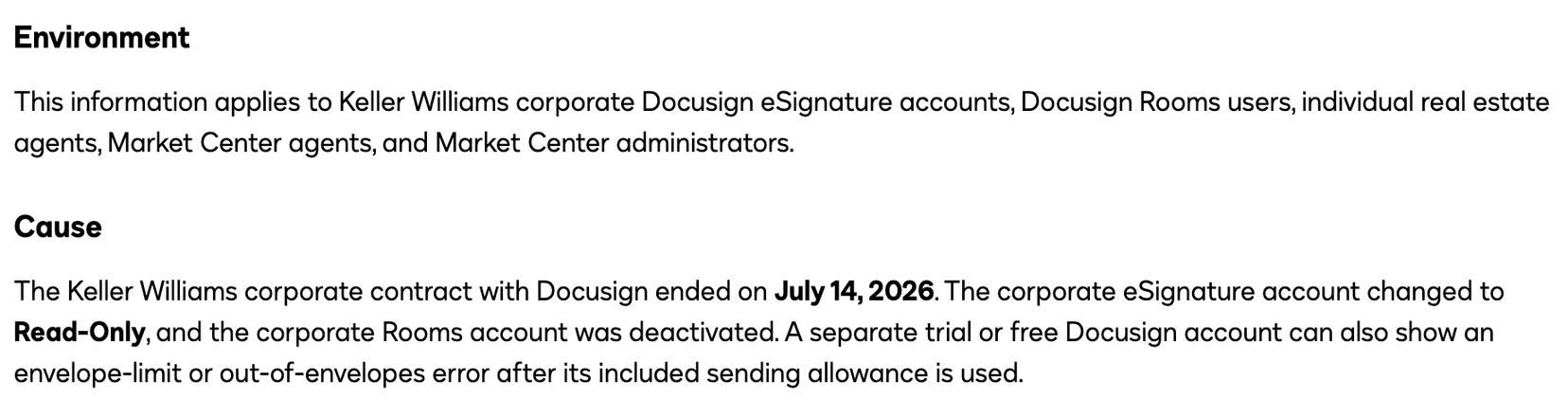
DocuSign's own account came three months later. Its transition guide, dated October 14, 2026, says the Keller Williams corporate contract ended on July 14, that the corporate eSignature account changed to read-only, and that the corporate Rooms account was deactivated. Two accounts ended in two different states, and only one of them held the Rooms. That split decides what you can still get back.
Keller Williams, DocuSign Rooms and Lone Wolf Transact: the dates
| Date | What happened |
|---|---|
| July 16, 2019 | KW names DocuSign Rooms the preferred partner for Compliance in Command. dotloop stays, fee-based. |
| November 11, 2025 | KW's leadership FAQ on the Lone Wolf partnership is created (text as edited August 12, 2026). |
| February 6 and 9, 2026 | First agent-facing how-to articles on Lone Wolf Transact appear on KW Answers. |
| May 13, 2026 | Tri-County Suburban REALTORS® publishes its transition page for KW members. |
| By June 14, 2026 | Latest date for a Market Center's API Nation sync to be running. |
| July 6, 2026 | Agent-facing FAQ created on KW Answers, same text as the leadership FAQ. |
| July 14, 2026 | Contract ends. eSignature account goes read-only, Rooms account is deactivated, DocuSign leaves the Opportunities dropdown. |
| July 2026 | KW Elite OKC and KW Tulsa (July 29) publish workaround guides. |
| October 14, 2026 | DocuSign's transition guide carries this date, 92 days after the cutoff. |
What happens to my Rooms files?
KW's FAQ answers in one sentence: “Documents inside DocuSign Rooms will no longer be accessible.” It tells agents to keep completed documents in Command Opportunities and to open new Opportunities for deals still needing signatures.
DocuSign splits the same documents by where they sat. Anything sent for signature, including from a Room, is an envelope, and envelopes stay downloadable from the read-only account as a ZIP or one combined PDF. Those downloads “do not include Rooms documents that were never sent for signature”. A disclosure packet uploaded for reference or a draft never sent lived only in the Room. If nobody downloaded it before July 14, it is gone unless your Market Center kept a copy. Some users still saw Rooms for a while after July 15 but could not create or send anything.
The backup was the office's. The FAQ's one instruction for Market Centers was to “set up an API Nation sync at least 30 days before July 14, 2026”, for documents the office must keep for compliance. The sync copies Rooms documents to a Google Drive the office picks. API Nation says files from active, closed and in-review Rooms are included, and shows no price. Thirty days before July 14 is June 14. Agents had no part in it, and DocuSign's guide tells them to ask their Market Center whether it ran.
One association saw this coming. Tri-County Suburban REALTORS® in Pennsylvania told KW members on May 13, 2026 that deactivating the KW account would delete its documents and transactions, and that the transaction history would be inaccessible once the account was removed. DocuSign's later description is kinder to envelopes and matches for everything else. Anyone deciding in May did well to act on the association's version.
What you can still get back, by record type
| Record type | Who can get it | How | By when |
|---|---|---|---|
| Documents uploaded to a Command Opportunity | You and your Market Center, in Command | They stay in the Opportunity's Documents tab | No deadline |
| Envelopes sent for signature, including from a Room | You, in the read-only eSignature account | Agreements page → Download, as a ZIP or one combined PDF | No end date stated. Do it now. |
| Documents that only lived in a Room | Your Market Center, if it ran the API Nation sync | The office's Google Drive copy | The sync had to be running by June 14, 2026 |
| Templates | You | Templates page → Download, a ZIP of JSON files, then upload to a new account | Before the cutoff |
| Your envelopes that the Market Center needs | The Market Center administrator | Shared Access via the account administrator or KW Support | Any time |
| Anything you forgot to download | You | A DocuSign Support case quoting the KW Account ID | Any time |
Nothing from KW, DocuSign or API Nation mentions Room checklists, tasks, notes, offers or the Certificate of Completion on an envelope. They speak of files and documents. Assume the rest went with the Rooms account, and if your brokerage's compliance record was the Room checklist, ask your Market Center what it kept.
What should a KW agent or TC do now?
Download your envelopes first. The read-only account has no stated end date, and nothing says it stays open forever. On the Agreements page, download each closing's envelopes as a ZIP of files or one combined PDF. An envelope still in progress downloads from its own actions menu.
Then ask your Market Center two things: whether it ran the API Nation sync, and how you get a file from its Google Drive copy. KW Metropolitan tells its agents, “The office has an API backup of ALL agent DocuSign rooms.”, and names a staff member to ask. Greater Heartland Region told its agents the Market Center was backing up all DocuSign documents to an administrative drive and that anything attached in a Command Opportunity would never disappear. If your office has said nothing like this, assume your Rooms-only files are gone.

For anything you cannot find, open a DocuSign Support case quoting the KW account's Account ID. Templates you built download from the Templates page as a ZIP of JSON files and upload into a new DocuSign account, which KW's FAQ says you can open, uploading signed forms to Command yourself.
For deals still open, KW's instruction is a new Opportunity connected to Lone Wolf Transact. Market centers filled in the gap for compliance already in motion. KW Elite OKC opens its page by declaring DocuSign dead and says to keep the DocuSign-linked Opportunity, whose Documents tab no longer has a DocuSign button and cannot be linked to Lone Wolf, build the transaction by hand in Lone Wolf, and upload the finished documents back. KW Realty Advantage in Tulsa published near-identical steps on July 29 and added one rule for Opportunities not yet active: archive and recreate.
Every step above exists because the files lived inside a contract the agent never signed. A closing that also lives in your own account does not move when the brokerage changes vendors. That is what DeedSpring is for. Open the closing there as well, and every document on it downloads as a ZIP of the originals or one merged PDF from the Documents tab, on a month-to-month plan you cancel from settings.
Why did Keller Williams drop DocuSign?
Nobody who could answer has. We found no statement of reasons from Keller Williams Realty International, Lone Wolf or DocuSign. KW's Outfront magazine returns nothing for Lone Wolf. KWRI's press page has no release. Lone Wolf's newsroom lists 2026 releases on other topics. DocuSign's guide says the contract ended and stops there.
KW's nearest thing to a reason is a line in two how-to articles from February 2026 calling Lone Wolf Transact “a real estate specific solution for e-signatures and compliance” for Market Centers in the United States and Canada, plus the FAQ's list of what Transact does that other systems do not: client-based transactions, lost-deal flexibility, share groups, side-by-side form editing and automatic form updates. Those are words about the destination. The only sentence about the departure is a franchisee's. KW Metropolitan says KWRI heard the pain points of DocuSign. That is a market center speaking for KWRI, and no KWRI text says it.
DocuSign still sells Rooms. The Rooms for Real Estate page is live with a Contact Sales button, no sunset notice and an FAQ that says customers own their data. We found nothing published by Lone Wolf about KW.
Has KW done this before?
Yes, in the other direction, seven years earlier. On July 16, 2019 Inman reported that DocuSign Rooms was being integrated into the Keller Cloud and that dotloop, KW's long-standing e-signature partner, would stay available through a Command integration expected by September 15, on a fee basis, while DocuSign would be free for KW associates. KW's Outfront magazine called DocuSign the preferred partner for Compliance in Command the same day, and Vendor Alley carried the same facts two days later. The promise that matters now was about history. KW and dotloop, Inman wrote, were working so that historical dotloop data would “remain accessible and searchable for agents from inside of Command”.
Agents in an r/realtors thread that November described how it played out office by office. One commenter said the office had not banned dotloop, it had simply stopped paying for it, and that keeping it cost just under $50 a month. The work moved with the money:
“any production that comes from it has to be downloaded, and re uploaded to command.”
Another commenter said their office was easing everyone into Command and nobody was forced. The 2026 switch differs in two ways. In 2019 the outgoing product stayed available at the agent's expense, and KW's stated plan kept its history searchable inside Command. In 2026 the FAQ says Rooms documents are no longer accessible, and the backup that caught them belonged to the Market Center. One thing held: the 2026 FAQ says dotloop functionality in Opportunities remains the same, and dotloop's KW page still markets the Command integration.
Could the same thing happen with Lone Wolf Transact?
Read the terms. Lone Wolf's Terms of Service, under Effects of Termination, say that when a contract ends all Customer Data stored by Lone Wolf “may be permanently deleted or destroyed” and that users should export what they want to keep first. KW's own FAQ adds that there is currently no way to recover a Signing or signed document deleted in Transact: Command Edition. The fallback is the emailed copy of a completed Signing.
Compare that with what KW gave a departing agent under DocuSign. Its agent-deactivation timeline, last updated October 28, 2025, gives an agent who leaves view-only DocuSign access for 30 days after deactivation. The July FAQ names no window of any kind for Rooms. So assume this: a file that exists only inside the brokerage's mandated system lasts exactly as long as the brokerage's contract, and the notice can be short. KW's agent-facing FAQ went up eight days before the cutoff.
How do you keep your files when the brokerage switches again?
Open every closing in DeedSpring as well as in whatever your brokerage mandates. Upload the executed contract and it reads the price, deposits, contingencies and dates into deadlines on the file, watches them, and drafts the chases and client updates for you to send. Your buyers and sellers get a portal, e-signing is built in, and if your brokerage's system is dotloop it will key the closing in there for you on request. Every closing's documents download as a ZIP of the originals or one merged PDF with a cover sheet from the Documents tab.
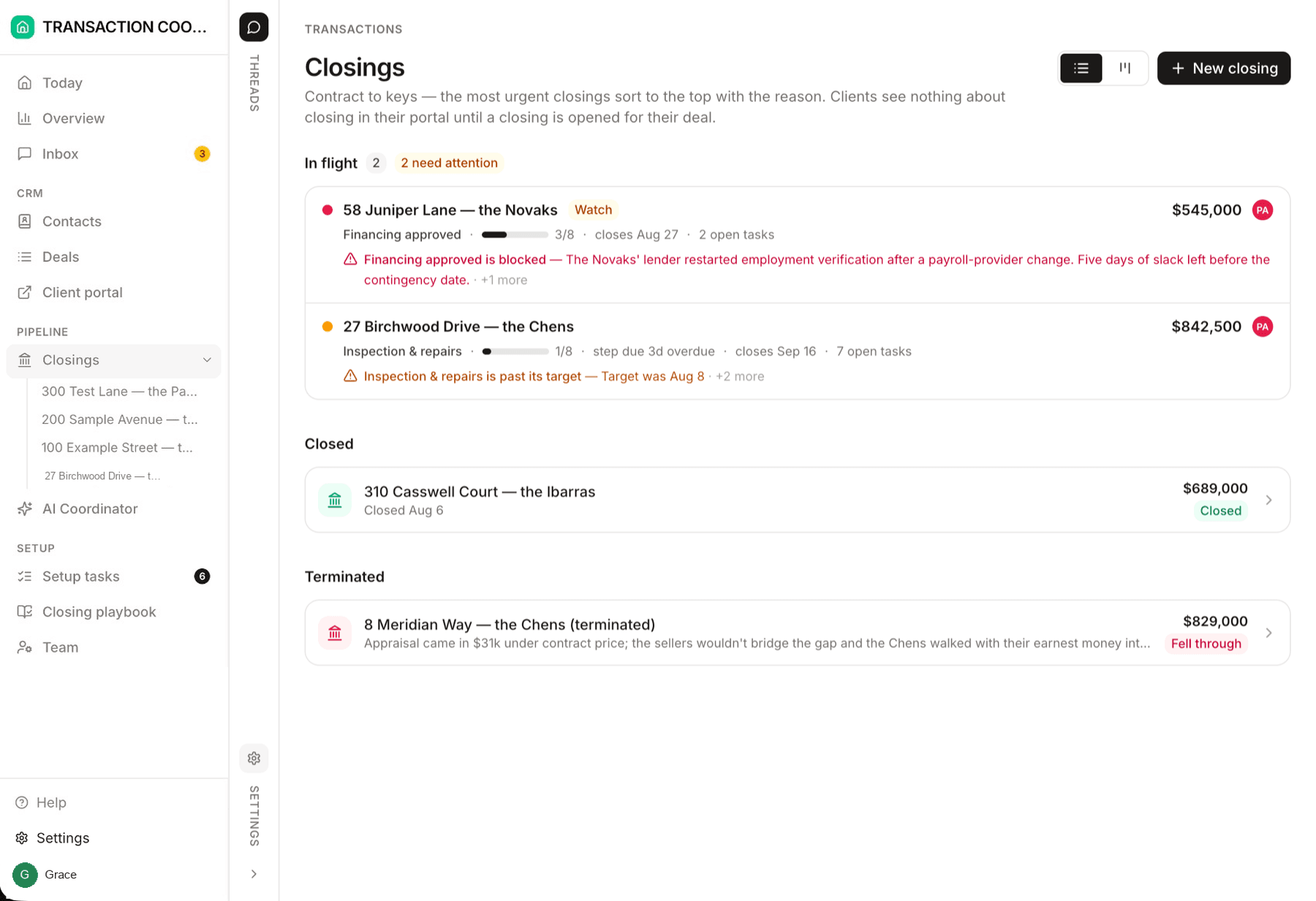
Starter is $15 a month for one closing a month. Standard is $25 a closing, less at volume, with unlimited agents and teammates and unused closings rolling over. Both are month to month, and you cancel from settings.