
Comparison · Software comparisons and alternatives
ListedKit vs Trackxi: which one to buy for contract intake, deadlines and addenda
ListedKit is the buy for a solo agent or TC who sees addenda often: $14.99 a file, and Ava redraws the dates when one lands. Trackxi Pro at $69 a month suits a small team that wants client logins and one flat bill and will re-key dates itself. Neither one chases the parties.
How do you pay for each one?
ListedKit sells credits. One credit opens one transaction stage, so a buyer-side file is one credit and a listing you take to closing is two. A single credit is $14.99, packs bring it down to $11, credits never expire, the first one is free, and there is no subscription and no per-seat fee. Everything Ava does, from reading the contract to redrawing the timeline after an addendum, is in the credit. E-signature is the exception: Ava Sign is a separate $29.99 per user a month.
Trackxi sells plans. Essential is $39 a month, Pro $69, Pro Plus $99 and Enterprise $199, with 1, 5, 5 and 10 members and 10, 100, 100 and 1,000 active files. Closed files don’t count. Read Trackxi’s plan table before you pick, because the AI contract reading, the AI assistant, email automation and the Follow Up Boss link are all off on Essential and start at Pro. For contract intake, Trackxi costs $69 a month, not $39. The SkySlope sync starts at Pro Plus.
The price-only crossover is about five files a month. Below it ListedKit is cheaper and a quiet month costs nothing. Above it the flat plan wins on price before you weigh features.
Side by side
ListedKit and Trackxi on the things that decide the purchase
| ListedKit (Ava) | Trackxi | |
|---|---|---|
| How you pay | Per credit: $14.99, packs down to $11. No subscription. First one free. | Per account: Essential $39, Pro $69, Pro Plus $99, Enterprise $199 a month. |
| Team | Unlimited members on one credit pool. | 1, 5, 5 or 10 members and 10, 100, 100 or 1,000 active files. |
| AI contract reading | Every credit. Execution date first, then address, HOA, parties, financing, contingencies. | Pro and up. Forty-plus data points from PDF sale agreements. |
| Checking a date against the contract | Click any date to see the clause and the math. | Fields are editable before you finalize. Trackxi doesn’t say whether a field links back to the contract. |
| An addendum moves the closing | Upload it, or tell Ava in chat. Deadlines and the tasks tied to them recalculate. | Nothing on Trackxi’s pages. Assume you re-key the date and check every task. |
| What the client sees | A live timeline link with no login. Buyers and lenders see their own dates. | Client and partner portals with a login, on every paid plan. |
| Calendar | Google and Outlook events for every deadline, with invites. Events move when dates move. | Google, Outlook or Apple. Tasks pushed from Trackxi, 60 days at a time. |
| Email to parties | Drafts you send from your own Gmail or Outlook. Scheduled reminders send themselves. | Manual with a preview, or automated on a task’s completion or date. |
| E-signature | Ava Sign add-on, $29.99 per user a month. | None on Trackxi’s price list. SkySlope sync from Pro Plus. |
| Follow Up Boss | Imports contacts and syncs updates back. | Included from Pro. |
What does each one read off the contract?
ListedKit’s help page tells you to upload the whole packet, addenda and riders included, and not to split anything. Ava pulls the execution date first, because every relative deadline counts from it, and you can click that date to see the passage it came from. Then come the property address, HOA details, parties, financing and contingencies, each with four controls before the file exists: Verify shows the source, Edit fixes it, Delete can be set to never extract that field again, and Add fills a gap. The timeline step works out relative dates such as “7 business days before closing”, and every date is clickable for its source and its math. ListedKit says it follows your state’s business-day rules and holidays.
Trackxi’s AI page takes PDFs of sale agreements and pre-fills a new transaction, with every field editable before you finalize. Its transaction-coordinator page says the AI pulls “40+ data points” and flags missing signatures and contingency dates. No page lists the forty, and none describes a click from a field back to the contract text, so check the dates against the PDF yourself before you save.
What happens when an addendum moves the closing date?
This is where they part. ListedKit gives you three ways in. Upload the addendum and Ava re-reads the contract and recalculates every affected deadline, and the tasks tied to those dates move with them. Tell Ava in chat that the closing got delayed by two days and the closing date, every related deadline and every related task move. Or let the amendment arrive by email: the pipeline page shows Ava matching it to the deal and waiting for you to review the email before it updates anything. In every path a person sees the change before the file does, and in two of them the software reads the document for you. The shared timeline link and the calendar events update too.
Trackxi’s pages say nothing about this step. The AI page covers sale agreements. The FAQ and Trackxi’s own walkthrough describe templates whose tasks populate once you enter the closing, inspection and earnest-money dates, and stop there. Inman’s reviewer wrote in 2025 that Trackxi timelines react to changes a lender invited into the deal enters, which covers a live edit by a party, not an addendum uploaded after the fact. Trackxi’s October 2026 post on transaction dates tells you to keep the original date until the amendment is fully signed and then review every dependent date rather than change one event. Sound advice, and a fair description of the work you will do by hand: re-key the closing date and walk every template task that hangs off it.
One more thing to settle in a Trackxi demo. An email automation keyed to a date fires on that date “without manual oversight”. Ask whether an automation set against the old closing date picks up the new one.
Both tools stop once the dates are right. Neither one checks the file tomorrow, chases the lender for the appraisal, or drafts the note telling your buyer the walkthrough moved. DeedSpring does. Its coordinator checks every open closing every hour, chases the parties until an item is confirmed in writing, drafts the client update for you to send, and treats a deadline that moves as a draft until a person approves it, whatever the sending settings say.
What will it cost you a month?
ListedKit at the single price is $14.99 a credit. Buy ten and it is $13 each, buy fifty and it is $11. Budget on today’s number: the credit was $9.99 in February 2026 and $14.99 by May. Add $29.99 per sending user a month if you want Ava Sign, and nothing for teammates, who share the pool.
Trackxi Pro is $69 a month or $699 a year, $129 less than twelve monthly payments. Essential at $39 is a tracker without the AI. Pro Plus at $99 adds the SkySlope sync, and Enterprise at $199 lifts you to ten members and 1,000 active files. The 14-day trial is free, and billing counts only files that are open.
Take a solo TC opening eight buyer-side files a month. ListedKit at the 10-pack rate is $104, plus $29.99 if you sign in it. Trackxi Pro is $69, portals included, and no e-signature on its price list.
Who should pick ListedKit?
A solo agent or independent TC who starts every file from the executed contract and sees addenda every month. You pay per file, a quiet month costs nothing, and the addendum step is handled three ways with you in the loop each time. One r/RealEstateTechnology user who tried Ava in 2025 had intake down to about five minutes and still rewrote its draft emails before anything reached a client, which is how ListedKit designs it: Ava drafts, you send. Budget Ava Sign separately if you sign in it, and budget the credit at $14.99, up from $9.99 earlier this year.
Who should pick Trackxi?
A team of two to five that wants one predictable bill, client and partner portals with a real login, and a Follow Up Boss link in the plan. Past about five files a month the flat $69 beats ListedKit’s credits, and a team that files through SkySlope gets a sync at Pro Plus that ListedKit doesn’t have. Pay for Pro, because Essential has no AI. Before you sign, have the rep move a closing date on a live file and show you the template tasks and the email automations afterward.
The job neither one does
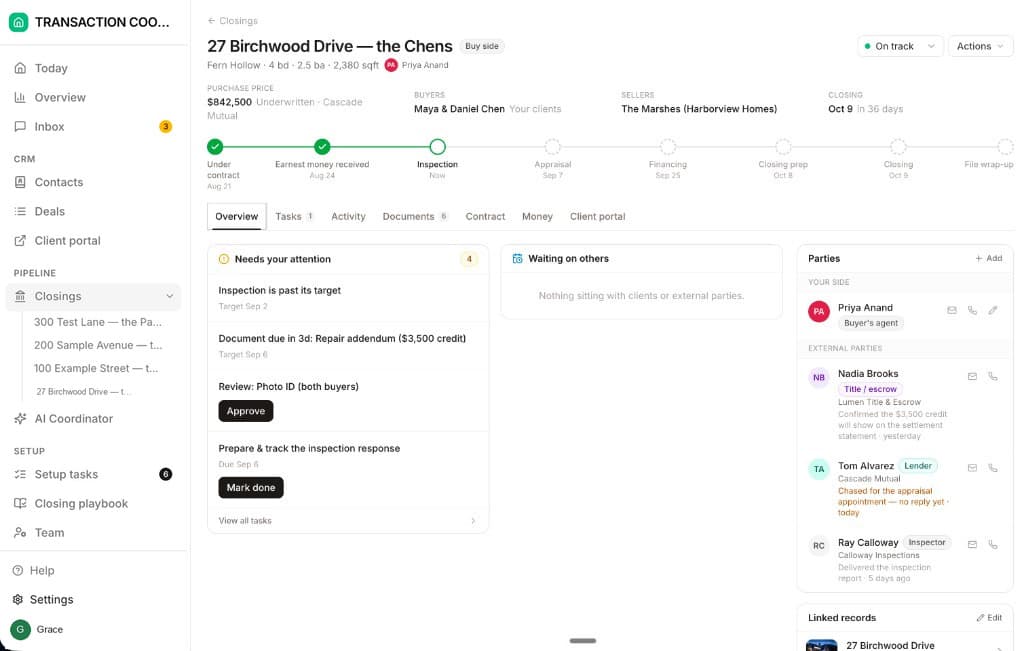
ListedKit and Trackxi get the dates into a task list. DeedSpring is the coordinator who makes sure the dates are met. Upload the executed contract and it reads the price, deposits, contingencies and dates into deadlines on the file, and shows you what it found before it builds the record. It checks every open closing every hour, flags what is slipping on Today and on the file, chases the parties until an item is confirmed in writing, and drafts the client updates for you to send. When a signed amendment moves a date, it reads the amendment and recomputes everything downstream, and a deadline that moves is always a draft for a person to approve. Move a date by hand and the countdown, the client’s timeline and the attention list follow. Each real deadline can sit in Google Calendar as an event that moves when the date moves. E-signing and a client portal come with every plan, so there is no $29.99 add-on.
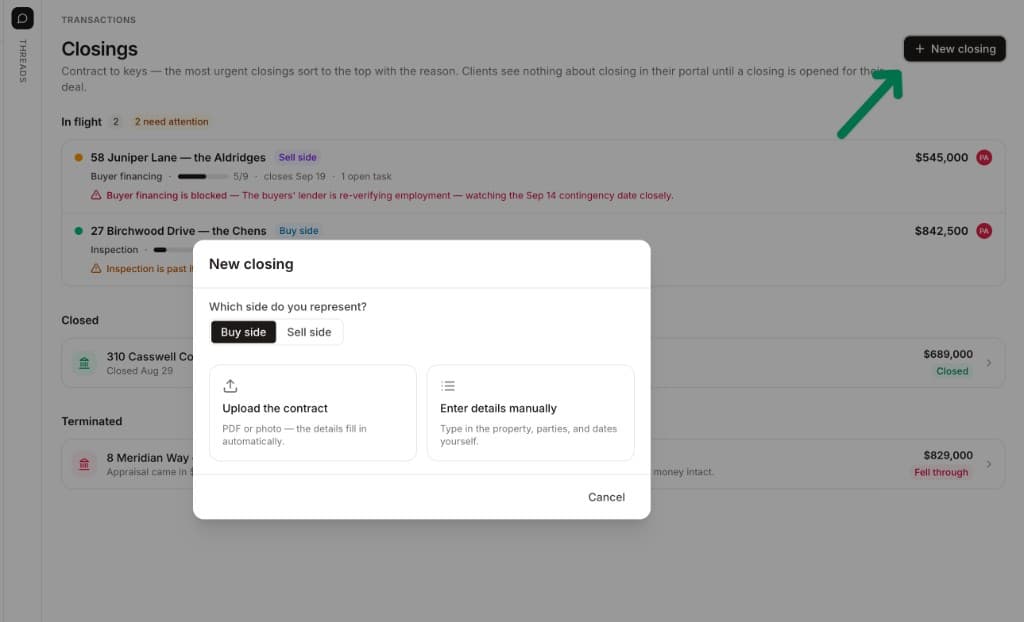
Starter is $15 a month for one closing a month. Standard is $25 a closing, down to $19 at twenty or more, with unlimited agents and teammates and unused closings rolling over. Both are month to month.
How we compared
We compared ListedKit’s Ava, bought per credit, with Trackxi’s Essential, Pro, Pro Plus and Enterprise plans, using both vendors’ pricing, help, feature and FAQ pages and one Inman review, and followed one executed contract and one addendum through each. Prices and pages were checked in October 2026.