
Pricing · Product guides, pricing and migration
Paperless Pipeline pricing: $69 to $715 a month, and what a file really costs
Paperless Pipeline costs $69 to $715 a month, priced by the new transaction files you open, with unlimited users. The Commission Module adds $58 to $185, Pipeline AI is $1 a run, and e-signing is billed in blocks of ten at a rate shown only inside the app.
What does Paperless Pipeline cost?
One product, nine monthly tiers, priced by how many new transaction files you open in a month. The pricing page lists every tier with and without the Commission Module. Every tier includes unlimited users, unlimited storage with ten years of retention, several offices under one account and free setup. There is no annual plan. Everything is month to month, partial months are never prorated, and the trial is 14 days on up to nine files with no card.
Paperless Pipeline's monthly tiers
| New files a month | Price | With Commission Module | Per file at the limit |
|---|---|---|---|
| Up to 5 | $69 | $127 | $13.80 |
| Up to 10 | $140 | $198 | $14.00 |
| Up to 25 | $190 | $254 | $7.60 |
| Up to 40 (most popular) | $240 | $304 | $6.00 |
| Up to 80 | $335 | $454 | $4.19 |
| Up to 150 | $425 | $550 | $2.83 |
| Up to 250 | $540 | $665 | $2.16 |
| Up to 350 | $645 | $830 | $1.84 |
| 450+ | $715, then $1.65 a file | $900, then $1.65 a file | $1.59 |
The per-file column is what you pay when you use the whole tier. The first step is the odd one: five files at $69 is $13.80 each and ten at $140 is $14.00, and the unit price only starts falling at the 25 tier. The Commission Module adds splits, caps, fees, agent net statements and auto-generated CDAs. It costs $58 a month more on the two smallest tiers and $185 more on the two largest, so decide it before you pick a tier.
What counts as a transaction?
A transaction is one new transaction file, opened by hand or with Pipeline AI Create. It is counted once, in the billing month you create it. Status changes, documents, people and offices cost nothing afterwards. A file you open as a listing is one transaction whether or not it ever sells, so a listing-heavy office uses its quota faster than its closings suggest.
The quota resets on your billing date and does not roll over. Files opened in earlier months are free. Your first 30 days after upgrading are unlimited, which is when to load every open deal and every old file.
What happens when you run over?
By default, nothing goes through. A file past the quota is blocked until a master admin upgrades or the month resets, and Paperless Pipeline never changes your plan for you. Since July 2026 a master admin can instead switch on Transaction Overages: every file past the limit goes through at a flat $15, itemized on the bill, with no cap, on the 350 plan and below. Upgrade in the same cycle and the fees are dropped, and the vendor emails you when upgrading would be cheaper.
On the 40 plan, six extra files still cost less than the 80 tier and the seventh does not. On the 5, 10 and 25 plans the limit is three or four extras. The 450+ plan has no toggle: 450 files are included, then $1.65 each. Downgrades take effect from the next bill date, and only if you are under the lower tier's quota that month.
What do Pipeline AI and eSign add to the bill?
Pipeline AI reads a contract and builds or updates the transaction file for you. It is an add-on outside every tier, at $1 a run with $5 of free credit per account, and the only place that price appears is a release note of July 2026. A run is one create or one update, up to 50 pages per create. It stays off until a master admin sets a monthly spending limit, you pay for the runs made, and it pauses for everyone once spend reaches the cap. A file created with AI Create also uses one quota unit, so budget $1 plus a transaction.
Pipeline eSign is the built-in signature tool, on every account since October 2025, off by default and usage-billed. A master admin sets a monthly cap on signature requests and you are billed in blocks of ten actually sent, with any number of documents and signers in a request and no carry-over. Paperless Pipeline will not publish what a block costs. The eSign page says usage-based and links to a pricing page with no eSign figure. The rate appears inside the app when you activate it, after your first two free requests. DocuSign and Dropbox Sign still plug in if you would rather keep them.
What has changed in the price?
The grid rose once this year. In March 2026 the smallest tier was $65 and the top tier $675, and the old rate for files over 450 was $1.50. Today those are $69, $715 and $1.65, a rise of about 6% on those tiers and 10% on the per-file rate. Paperless Pipeline has not said when it changed, and its own marketing FAQ still shows the old 450+ numbers. The terms let it change prices with notice, taking effect from your next billing cycle.
The other changes added ways to spend. Transaction Overages and the $1 AI run both arrived in July 2026, and built-in eSign in October 2025.
What will a month actually cost you?
Ten new files a month is $140, or $198 with the Commission Module. Forty is $240, or $304. A hundred is the awkward one: there is no 100 tier, so you pay $425 for the 150 tier, or $550 with commissions, and 50 files go unused every month. The 80 tier plus 20 overages costs more, at $635. Run AI Create on every file and add $1 a file.
Before you sign, get three things in writing: the price of a block of ten signature requests, what regenerating a past backup costs, and how long your data stays after you cancel.
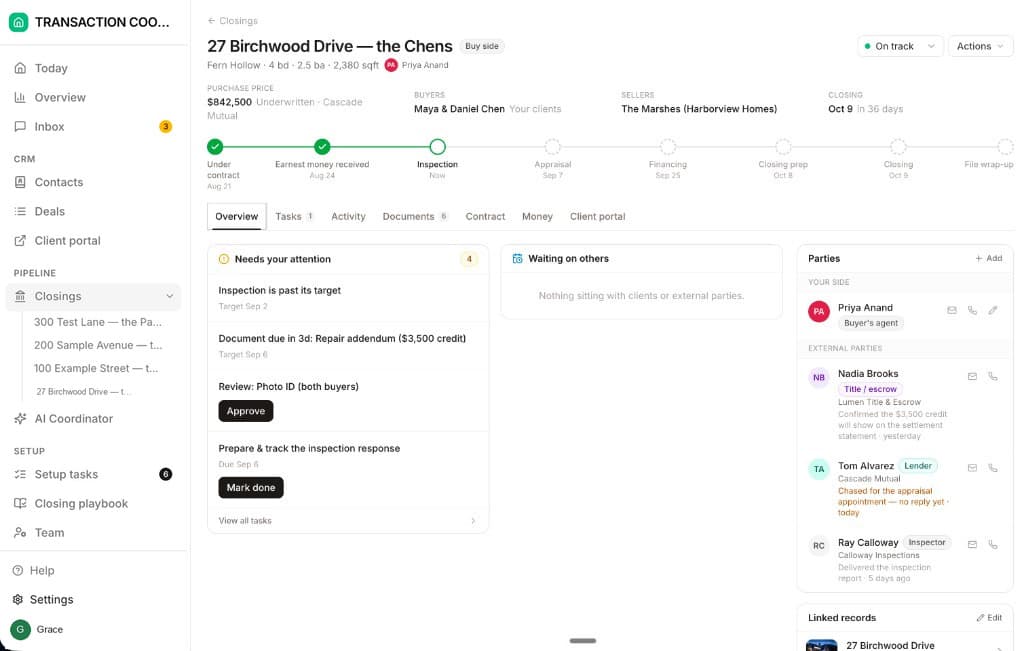
Every tier buys the files and unlimited people to work them. It buys nobody to chase the lender about the appraisal or the title company about the payoff. That is a coordinator's job, and it is what DeedSpring does: it reads the executed contract into deadlines, checks every open closing every hour and drafts the chases for you to send, from $25 a closing with signing included. Ten closings a month is $200 on Standard, and a listing that never sells costs nothing there, because DeedSpring charges when a closing opens.
What happens when you cancel?
Billing is monthly in advance on the day of the month you first paid, by card. To cancel, an admin emails Paperless Pipeline at least seven days before the bill date, and the account runs to the end of the cycle with no refund. What happens to the data depends on which page you read. Billing Basics says it is deleted immediately. The terms say within three weeks. Download the backup before you send the email.
Backups are monthly ZIP files, free if you download them within 30 days of month end, with documents in their original format and notes, emails and history as text. Regenerating a past month costs $140 per four months on the Monthly Backups page and $100 on the FAQ. If you want to keep reading old files without opening new ones, the Archive Plan is $35 a month, read-only, for master admins.
Is Paperless Pipeline worth it?
For a brokerage or TC office that opens 25 or more files a month, yes. At $190 for 25 and $240 for 40 you pay $6 to $8 a file for unlimited users and ten years of storage, and adding agents never changes the bill. Below ten files a month it is $14 a file, the Commission Module nearly doubles the smallest plan, and AI and signatures are extra.
If what you run is closings, DeedSpring charges for the closing and nothing else. Upload the executed contract and it reads the price, deposits, contingencies and dates into deadlines on the file. It checks every open closing every hour, flags what is slipping, and drafts the chases and client updates for you to send, with anything sensitive or negotiable always waiting for a person. E-signing is built in with no blocks to buy, and your buyers and sellers get a portal.
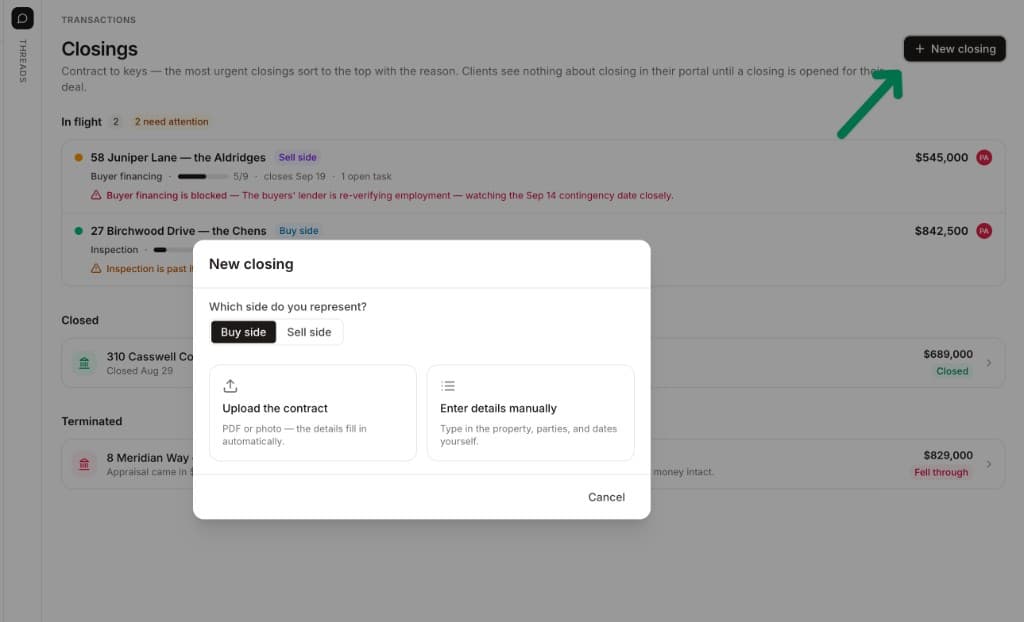
Starter is $15 a month for one closing a month. Standard is $25 a closing, $22 from five a month, $20 from ten and $19 from twenty, with unlimited agents and teammates and unused closings rolling over. Both are month to month. Above 30 closings a month, Brokerage pricing is quoted. If your brokerage runs Paperless Pipeline, DeedSpring sits beside it and does the chasing.