Workflow · Transaction coordinator operations
Closing file quality control with a two-pass review
Run two passes on every closing file before the brokerage sees it. Pass one checks that every required document is in the file, dated and fully executed. Pass two checks that the names, price, dates and amounts agree from one document to the next. Broker sign-off stays a separate step.
What are the two passes?
Review tools and TC firms describe the first pass. Paperless Pipeline's reviewed checkbox is there so staff can confirm a document is correct and complete. Simply Closed, a TC firm, audits each document for presence, execution, dates, initials, correct form version and legibility. Colorado's Division of Real Estate puts the rule in one line: all documents should be dated and fully executed. That is completeness. It is a question you can answer one document at a time with the PDF open.
The second pass is the one checklists leave out, because it needs two documents open at once. The buyer's middle initial on the disclosure is missing from the contract. The earnest money receipt says $7,000 and paragraph 5A says $7,500. The Closing Disclosure carries the original closing date and the signed extension moved it. Each document would pass the first pass on its own. The file still fails. Among the review tools here, only SkySlope's Smart Assist Panel documents this check: it compares names on the file with the names on the contracts and, when the acceptance date in the file disagrees with the contract, shows the date on the most recently signed document. It is currently available to California brokerages only.
Completeness and consistency, check by check
| What you are checking | Pass one: is it there? | Pass two: does it agree? |
|---|---|---|
| Purchase contract | All pages present, initials in every footer, signatures and Effective Date filled. | Every addendum box checked in paragraph 22 has a matching addendum in the file. |
| Parties | Every signer named on the signature page has signed. | Names spelled the same on the contract, disclosures and Closing Disclosure. |
| Price and financing | A financing addendum is in the file when paragraph 3B carries a figure. | Sales price in paragraph 3C equals the price on the settlement statement. |
| Earnest money | Earnest money receipt in the file. | Amount and escrow agent match paragraph 5A. Delivered within 3 days. |
| Dates | Every amendment or extension that moved a date is in the file, signed. | Closing date on the latest signed document equals the one on the Closing Disclosure. |
| Closing statement | Signed closing statement for your client in the file. | Commission on the statement equals the agreement and the disbursement authorization. |
The paragraph numbers are Texas because that form is public. Your state's contract has the same five facts in different paragraphs: parties, property, price, deposit, closing date. Write them down once from the executed contract and every pass-two check is a comparison against that line.
Who does what?
The coordinator runs both passes and writes the deficiency list. The agent gets the corrections signed, because the signer is their client. The brokerage's reviewer approves or returns each document, and the managing broker signs the file off. Those last two are a different job from yours. Simply Closed's service page lists what a coordinator does not do: act as the brokerage's compliance officer or approve files, decide whether a document satisfies a legal requirement, or sign for anyone. dotloop builds the same split into its software. A team admin can approve or return documents inside the team, with a note on anything returned, and then press Submit for Review to the brokerage or office.
Timing comes from the TC firms that publish their task lists. Helpful TC's list for a file under contract ensures everything is fully executed with dates, initials and signatures, and runs a final audit of the file seven days before closing. Seven days is enough to get a missing initial signed and the file through the brokerage queue before the funds move. Two days is not.
How do you run the two passes?
Step 1: Build the required-document list the day the contract is executed
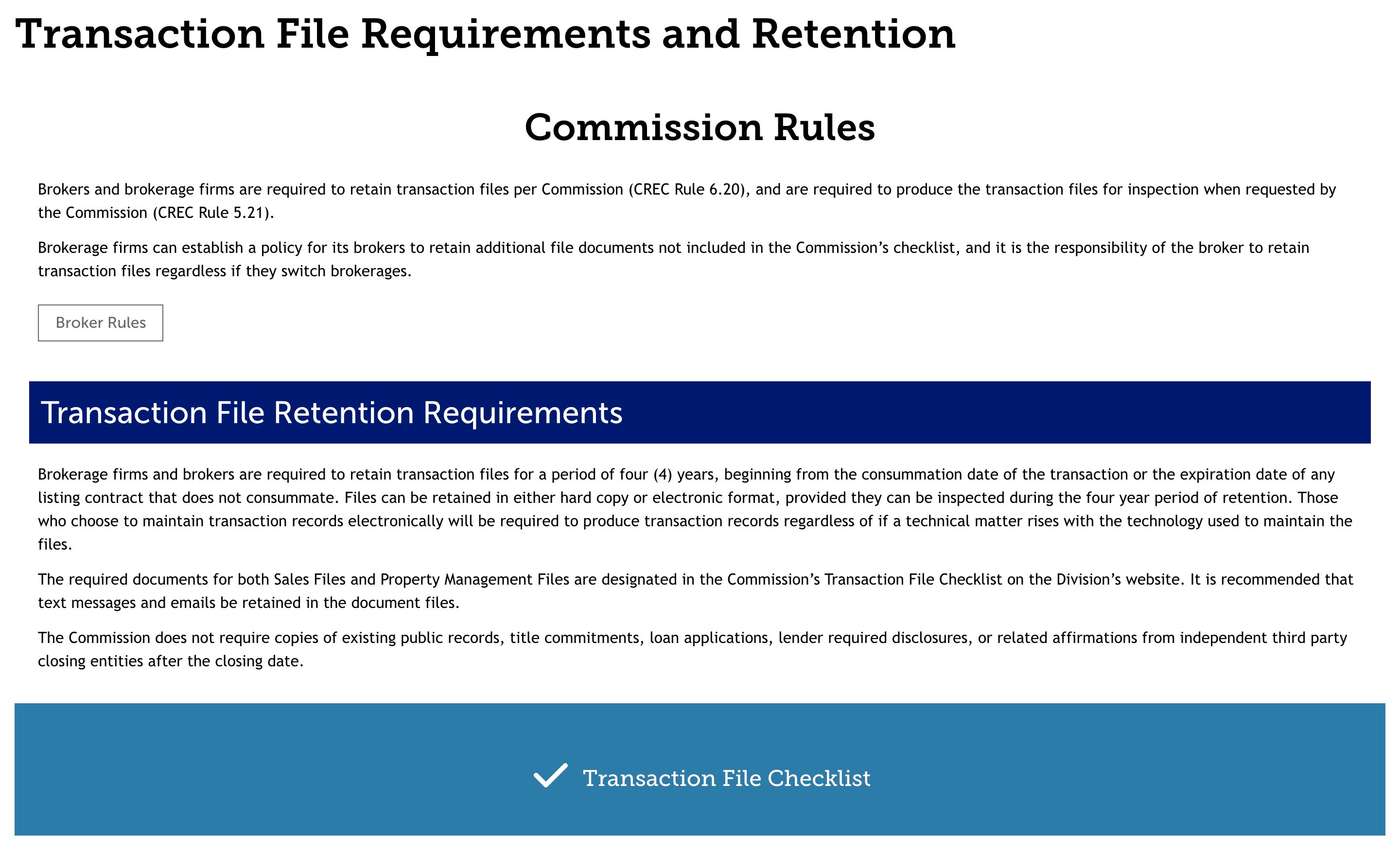
Start from the contract itself. Paragraph 22 of the Texas form lists every addendum and notice that is part of the contract as a checkbox, so each checked box is a document you must find. Add your brokerage's checklist and your state's. Colorado publishes a transaction file checklist of 46 sales documents to retain, from the listing contract to the earnest money receipt and the signed closing statement.
Step 2: Run pass one on every document as it lands
Open the PDF. Count the pages against the page count in the footer. Check every initial line, every signature block and every date. A document that fails stays on the list as open, with the page number of the gap written beside it.
- If it fails
- A missing mark goes back to the agent that day, by document, page and party. A document that is missing altogether is a chase, and the line stays open until the executed copy is in the file.
Step 3: Write the five contract facts on one line
Parties as spelled on the signature page, property address, sales price, earnest money amount and escrow agent, closing date. Update the line every time a signed amendment changes one of them, and note which document changed it.
Step 4: Run pass two once the file is physically complete
Compare every document to the line. Disclosures and the earnest money receipt against parties, address and amount. Amendments against dates. The commission agreement and disbursement authorization against each other. Pass two is one sitting, after pass one, because a document that arrives late can contradict one you already checked.
- If it fails
- When two documents disagree, find out which is right before you ask anyone to sign. The most recently signed document usually wins, which is the rule SkySlope applies when a file and a contract carry different dates. The fix is a corrected document or an amendment. Never edit a signed PDF.
Step 5: Check the Closing Disclosure the day it arrives
The lender has to deliver it at least three business days before closing, and the checks on the CFPB's own explainer are pass-two checks: the spelling of the name, and whether the loan terms, loan amount, closing costs and cash to close match the most recent Loan Estimate. Add yours: sales price, closing date and your side's commission against the contract and the disbursement authorization.
- Owner
- You for the comparison. The agent and lender for the correction.
Step 6: Send the file to the brokerage with zero open items
Submit when both passes are clean and the deficiency list is empty. The broker's review is a separate pass against the brokerage's own checklist, and a file that arrives complete and consistent comes back approved instead of returned. A return note that names the document, page and fix is the only kind worth writing. SkySlope's Smart Assist prefills the auditor's rejection comment with the missing signatures and initials.
Step 7: Close the file and keep it
Mark the file closed on the day the deal consummates and note where the complete file lives. In Colorado the brokerage keeps it for four years from that date, on paper or electronically, and a broker who switches brokerages keeps the responsibility. Your state's clock and count may differ, so write the date the file can be purged into the record.
Which steps can software run for you?
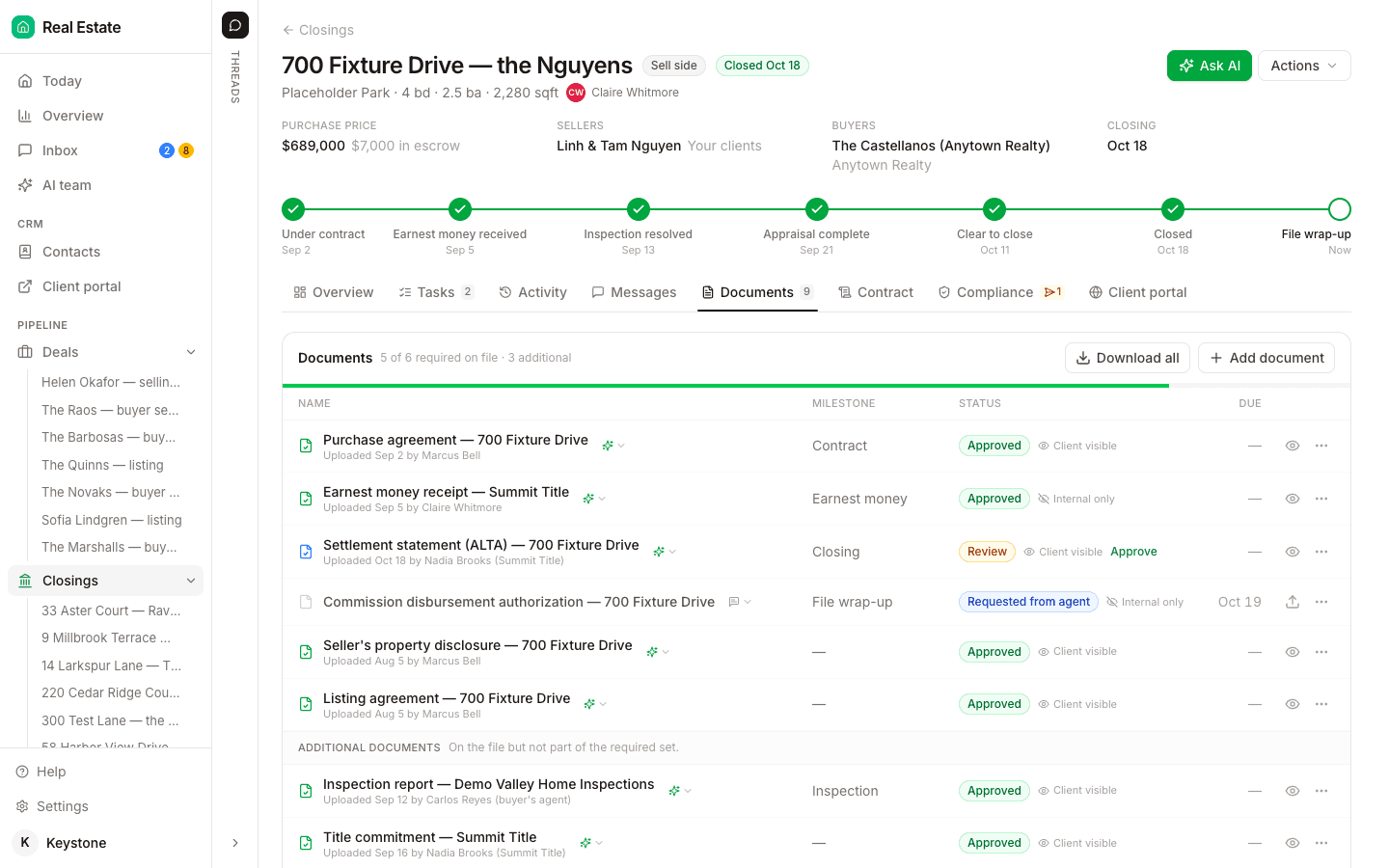
The first pass, most of the third and the file assembly. DeedSpring reads the executed contract into the key terms on the closing's Contract tab, which is the one-line fact sheet of step three written for you. When an addendum, inspection report or title package arrives by email, the AI coordinator reads the attachment and files it on the matching document line of the right closing. When a signed packet lands as one PDF, it splits it into the separate documents and files each one, keeping the original. The Documents tab counts the required set and shows the status of each line, and when a signed document comes back the coordinator checks the signatures, the dates and the details and nudges you to send it to the right party if something is missing.
What does the broker's review add?
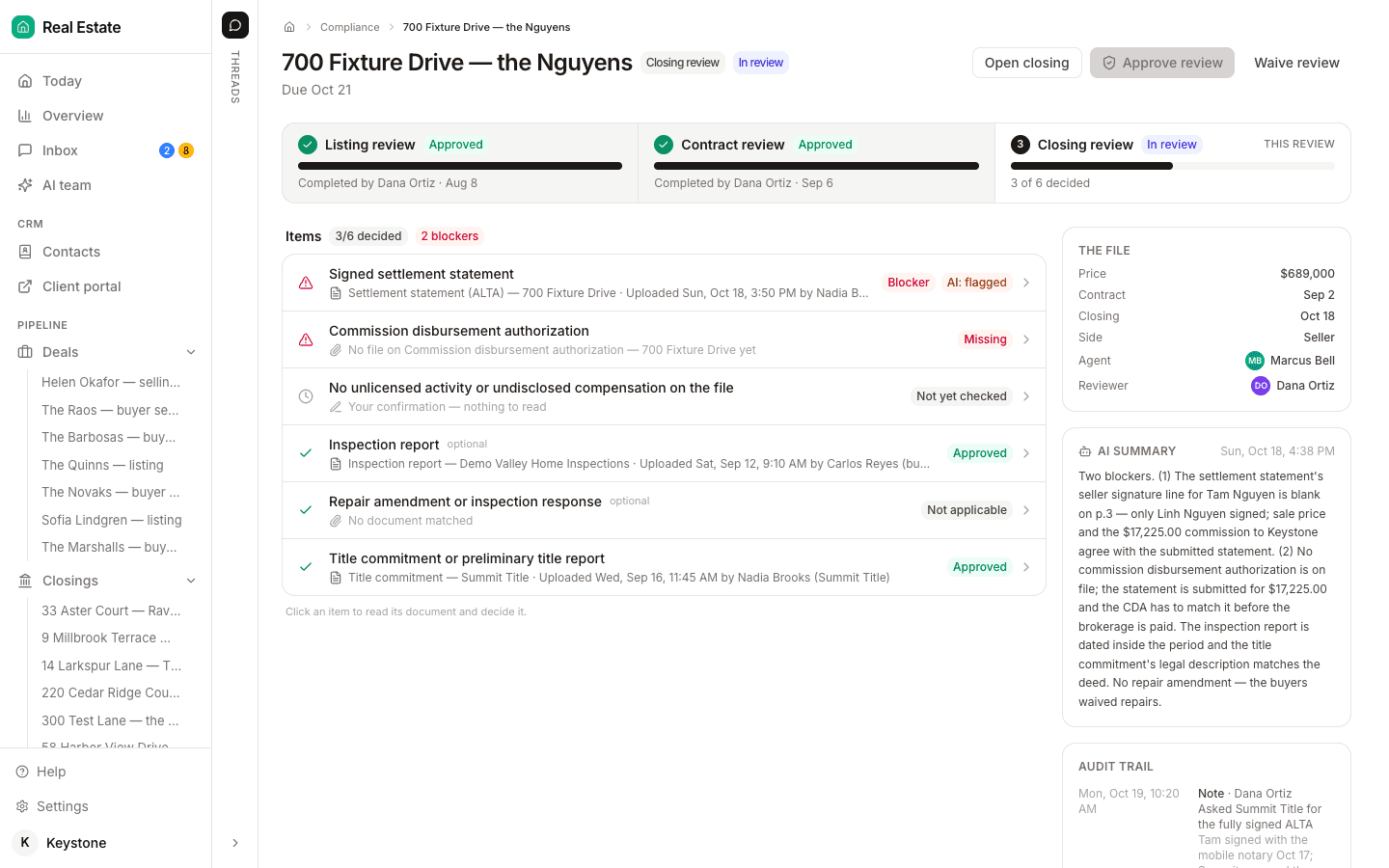
Accountability, and a different checklist. Your two passes make the file complete and consistent. The brokerage's reviewer decides whether each document is accepted, and the broker decides whether the file is cleared. In dotloop the brokerage review runs after the team's, approving or returning documents with a note and emailing the agent when the review stage changes. In SkySlope the auditor accepts or rejects each checklist item in Quick Audit, after the agent has submitted. In DeedSpring a closing review opens when the closing closes, and its items are of three kinds: documents that must be on the file, data checks that a fact agrees across the file, and attestations about the file as a whole. The AI first pass grades every item and flags a blank seller signature line or a price that disagrees with the contract, a person decides each item, and only a broker can press Broker sign-off. The coordinator sees the Compliance tab on the closing, with each review's status, due date and what came back, and has no approve or return controls.
Keep the two reviews separate on purpose. If your pass marks a document approved, the reviewer has nothing to decide and the record shows one check instead of two. Colorado's checklist page says a brokerage can require more documents than the Commission's list, and that the broker keeps the file whichever firm they move to.