
Template · Transaction coordinator operations
Transaction coordinator SOP template: how to build a process you reuse on every file
A transaction coordination SOP is the playbook around your checklist: for each stage, what starts it, who owns each task, what proves it is done and what happens when it is not. Copy the template, fill it once per transaction type, and keep it where the file lives.
What is the difference between a checklist and an SOP?
A checklist is the list of things that have to happen on a file. Ours is the transaction coordinator checklist: the 37 items from executed contract to closed file, and this page does not repeat it. An SOP wraps each of those items in four more facts: the date rule that sets the deadline, the person who owns it, the proof that it is finished, and the exception path when it is not. A checklist tells a new coordinator what to do. An SOP lets them do it without asking you.
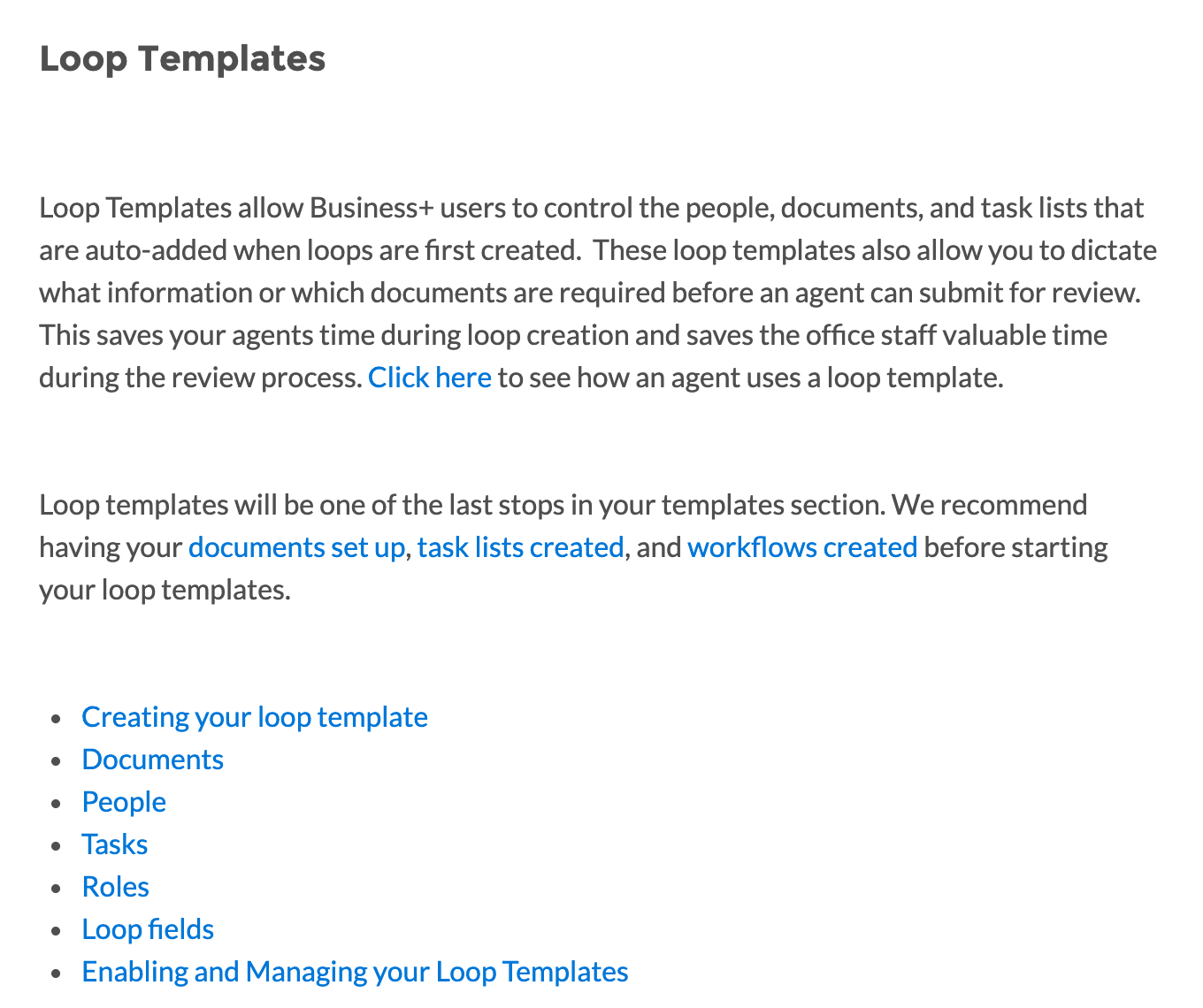
Every transaction tool already splits the work this way, even if the names differ. In Paperless Pipeline the checklist template carries the task names, and the admin adds relative due dates and a visibility type to each task. Agents check a task to say it is ready, and only an admin's check marks it complete. In dotloop a loop template sets the people, documents and task lists that land on a new loop, and which of them must be present before the agent can submit for review. In Open To Close the task carries a role, a date calculation, a trigger and an internal note on how to do it.
When do you need one?
The day a second person touches the file. Until then the SOP lives in your head and the checklist is enough. One coordinator on r/realtors described keeping a deliberate method and a task list for every phase of a listing and a buyer file, with separate lists for back on market, sale failed and temporarily off market, so that every client got the same experience. That is an SOP.
The second trigger is a second transaction type or a second state. dotloop's own advice to brokerages is to build a loop template for each transaction type, and a separate one for each state if the brokerage covers more than one. SkySlope keeps checklists per office and per file type, listing or transaction, and gives admins a tool to copy them from one office to another. Open To Close tells you to break task templates apart by the actions in the transaction rather than putting everything in one, because not every transaction is the same.
The template
Fill one copy per transaction type and side. Every square bracket is yours to replace. Keep it short enough to read at the start of a file and specific enough that a stranger could run it. The task line is deliberately one line, in the order a coordinator reads it: what, when, who, proof, fallback.
TemplateTransaction coordination SOP
Take every day count from your own contract form and brokerage policy. Add stages until the file is archived.
TRANSACTION COORDINATION SOP (template)
Applies to: [transaction type, e.g. buyer side, financed, single family]
State and contract form: [state] · [form name and version]
Version [1.0] · Owner [TC name] · Last reviewed [date] · Replaces [previous version or "none"]

WHEN TO USE
Use on every [buyer side, financed] file.
Use the [cash] / [new construction] / [short sale] variant instead when [condition].
Do not use for [listing files]. Those run on the [sell side] SOP.

STAGE 1: [Open the file]
Starts when: [the fully executed contract arrives]
Stage owner: [TC]
Tasks (what · due rule · owner · proof it is done · if it fails)
1. [Read the contract into the file] · [day 0] · [TC] · [key terms entered, contract uploaded] · [missing page or initial: ask the agent before any date is set]
2. [Send the introductions] · [day 1] · [TC] · [sent emails on the file] · [no lender named: ask the agent the same day]
3. [Confirm earnest money delivered] · [N days after the effective date, from the contract] · [Client] · [receipt from the title company on the file] · [not delivered by the due date: agent told the same day]

STAGE 2: [Contingency window]
Starts when: [Stage 1 complete]
Stage owner: [TC]
Tasks
1. [Inspection scheduled] · [N days after the effective date] · [Client] · [confirmation from the inspector] · [...]
2. [...]

STAGE [N]: [Close out]
Starts when: [funding confirmed]
Tasks
1. [Final file check against this SOP] · [day of funding] · [TC] · [every task shows proof] · [anything missing: chase before the file is archived]

EXCEPTIONS THAT LEAVE THIS SOP
- [A deadline moves]: [TC re-dates every downstream task from the signed amendment. Agent confirms.]
- [The deal falls through]: [stop this SOP and run the "sale failed" list]
- [Anything about money, contract terms or bad news]: [a person sends it, never a template]

CHANGE LOG
[date] · [what changed and why] · [who approved it]
Demonstration: one task line filled in
Confirm earnest money delivered · 3 days after the effective date, counted the way your contract form counts them · Owner: Client · Proof: the title company's receipt uploaded to the file · If it fails: the agent is told the same day and the task stays open until the receipt is on the file. The three days are an example. Take yours from the earnest money paragraph of your form.
What goes in each field, and why?
Starts when. Name the event, not the date. Paperless Pipeline lets a checklist apply itself when a transaction's status, side or label matches a rule, for example the documents due once an offer is accepted, applied when the file moves to Pending. Open To Close property templates bundle task, date, field and trigger templates so that one choice at intake applies the whole set. In both cases the trigger is a fact about the file. Write yours the same way.
Due rule. Write the arithmetic, never the date. Paperless Pipeline's relative due dates count from the acceptance date, close date, listing date and optional dates such as inspection or earnest money due, in business days, calendar days, or calendar days bumped to the next business day. Open To Close recalculates a task's due date when the date field it hangs on changes, and cascades through any date template tied to it. A SkySlope task template asks for a task name and a due date, so the rule has to live in your SOP if it lives anywhere.
Owner. One role per task. Open To Close warns that too many roles on a task leads to confusion about who completes it, and dotloop adds anyone assigned a task in a task template to every loop that uses it. If a client or an outside party owns the task, say so, because that is the task you will be chasing rather than doing.
Proof. Name the artifact. Paperless Pipeline separates the agent's check, which means ready for review, from the admin's check, which means done, and the agent-checked tasks keep appearing in the admin's daily reminder until they are approved. Your SOP should name the document or message that earns the second check.
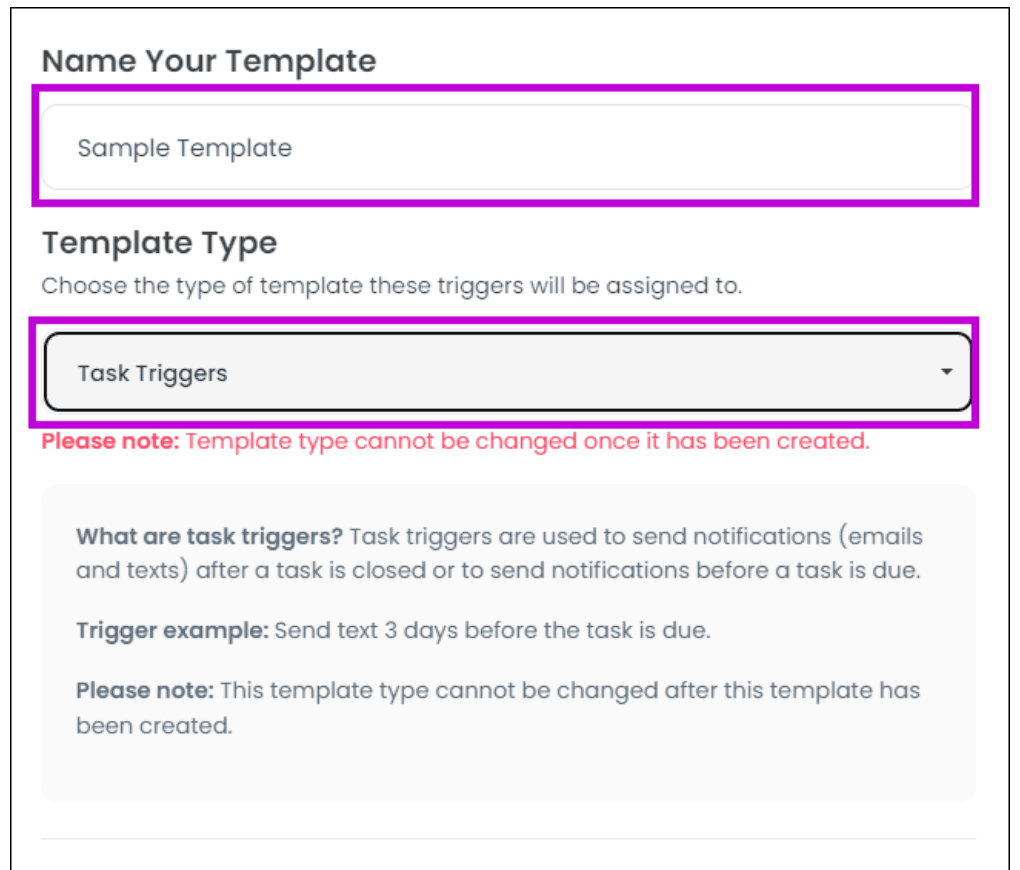
If it fails. Open To Close's task triggers fire on a task completed or a task not completed by a date, and can send an email or text or add the next task template. A trigger whose conditions are not met lands in a Failed Trigger tab rather than disappearing. SkySlope lets a broker flag a checklist item, and the agent gets an email on a schedule the broker sets until it is uploaded. The exception path is where the automation lives, so write it down even when a person runs it.
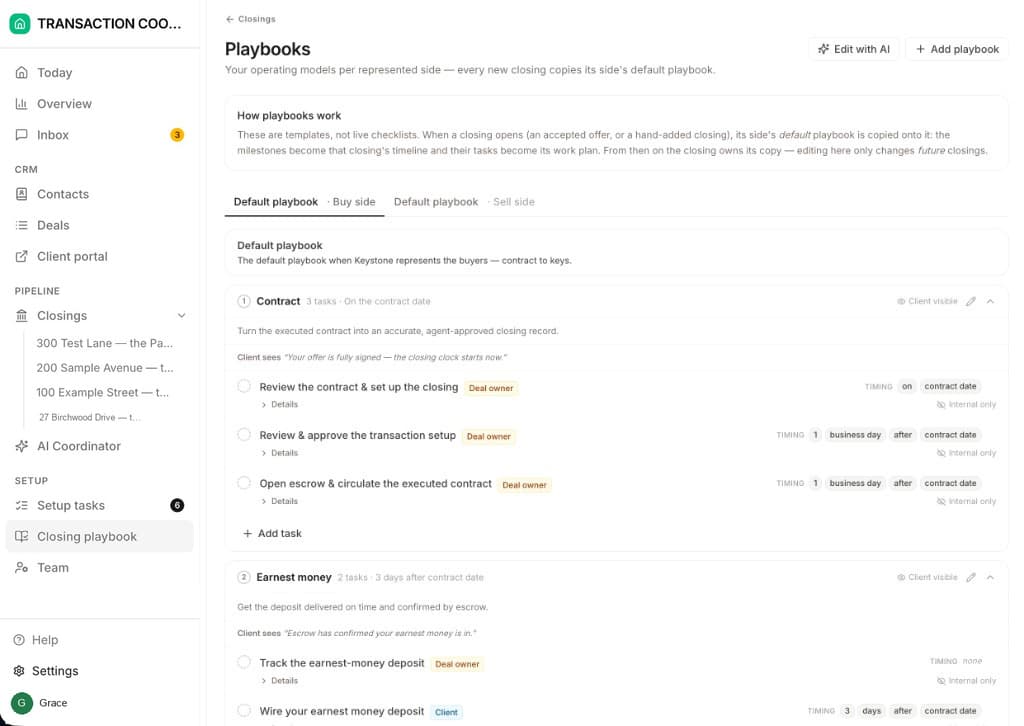
How to do it. The one field most checklists leave out. Open To Close puts an internal notes field on every task in a template for exactly this, so that new people on the team can read how to complete the task. DeedSpring keeps that note and acts on it: a playbook is an ordered list of milestones, each with timed tasks counted from the contract or closing date, each task owned by the Deal owner, the Client, an External party or the AI, and the multi-line detail under an AI task is the runbook the coordinator follows. Write the house rule once and the coordinator follows it on every file.
How do you keep one SOP from becoming twelve?
One base per side, and a variant only when the steps change. DeedSpring ships two default playbooks per workspace, buy side and sell side, which it says are written for your state, and an Add playbook control for cash purchases, new construction and short sales. That is the right number to start with. A variant earns its place when the tasks differ, as they do on a cash file with no lender milestones. Do not add a variant for one agent's preferred email wording.
Change the template when the pattern is permanent. Change the file when the deal is just being a deal. Every tool here enforces that split. In Paperless Pipeline, changes made directly on a transaction do not touch the checklist template. In Open To Close, edits to a task template do not apply retroactively to transactions that already carry it, so you reapply or fix by hand. In DeedSpring, edits on a closing's detail page apply to that transaction only. The rule for your SOP follows: a one-off fix goes in the file, and a fix you made three times goes in the template. Open To Close puts it plainly for triggers. If you keep adding the same trigger to a task by hand, add it to the task template.
Date the version and keep the change log. Someone asking r/realtors this year whether to start as a TC was told to get the instructions in writing and keep them at the desk.
“get crystal clear, written instructions from your team leader about what you need to be doing. No ambiguity. Exact written instructions.”
How do you test it before you trust it?
Run a closed file back through it. Take one transaction you finished last month and fill the SOP from its documents and emails. Every task should have proof you can point to in the file, and every due rule should land on the date the file actually hit. Where it does not, the SOP is wrong or the file was. Then hand the SOP to someone who has never seen the file and ask them to list the dates. If they come back with questions, those questions are your missing fields.
Three checks before you call it finished. Every task has exactly one owner. Every date is a rule you can trace to a paragraph of your contract form or a line of brokerage policy. Every exception ends with a named person doing something, because a flagged-item email, a daily reminder or a fired trigger is what Paperless Pipeline, SkySlope and Open To Close send, and the fix is still yours.
What runs the SOP for you?
Every tool above stores your SOP and reminds you about it. DeedSpring works it. The SOP you just wrote is a closing playbook: milestones in order, tasks timed from the contract date, each with an owner, and each AI task carrying its runbook in the detail. Upload the executed contract and the coordinator's first task is to read the price, deposits, contingencies and dates into the file. It checks every active file every hour, chases the parties on the tasks you assigned it, will not mark a milestone done without evidence in writing, and leaves anything about money, contract terms or bad news as a draft for a person to send.