
Explainer · Transaction coordinator operations
Task statuses for a real estate transaction team
Six statuses are enough for a transaction team: Not started, Waiting on you, Waiting on others, Awaiting review, Blocked and Done with evidence. What each one means, who may move a task out of it, which ones fire automation, and what dotloop, SkySlope, Open To Close, Paperless Pipeline, ListedKit, Trackxi and DeedSpring call them.
What are the six statuses?
Most tools give you open, complete and a due date. That is enough for a to-do list and not enough for a file with four outside parties. The question at 4:30 on a Friday is who has it, and six words answer it.
Step 1: Not started
Nothing is owed yet. It leaves this status when its date arrives or its dependency lands.
- Owner
- Whoever the playbook names
Step 2: Waiting on you
The next action is yours: prepare, send or review. Overdue is Waiting on you with a red date.
- Owner
- You
Step 3: Waiting on others
You asked someone outside the team for something in writing and have nothing back. Your last ask is dated on the task. Only their reply moves it.
- Owner
- The party who owes the item
Step 4: Awaiting review
The responsible person says done and a second person has to agree: the broker on a compliance document, the TC on an agent's upload.
- Owner
- The reviewer
Step 5: Blocked
The owner is ready and cannot act, because something else must happen first. The task carries a one-line reason and the thing it waits for.
Step 6: Done with evidence
The document is on its line, or the confirmation is in writing on the file, dated and named. A phone call saying it should be fine is a note, and the task stays put.
What does each tool call them?
Where a tool has no word for a status, the cell says what to do instead.
The six statuses and what each tool calls them
| Status | DeedSpring | dotloop | Open To Close | Paperless Pipeline | SkySlope |
|---|---|---|---|---|---|
| Not started | Dotted milestones ahead of Now, tasks unticked. | Open task assigned to NO ONE until you pick a person. | Unscheduled, or Scheduled with a date. | Gray due date: due in the future. | Checklist item with nothing attached, or an unchecked Task. |
| Waiting on you | Needs your attention, with Mark done or Approve on the row. | Urgent Tasks when fields are assigned to you to sign. | Due, One, Two: days until due. Past Due column first. | Red due date overdue, yellow due soon, or you are @mentioned. | Incomplete (purple) after a Reject, with the auditor's comment. |
| Waiting on others | Waiting on others: everything sitting with the client or an external party. | A task assigned to someone else in the loop, who gets the daily email. | A task assigned to a Role, which puts that user on it. | An open task still in the agent's Daily Task Reminder email. | Checklist item the agent still owes. A Flag emails them daily until uploaded. |
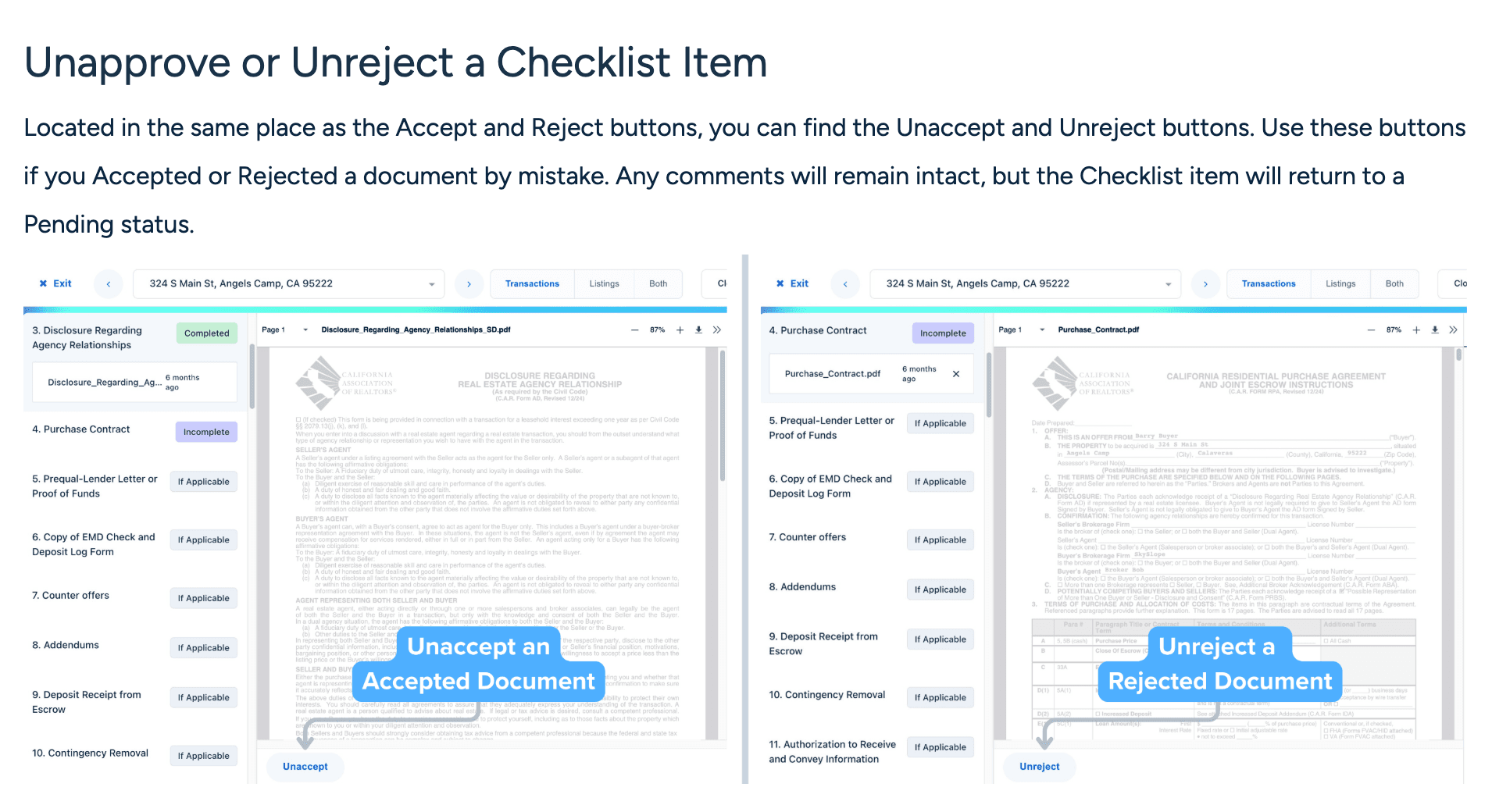
| Awaiting review | Reviews in Needs your attention, with Approve on the row. | Needs Review until the admin approves or returns it with a note. | Unapproved documents wait for Approve or Reject. | Agent-checked: the agent says done, the admin checks or un-marks it. | In Review (yellow), or Pending in Quick Audit, until Accept or Reject. |
| Blocked | Blocked flag with a note on the task. | No blocked state. Rename the task to say what it waits for. | A Child task cannot close until its Parent closes. A Condition also prevents closing. | No blocked state. Put the reason in the task name or an @mention. | No blocked state. Add a Task naming what it waits for. |
| Done with evidence | Solid green with a checkmark and the date. The next milestone opens itself. | Ticked task grays out and is recorded in the Activity Log. | Complete Task checked closes it. Triggers can fire on it. | Only an admin's check is fully complete and counts toward Checklist Completion Status. | Complete (green) after Accept. Only an admin can remove it. |
SkySlope's pages use two sets of words for one set of states. Quick Audit calls an item Pending and marks it Completed on Accept. The Removing Documents page calls the same states In Review (yellow), Incomplete (purple) and Complete (green). Read both as not yet reviewed, rejected, accepted.
ListedKit's team dashboard counts each teammate's work as Active, Overdue and Done. Trackxi says its task templates update as you mark a task complete, due or needing attention, and that a partner in its portal marks their own task completed. Neither page names a review or a blocked state, so write it into the task name.
Is awaiting review waiting on you or on others?
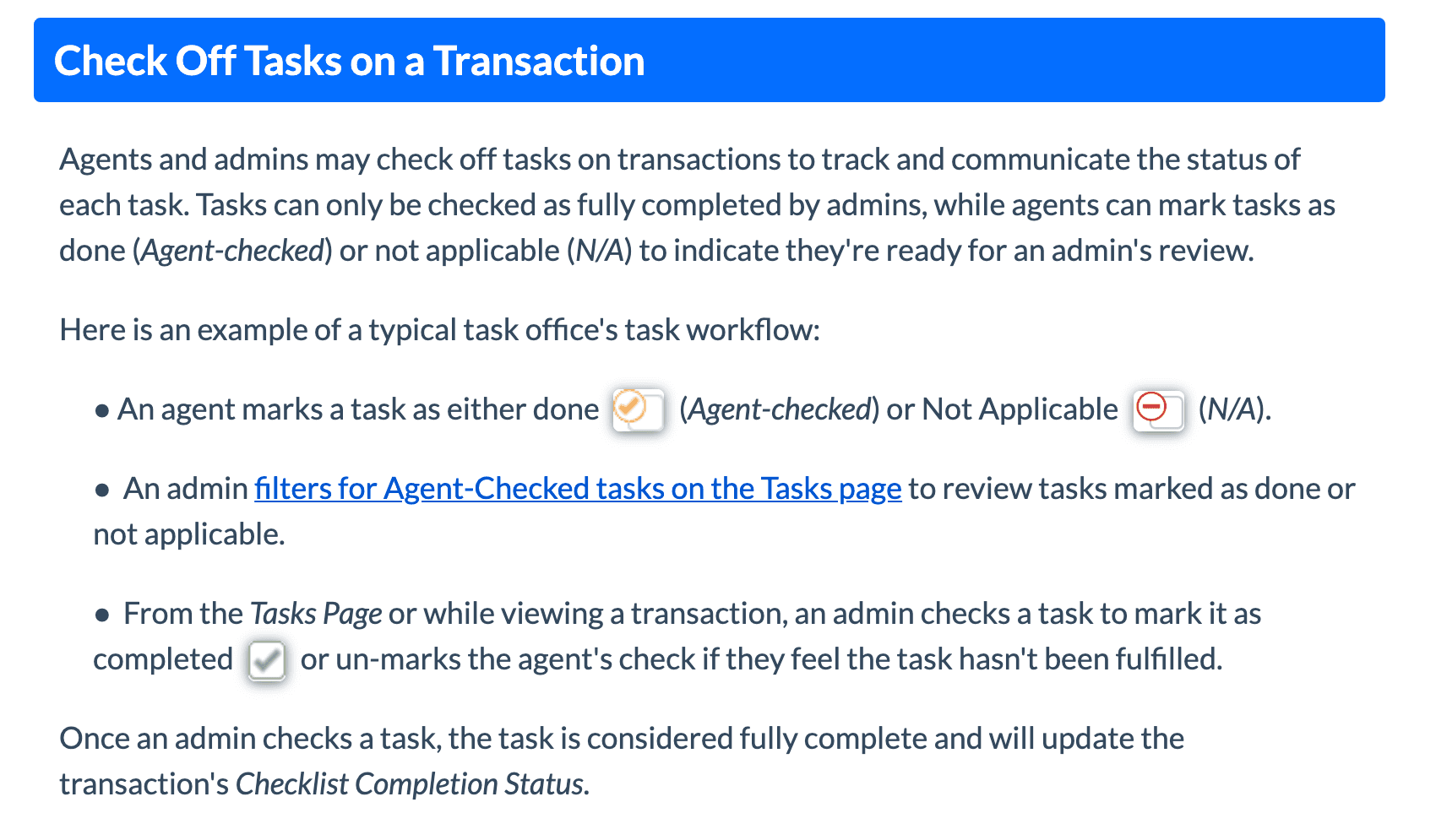
It depends on who reviews, so write the reviewer into the status. In Paperless Pipeline an agent marks a task done, which it calls Agent-checked, or Not Applicable. Only an admin with permission to fully manage checklists can check it complete. The agent-checked task leaves the agent's daily reminder email and stays on the admin's list. The same line is Done for the agent and Awaiting review for the admin.
dotloop and SkySlope put review on the document. A dotloop admin approves or returns a document submitted for review, adds a note when returning it, or marks it No Review Needed or Revert to Needs Review. Open To Close holds anything from an intake form, a portal or the property email address as unapproved until you click Approve or Reject. The brokerage side, from submission to sign-off, is in the brokerage transaction review workflow.
When is a task blocked rather than waiting?
Blocked means the owner cannot act even if they want to. Waiting on others means they asked and are waiting for the reply. If their reply would let you finish, you are waiting. If something else must happen first, you are blocked, and the task names it. The lender who has not sent the appraisal appointment is Waiting on others. The repair addendum you cannot draft until the inspection report lands is Blocked on the report.
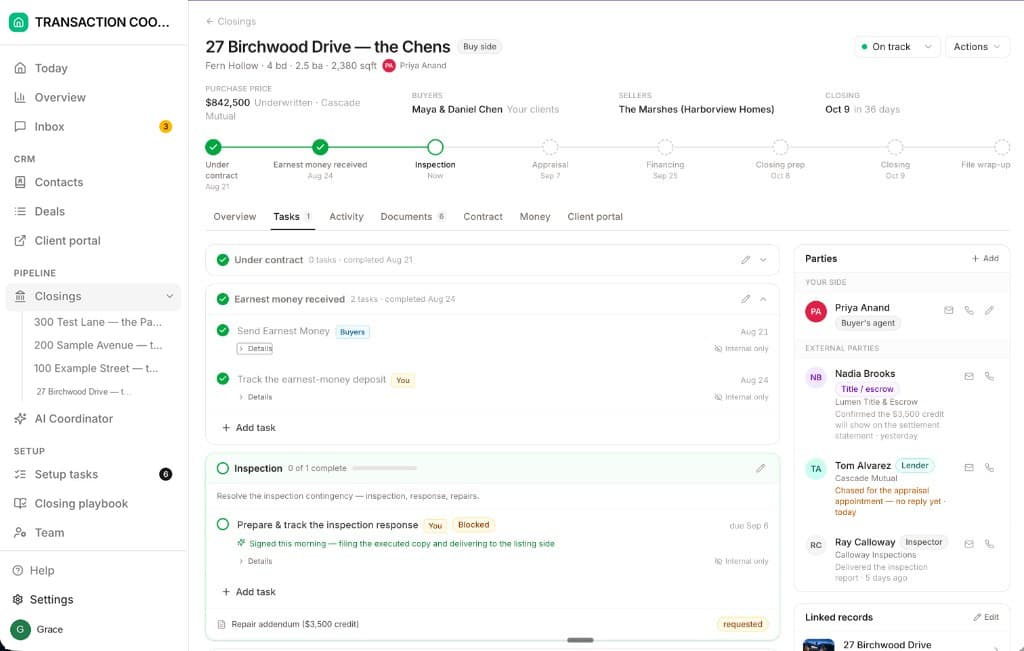
Two tools have a state for this. Open To Close lets you make a task a Child of a Parent task, and the child cannot be closed until the parent is closed. A Condition on a task also stops it closing until the condition is met. DeedSpring puts a Blocked flag with a note on the task, so nobody has to ask. In the others, rename the task to say what it waits for, or put the reason in an @mention.
Who may move a task?
One rule: the owner moves a task forward, and only a reviewer or an admin moves it to Done. Paperless Pipeline restricts the full check to admins with the right permission. SkySlope limits managing checklists to Auditor and Broker accounts. Open To Close client-portal users are read-only and cannot complete tasks. dotloop leaves a loop task assigned to NO ONE until you pick someone in the loop, and a completed task is written to the Activity Log.
None of those four has a word for work sitting with an outside party. An overdue date says the task is late and nothing about whose it is. DeedSpring's Overview splits the open work into Needs your attention, with Approve or Mark done on the row, and Waiting on others, everything sitting with the client or an external party. Every task names its owner: Deal owner, Client, External party or the AI coordinator.
Which statuses fire automation?
Three transitions are safe to automate. Entering Waiting on others can send the request. Sitting there past a date can send the chase. Leaving Done can open the next task. Entering Done should never be automatic: Done means evidence, and software cannot tell an upload from the right upload.
Open To Close's task triggers fire when a task is completed or not completed by a date, and can send an email or a text or add the next template. On the higher plans a switch sends with no review step. SkySlope's Flag emails the agent daily until the item is uploaded. DeedSpring's coordinator checks every active file every hour and flags a task nobody has moved. It works only the tasks a playbook or a person assigns to it, sends the chase, notes who said what, and keeps going until the item is confirmed in writing. A completed milestone opens the next one on its own.
What counts as done?
A document on its checklist line, or a written confirmation with a date and a name. SkySlope's Accept marks a document Completed, and Smart Assist shows Cleared when every signature and initial appears to be in place and Flagged when one is missing. DeedSpring's coordinator will not mark a milestone done without evidence in writing. A lender saying it should be fine on the phone is not clear to close.
One task, start to finish. Prepare the inspection response is Not started on contract day. The report lands on day seven: Waiting on you. You send the response to the listing agent: Waiting on others, dated today. The seller counters with a credit and the agent has to decide: Blocked on the agent's answer. The agent says yes and the addendum goes out for signature: Waiting on others again. The signed addendum lands on its document line: Done with evidence, dated, and the next milestone opens. The chase in the middle is its own procedure, in how to request and chase missing transaction documents.