
Workflow · AI, automation, integrations and data
How human approval should work for AI transaction messages
Every AI-drafted email or text on a closing waits for a named person unless a written rule lets a routine reminder go on its own, and anything about money, terms or a moved deadline always waits. Here is the rule, how ListedKit, Open To Close, Trackxi and DeedSpring handle it, and what to log.
Which messages should a person approve?
All of them, by default. The exceptions are a short written list: templated reminders to a co-op agent, lender or title company, built from a date nobody has changed since a person last looked at the file. Give each line on that list an author and a date. Re-read it every quarter, after any mis-send, and whenever a vendor changes what its automation can do. ListedKit, for one, is taking a waitlist for an Ava that works unattended in the background.
Five kinds of message never go on their own. A reply about price, contract terms, contingencies or negotiation goes to a licensed person. Anything that reads as legal, financial or valuation advice gets written by a person from scratch. A first message to a contact who is not yet on the file waits. So does every bulk update to all parties, with the full recipient list in front of the approver. Texts and signature requests go through the same queue, one at a time.
That is where the industry guidance draws its line too. NAR's AI use policy template for brokerages makes human review mandatory before AI content goes to a client or consumer, has chatbots hand pricing and contract questions to a licensed agent, and bars automated answers from giving legal, financial or valuation advice. NAR's broker risk-reduction page asks for a designated person to review AI content before release, and its June 2026 report on agentic AI lists mandatory human review among David Conroy's recommendations. California's regulator told its licensees that AI outputs should be reviewed for accuracy and approved by the licensee before they are used in a transaction or a consumer communication.
What does “automatic” mean in each tool?
Something different in each. ListedKit's drafts wait for you to send, but its scheduled reminders go out at the time you set. The approval happened when you put the reminder on the calendar. If the deal dies the next day, the calendar does not know.
Open To Close queues every triggered email or text on its Trigger Pipeline as a card you Inspect, Edit or Send. On the Pro and Scale plans a per-trigger toggle removes the queue, and the help article says what that means:
“If you toggle this button to the color red, it means that the email will automatically be sent without you being able to review it.”
Trackxi's email page offers Manual Send, where you preview and send, and Automated Send, which fires when a task is marked completed or on a date, “without manual oversight. Of course only after your consent.” The consent is the decision to switch the automation on. No per-message step is described.
DeedSpring has one switch per channel under Config → AI coordinator → Sending on its own. Approve first is the default on every new workspace: everything the coordinator writes is a draft, and a person sends it. Sends itself lets confirmations, reminders and status updates go out under the coordinator's name. Either way, money, contract terms, a deadline that moves and bad news are always drafts for you.
How each tool handles approval of an AI or template message
| Control | DeedSpring | ListedKit (Ava) | Open To Close | Trackxi |
|---|---|---|---|---|
| Default for an AI or template draft | Approve first. Every draft waits in the Inbox until a person sends it. | The draft waits for you to review and send. | Queued on the Trigger Pipeline as a card you Inspect, Edit or Send. | Manual Send: choose recipients, preview, send. |
| How a message can leave without a per-message review | Sends itself, switched on per channel: confirmations, reminders and status updates go under the coordinator's name. | Scheduled reminders go out at the time you set. | A per-trigger toggle on Pro and Scale sends the email with no chance to review it. | Automated Send fires when a task is marked completed or on a set date. |
| What never sends on its own | Money, contract terms, a deadline that moves, bad news. Always a draft, whatever the setting. | No content rule is stated. Assume a scheduled reminder goes out as scheduled. | No content rule is stated. Assume the toggle sends whatever the trigger says. | No content rule is stated. Assume the template you attached is what fires. |
| What the reviewer sees | The draft at the end of its thread, marked Draft to review, with Send, Edit, Discard and Ask AI to revise. | The morning's drafts on the dashboard: review, edit if needed, send. | Inspect renders the message and lists any missing merge items. | A preview of the template email. |
How should the approve, edit, discard loop run?
Step 1: Classify the draft when it is created
The tool sorts it by recipient role, template and whether a date has changed: needs approval, auto-send under a named rule, or blocked. Anything it cannot classify needs approval.
Step 2: Read it on the thread, with the source open
Open the draft where it will be sent and check the record the AI read: the contract page, the amendment, the lender's email. Open To Close's Inspect view renders the message and flags missing merge fields.
Step 3: Check the data is still current
Compare the dates, amounts and names in the draft with the file as it stands now. An edited Open To Close draft is frozen: field values that change afterward are not reflected in it. If anything moved, regenerate rather than patch.
Step 4: Send, edit, discard or hand it back
Send delivers it as written. Edit changes the wording or the recipients. Discard drops it. Handing it back with a note keeps the AI drafting and the person deciding. If an edit changes a date, a figure or a term, a licensed person signs off first.
Step 5: Confirm delivery and file the record
A send is complete when the sent message sits on the file with who approved it, when, and the recipients and body as sent. A failed send goes to a visible queue that someone checks every day.
Do not approve in bulk. OpenAI's paper on governing agentic systems calls proactive authorization a standard way to limit egregious failures, and warns in the same passage that approval quality drops when a user has to approve many decisions quickly. ListedKit tells team leads they do not have to review every communication. NAR asks for every piece to be reviewed. Both work only if the auto-send list is short enough that the queue left over is small enough to read.
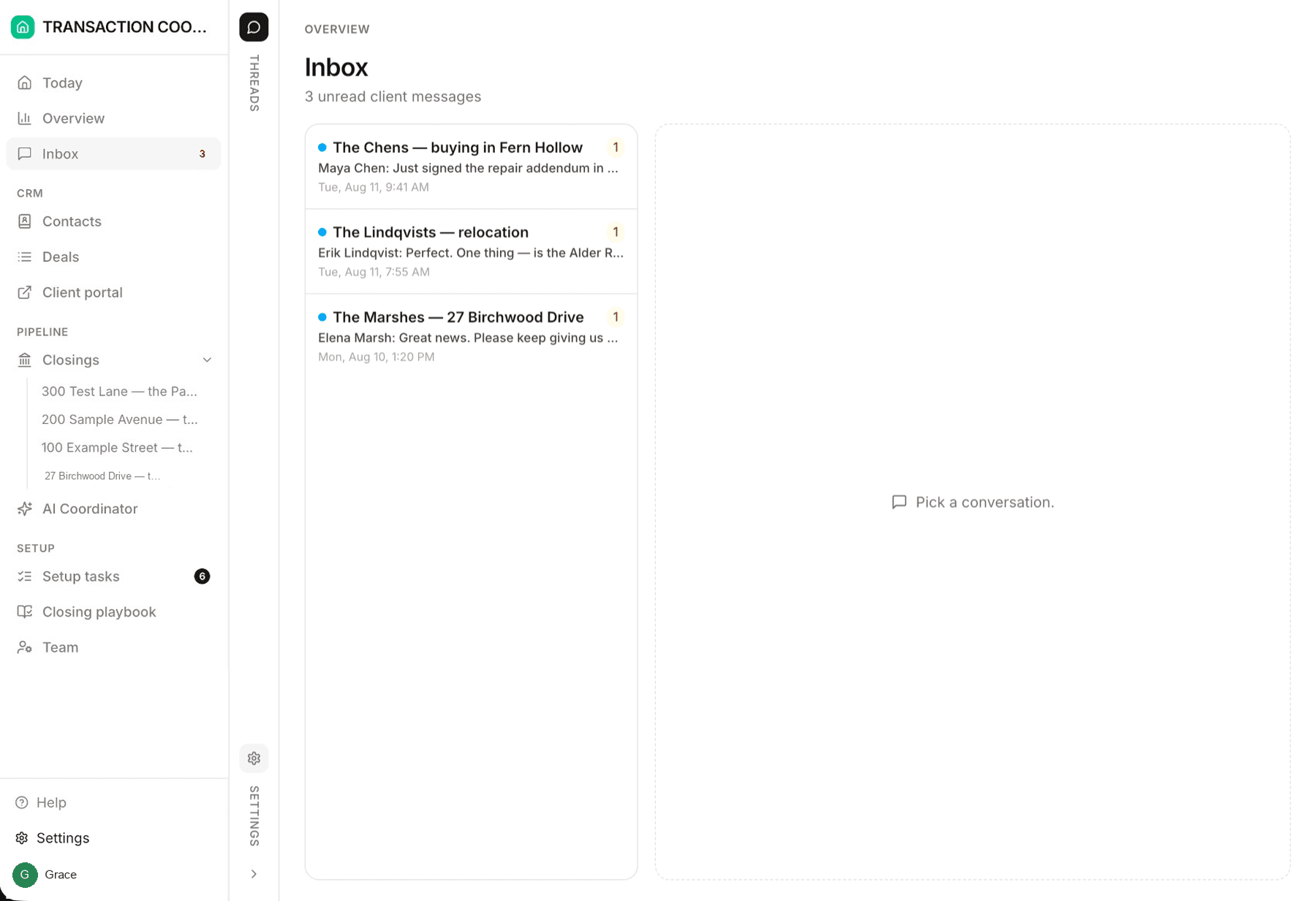
This is the loop DeedSpring's Inbox runs. A waiting draft sits at the end of its thread with a Draft to review marker, shows under Today → Needs you, and counts in the amber Drafts to review filter. You Send, Edit, Discard, or Ask AI to revise, which hands the draft back to the coordinator with your note and shows AI revising until the new draft lands.
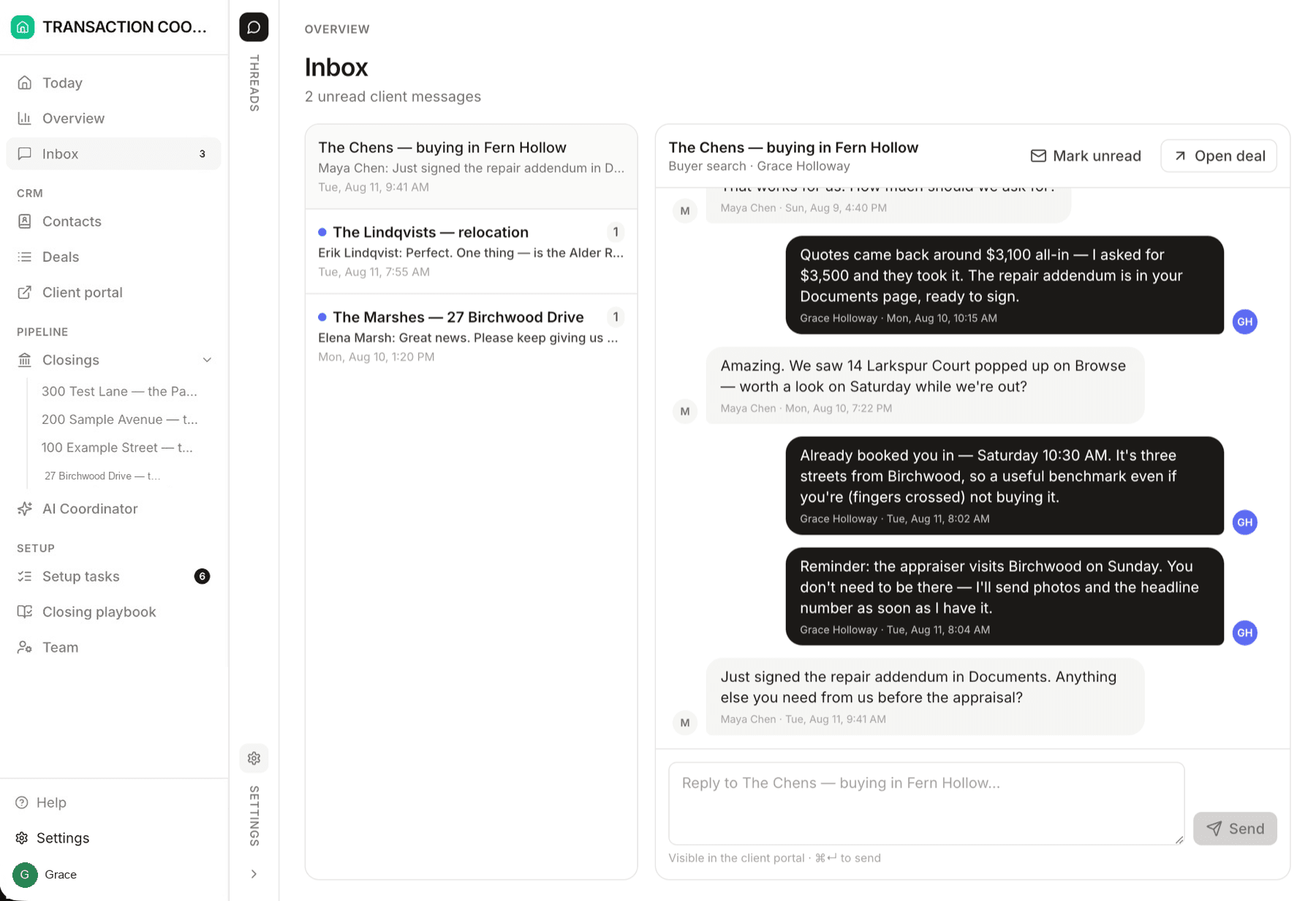
What happens when a message cannot go?
Two failures recur, and both come from time passing between approval and send. The stale draft: a closing date moves after the draft was rendered, and the reviewer who approved it yesterday approved yesterday's date. The unattended reminder: a deal falls through or a task completes early, and a scheduled reminder still fires. Make fell-through and completed-early cancel every scheduled message on the file, and test that your tool does this before you rely on it.
Where exceptions land matters as much as that they stop. Open To Close sends unmet conditions to a Failed Trigger tab and shows trigger statuses so you can see why one did not fire. ListedKit has you check the dashboard each morning. DeedSpring lists Send failed items under Today → Needs you, beside the drafts. In every tool, a blocked message about terms or price goes to a licensed person by name.
What should the log record?
For every message, the record on the file should hold:
- the channel and the thread it answers
- the closing it belongs to and the records the AI read
- the template and the body exactly as sent
- the path it took: approved, auto-send under which rule, blocked or failed
- who approved it and when, or the rule's author and last review date
- any edits between draft and send
- the recipients as sent, with each contact's role on the file
Keep it as long as the brokerage keeps the transaction file, and exportable per file. No vendor page we read puts the approver's name and time on the sent record. Open To Close shows sent emails and texts per property and the trigger statuses. DeedSpring writes every chase and every material change as one line on the closing's Activity tab, filterable to the coordinator's entries on Today. NAR's template asks brokerages to keep audit logs of AI use where feasible, and the California DRE lists keeping records of how AI outputs were reviewed among its best practices. If your tool cannot show who sent what, keep that record yourself until it can.
How does DeedSpring handle approval?
DeedSpring's AI coordinator reads the executed contract into deadlines, checks every active file every hour, reads the mail that comes in, and drafts the chases, replies and client updates. Every draft waits in the Inbox for you to Send, Edit, Discard or hand back, and anything sensitive or negotiable waits whatever the sending settings say. A connected Gmail works the same way: replies are drafted in your own inbox for you to send. Signature requests have a separate switch for who presses Send, and it starts off.
Starter is $15 a month for one closing a month. Standard is $25 a closing, less at volume, with unlimited agents and teammates. Both are month to month. Details are on the DeedSpring pricing page.