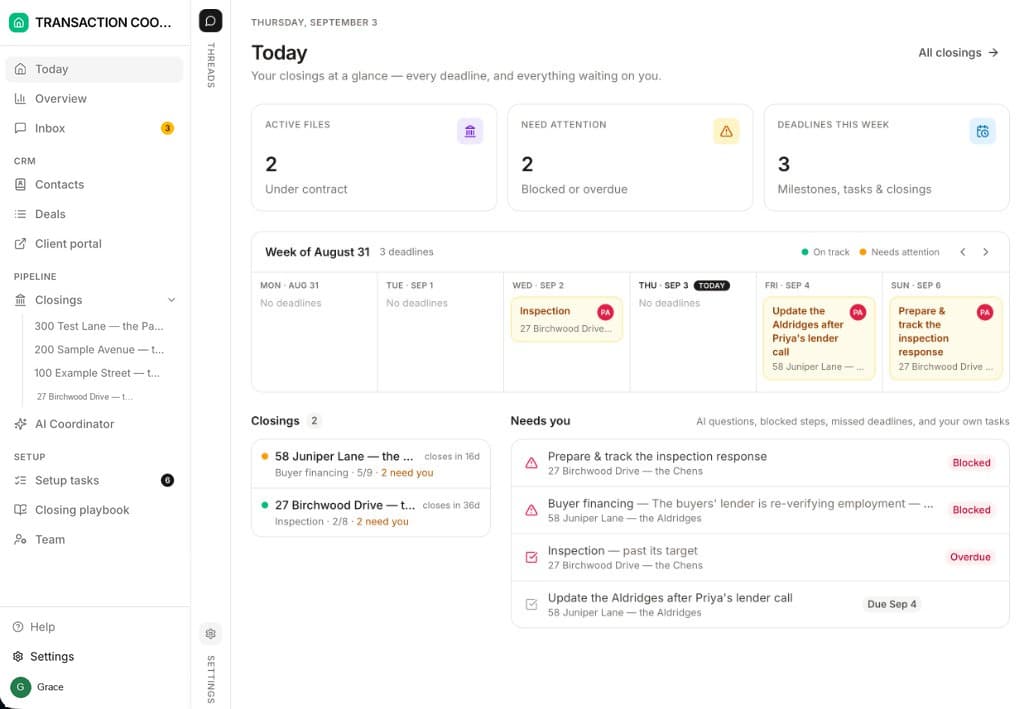
Workflow · Listing and closing workflows
How to track listing expirations, renewals and price changes
Put the expiration date on the file the day the agreement is signed, open the renewal talk 30 days out, get the amendment signed before the date, and update the MLS from the signed page inside your MLS's window. A reminder, a seller's decision, a signature and a system update are four different things.
When does tracking start, and when is it done?
It starts at the signature. An exclusive listing carries a term with an end date. Wisconsin's state form runs from a named day up to midnight of a named day or the conveyance of the property, whichever comes first, and GMAR's MLS rules in Michigan say a filed listing must bear a definite and final termination date negotiated between the broker and the seller.
It is done, for a renewal, when the MLS shows the new expiration date before the old one passes and the signed extension sits on the file. For a price change, it is done when the MLS shows the new price inside your board's reporting window and the signed amendment sits beside it. Until then the listing has a decision, or a signature, or a typed date. It does not have a tracked change.
What is the difference between a reminder, a decision, a signature and an update?
Four things happen between a seller saying maybe and the MLS saying so, and files go wrong when one is mistaken for the next. A reminder is yours and tells the agent a date is coming. A decision is the seller's, usable once it is in writing with the exact figure in it. A signed authorization is the amendment or extension both parties signed, the only thing an MLS will accept. Stellar MLS says a price change is made only when authorized in writing by the owner of record and filed within two days of the signed authorization reaching the broker, weekends and federal holidays excluded. GMAR in Michigan gives 24 hours. Canopy MLS gives two business days. A confirmed update is the fourth thing: the published listing showing the new terms.
The MLS of Greater Cincinnati spells out the line between a decision and an authorization. It can take a seller's email in place of a signed amendment, but only an email from the seller of record, carrying the address and the MLS number, that states the exact new price rather than a change amount. Please reduce the price by $5,000 fails. For an extension the email must carry the specific new expiration date, so please extend 30 days fails too.
One listing, seven events, four states to keep apart
| Event | Reminder | Decision in writing | Signed authorization | Verified in the MLS |
|---|---|---|---|---|
| Listing agreement signed | Expiration date and list price on the file the same day. | The signed agreement is the decision. | The agreement itself, with the term and price filled in. | MLS shows the same date and price as the agreement. |
| 30 days before expiration | Coordinator reminds the agent, who opens the renewal and price talk. | Seller says in writing: renew, change the price, or let it run out. | None yet. | Nothing yet. Log the date of the conversation. |
| Price change agreed | Draft the amendment the day the seller decides. | Seller's email naming the exact new price. | Signed amendment, or an email that meets your MLS's test for one. | MLS shows the new price inside the window: 24 hours at GMAR, two days at Stellar. |
| 14 days before expiration | Send the extension for signature with a date on it. | Made at 30 days. Chase the signature only. | Signed extension naming the new expiration date. | Not yet. |
| 5 days before expiration | Last call to the agent. Broker if the seller has gone quiet. | Seller confirms, or says no in writing. | Signed extension in hand or the listing lapses. | Enter the new date so the MLS has it before the old one passes. |
| Expiration day | None. The signed extension is in the system or it is not. | Closed. | Closed. | MLS shows Active with the new date, or Expired. Capture either. |
| After expiration | Stop marketing. Tell the agent the day it lapsed. | Seller may still sign a late extension. | A dated signature. The date decides what the MLS accepts. | Reactivated inside your MLS's window, or entered as a new listing. |
Who does what?
The coordinator owns the dates, the reminders, the paperwork and the check at the end. The agent owns the conversation and the recommendation, because a price and a term are negotiable and the seller hears them from the person they hired. The seller owns the decision and the signature, and nothing moves without both. The broker owns anything that shortens the term or touches the commission. On Wisconsin's forms an agent has no authority to agree to terminate a listing, amend the commission or shorten the term without the supervising broker's written consent, and the amendment form carries a signature line for that consent.
How do you run it, step by step?
Step 1: Put three facts on the file the day the agreement is signed
The effective date, the expiration as a calendar date, and the list price, copied from the signed agreement. CincyMLS wants a specific calendar date and will not take a duration.
- Owner
- Coordinator
- If it fails
If the agreement says six months rather than a date, count it on a calendar with the agent and write the date down before anything else happens.
Step 2: Set three reminders, counted back from the expiration
Thirty days out for the renewal conversation, fourteen for the paperwork, five for the last call. On a term under 60 days, use 21, 10 and 3, and have the renewal talk at the signing. Paperless Pipeline's own reminder, if your office has it switched on, reaches the agent five days before the expiration, late to start a conversation and about right to finish one.
Step 3: Get the seller's decision in writing before anyone drafts a form
Renew, change the price, or let it lapse. An email naming the exact new price or date is a decision you can act on. A text that says fine, drop it ten is a conversation.
- Owner
- Agent
- If it fails
If the seller will not put it in writing, nothing changes in the MLS. The listing runs to its date on the terms already signed.
Step 4: Send the amendment for signature and read what comes back
One document, prefilled with the old term and the new one. Wisconsin's WB-42 has a line for the price, from one figure to another, and a line for the expiration, from one midnight to another. Check the signed copy against the seller's email before you file it.
- Evidence
- The signed amendment on the file, dated before the expiration
- If it fails
An amendment that shortens the term or changes the commission needs the supervising broker's written consent on the Wisconsin forms, so it goes to the broker first.
Step 5: Update the MLS from the signed page, inside the window
Type the new price or date with the signed amendment open beside you, then upload or file the authorization the way your MLS asks.
- If it fails
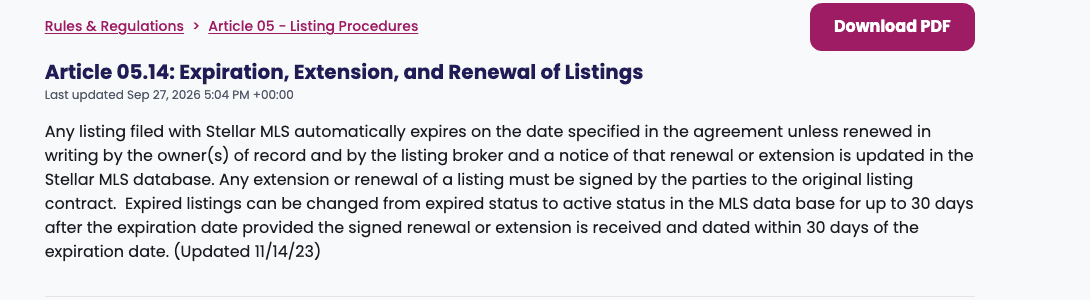
If the signature arrives after the expiration date, read your MLS's reactivation rule before you touch the status. Stellar lets an expired listing go back to Active for 30 days, on a signed renewal received and dated inside those 30 days. San Francisco's MLS lets you do it yourself for seven days, through support until day 30, and wants a new listing from day 31. At GMAR a late notice is published as a new listing.
Step 6: Verify the public record, then file the proof
Open the listing the way a buyer's agent would and read the price and the expiration off it. Save that view next to the signed amendment. Done means the two match.
- Evidence
- A dated capture of the MLS listing showing the new price or date
- If it fails
If the MLS still shows the old price two business days after the signature, fix it that day. Your transaction software's status proves nothing here.
Step 7: When it lapses, say so the same day
No signature by the expiration date and the listing drops out of the MLS on its own. GMAR and Canopy both expire it on the date in the agreement. Stop the marketing, log the lapse, and tell the agent and the broker that morning.
- Owner
- Coordinator
Step four is where DeedSpring does the work for you. Send the amendment or the extension for signature from DeedSpring and the signed copy comes back through your connected email. The coordinator checks the signatures and the dates on it and nudges you if a party is missing. The message that goes with it, a price that moves or a date that moves, is always a draft for you to send, whatever the sending setting says.
What does it look like when the four get mixed up?
In February 2025 a first-time seller in Texas posted on r/RealEstate that their agent had cut the price by $10,000 thirteen days after the listing went live. Nobody had asked. The update came first and the decision never came at all.
“I found out about the price change because of realtor.com telling me about the price drop”
The agents who replied said the same thing in different words: no listing at a price the seller did not sign for, no change without the seller's agreement in writing, and a signed amendment for every change because the office and the MLS will both ask for it.
The other failure is the signature that never lands. In August 2016 an agent on r/realtors had a listing that expired the day after the seller promised, on a Sunday, to sign the extension. He had not signed, and another agent opened the lockbox the evening it lapsed. One reply told the agent to get extensions signed at least a week before the listing expires. The seller signed in the end, after the agent offered a buyer-agent bonus out of his own commission, and five months later the house still had not sold.
A verbal yes is a reminder to send the form
Nothing the seller says on the phone changes a date or a price. It tells you which document to send today and when to chase it tomorrow.
What do the tools do for you?
SkySlope will email an agent a set number of days before the listing expiration date, again when the listing passes it, and whenever the listing date, the expiration date or the price changes in the file. A broker can switch the days-before email on for the whole office. That covers the reminder. It says nothing about whether the seller signed.
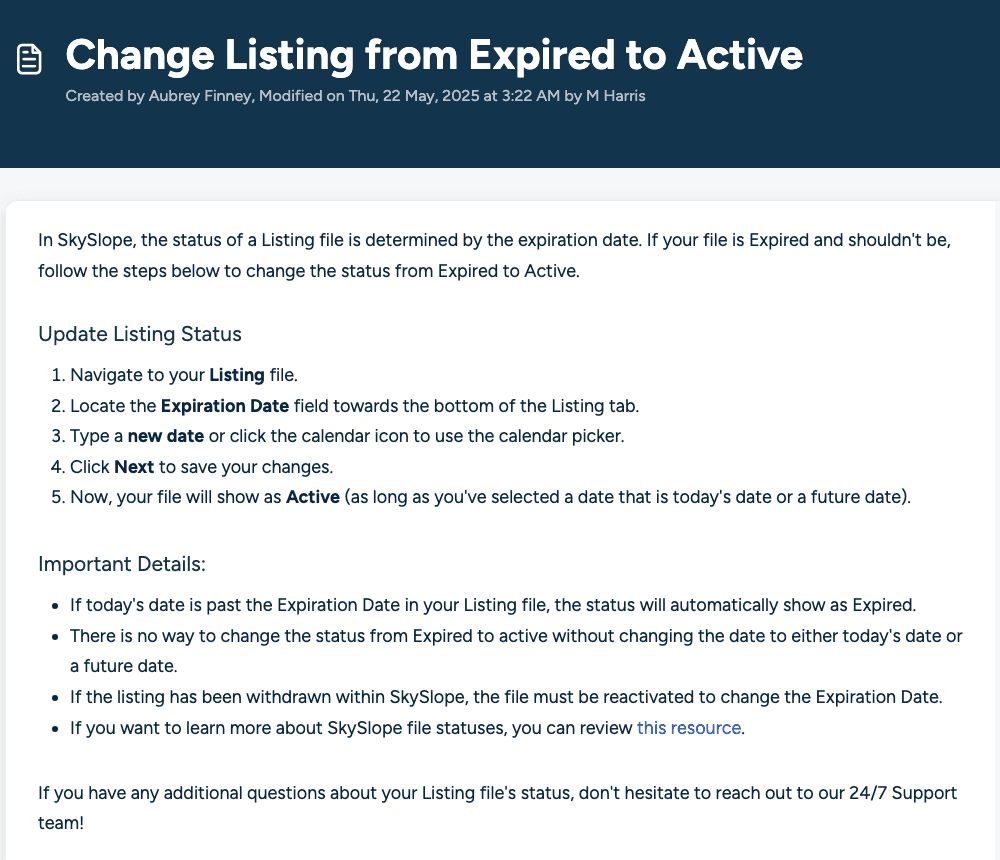
The status label is where people get caught. In SkySlope a listing file's status is decided by the expiration date field. Past the date it reads Expired, and the only way back to Active is to type today's date or a later one. Paperless Pipeline's default mode flips a listing to Expired/Withdrawn once the date passes and clears the expiration date as it does so. Both are telling you what someone typed. Neither has seen the amendment, and neither is the MLS.
So the check in step six goes to the MLS itself. At Canopy, days on market stop accruing the moment a listing reads Expired, and a listing under contract whose agreement lapses without an extension has to be withdrawn within two business days. Verify there.
What does DeedSpring do for a listing?
The listing lives as a seller deal: the property, the pricing, the listing copy, the disclosures, and the listing agreement on the deal's Documents. The seller sees their own listing in the client portal, with views, saves and showing activity, so the price conversation starts from numbers they have already looked at. When the price or the term changes, you send the amendment for signature from DeedSpring and the coordinator checks the signatures and the dates on what comes back. Anything it drafts about money or a moving date waits for you to send. When the offer is accepted, upload the executed contract and the coordinator reads the dates into deadlines, checks every active file every hour, flags what has slipped on Today, and, once Google Calendar is connected, puts one event on each deadline and moves it when the date moves.