
Template · Transaction coordinator operations
Real estate transaction file naming and folder structure
A file name pattern with a fixed state word and one EXECUTED copy per document, plus a folder tree that mirrors SkySlope, dotloop, Open To Close and Paperless Pipeline and is built around what Texas, California and Florida brokers must keep.
Why does the file name need a state word?
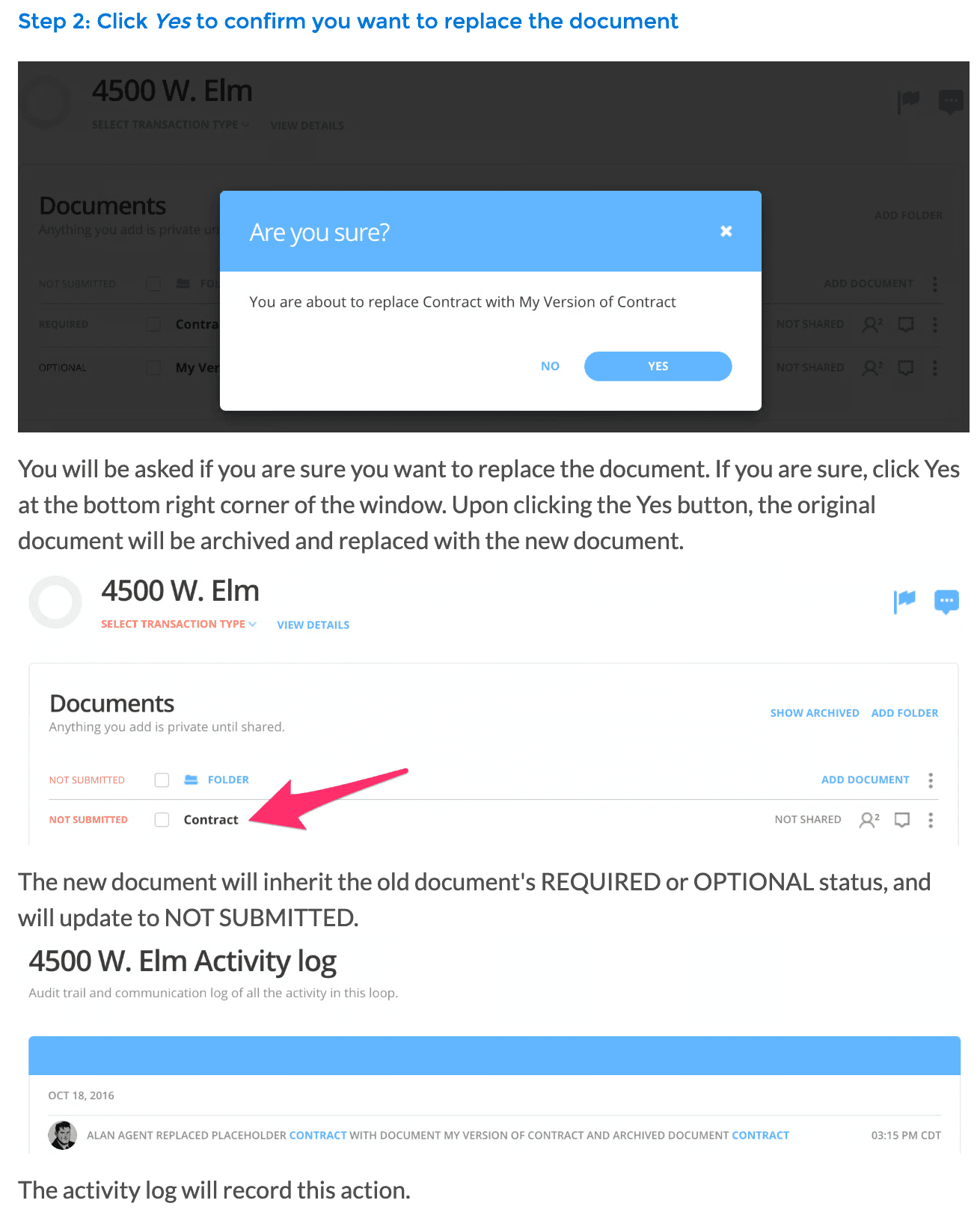
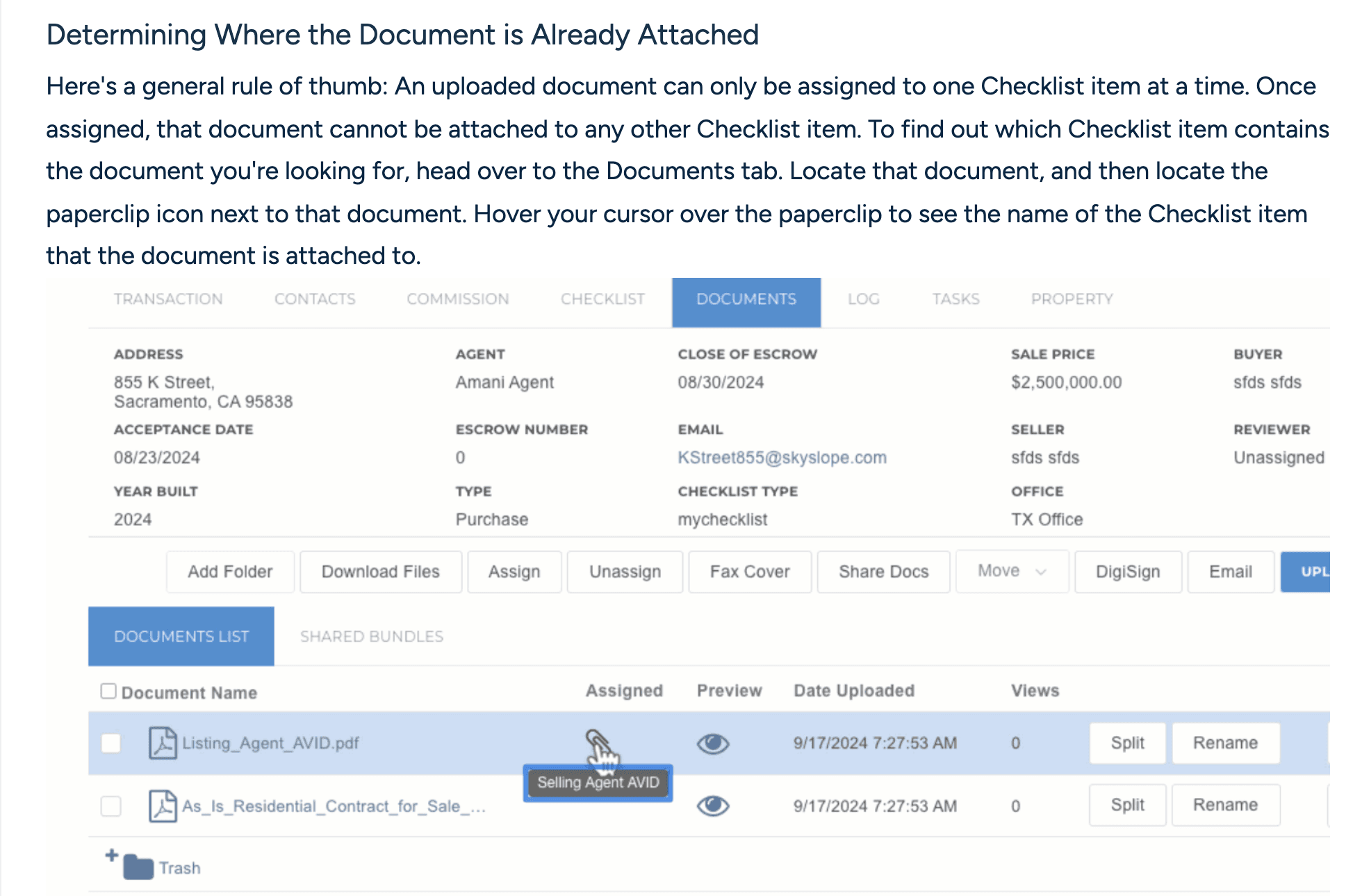
Every transaction tool keeps versions for you, and none of them keeps the version in the file name. In dotloop, dropping a new PDF onto an old one archives the original and puts the new file in its place. The new file inherits the REQUIRED or OPTIONAL flag, drops back to NOT SUBMITTED, and the activity log records the swap. The old version stays under Show Archived, and Document History shows every version with a download for each. Open To Close lists incoming files as unapproved. You add each one to a folder, rename it and give it a file role, then approve it, and a toggle on the file marks it fully executed. Reject the wrong file there and it is gone for good. SkySlope ties each upload to one checklist item at a time, and moving it to another item means reassigning it.
All of that lives inside the tool. The moment a document leaves, as a zip from an archive, an attachment on an email or a file the title company saved to its own drive, the only version information it carries is its name. SkySlope's archive download is a compressed .zip of the file's documents, ready to be stored or shared, and the names inside it are all the next reader gets. Contract.pdf and Contract (1).pdf tell a reviewer nothing three years on. A state word in the name does, and it is the one change that stops an unsigned draft passing for the executed agreement.
The file name template
TemplateTransaction file name
Copy the pattern and replace every [placeholder]. The state word is always the last token and always in capitals, so it stands out when a folder is sorted by name and versions of one document sit together.
[Address code]_[Document type]_[YYYY-MM-DD]_[STATE].pdf

[Address code]
  House number plus the first three letters of the street, no spaces.
  14 Alder Court becomes 14ALD. It stays on the file when the file leaves the folder.

[Document type]
  The checklist item's name, hyphenated: Purchase-Agreement, Sellers-Disclosure,
  Inspection-Report. Anything that comes in a series carries a two-digit number:
  Amendment-01, Counter-02.

[YYYY-MM-DD]
  The date on the document (signature, report or issue date). Never the upload date.

[STATE]
  One of five words, always in capitals.
  DRAFT       unsigned, still being edited by one side
  SENT        out for signature, nobody has signed
  PARTIAL     some signatures in, not all
  EXECUTED    fully signed, or the final issued copy of a document nobody signs (a report, a receipt, a statement)
  SUPERSEDED  replaced by a later version and moved to _superseded

Rules
1. One EXECUTED per document type per folder. Never two.
2. The day a file becomes EXECUTED, rename every earlier DRAFT, SENT or PARTIAL
   of that type to SUPERSEDED and move it to _superseded. Nothing is deleted.
3. An amendment, counter or extension is its own document type with its own
   number. It never replaces the document it changes.
4. A draft that goes through several rounds adds a version after the state:
   DRAFT-v2, DRAFT-v3.
Which folders does a transaction file need?
Each tool already has a container, and the tree should mirror it. In SkySlope the checklist is the core of the property file and an uploaded document can only be assigned to one checklist item at a time. In dotloop all documents in a loop are divided into folders, you submit whole folders for review, and once a document is approved it should not be moved within the folder or to another one. Open To Close files documents into folders you create, with a file role as the label its automations read. Paperless Pipeline's monthly backup arrives as a zip organized in folders by property address, each document in its original format and the notes, emails, checklists and history as plain text.
So: one folder per transaction, named by address. Inside it, one folder per milestone, numbered so they sort in the order the deal runs. And one _superseded folder for every version a later file replaced. The leading underscore sorts it to the top, where a reviewer sees that the history exists before reading anything else.
Folder tree: one per transaction
14ALD_14-Alder-Court_Buy_2026-11-14The transaction folder: address code, address, side, closing date. One per file, created the day the contract is executed.00_AgencyRepresentation agreement, agency and brokerage disclosures, any commission agreement the brokerage will rely on to get paid.01_ContractThe offer chain, the executed purchase agreement, every addendum, amendment and extension, each with its own number.02_MoneyEarnest money receipt, deposit receipts, wire verification record, anything the title company or trust account issued.03_DisclosuresSeller's disclosure, lead paint, HOA documents, any state or local disclosure form.04_InspectionInspection reports, repair requests, contingency removals.05_FinancingLoan approval, appraisal, lender conditions, the financing contingency removal.06_ClosingSettlement statement, disbursement authorization, final walkthrough form, recorded deed copy.07_CommunicationsExported emails and texts that changed a term, a date or a party's instruction._supersededEvery replaced version, renamed SUPERSEDED, in one flat folder. Nothing in it is ever deleted.
What does your state make the broker keep?
Three of the folders come straight from regulator lists. Texas's broker responsibility rule says a broker must keep, “at a minimum”, disclosures, commission agreements such as listing and buyer representation agreements, “substantive communications with parties to the transaction”, offers, contracts and related addenda, receipts and disbursements of compensation, property management contracts, appraisals, broker price opinions and comparative market analyses, and sponsorship agreements. They must be “in a format that is readily available to the Commission” for at least four years from the date of closing, termination of the contract, or end of the transaction. That list is why 07_Communications exists and why 00_Agency holds the commission agreements.
California's section 10148 has a broker retain for three years copies of all listings, deposit receipts, canceled checks, trust records and other documents the broker executed or obtained in the transaction. The three years run from closing, or from the listing date if the deal is not consummated, and the section does not require electronic messages of an ephemeral nature to be kept. That is 02_Money. Florida's section 475.5015 asks for “at least one legible copy” of all books, accounts and records for at least five years from receipt of any entrusted funds or, where none were entrusted, from execution of the listing, offer or other agreement that engaged the broker. A record that was evidence in litigation is kept for at least two years after the case or any appeal ends, and never less than five in total. The copy a dispute turns on may be the one you replaced, so superseded versions stay. Other states list other things, so read your own rule and add a folder for anything it names that this tree does not.
How do you file a document that arrives by email?
Most of what you file arrives as an attachment, and this is where names go wrong. SkySlope gives each property file its own email address. Forward the message and the attachment lands on the Documents tab, where you still attach it to the right checklist item by hand. A signed packet that comes back as one PDF goes through Split & Assign, which separates it by name and page range and matches checklist items, and leaves any form it cannot identify, such as a brokerage-specific form, unnamed. Paperless Pipeline's maildrop address pre-assigns an emailed document to its transaction, and every document on a transaction needs a permission category before it is filed. In each case a person applies the name and the state word.
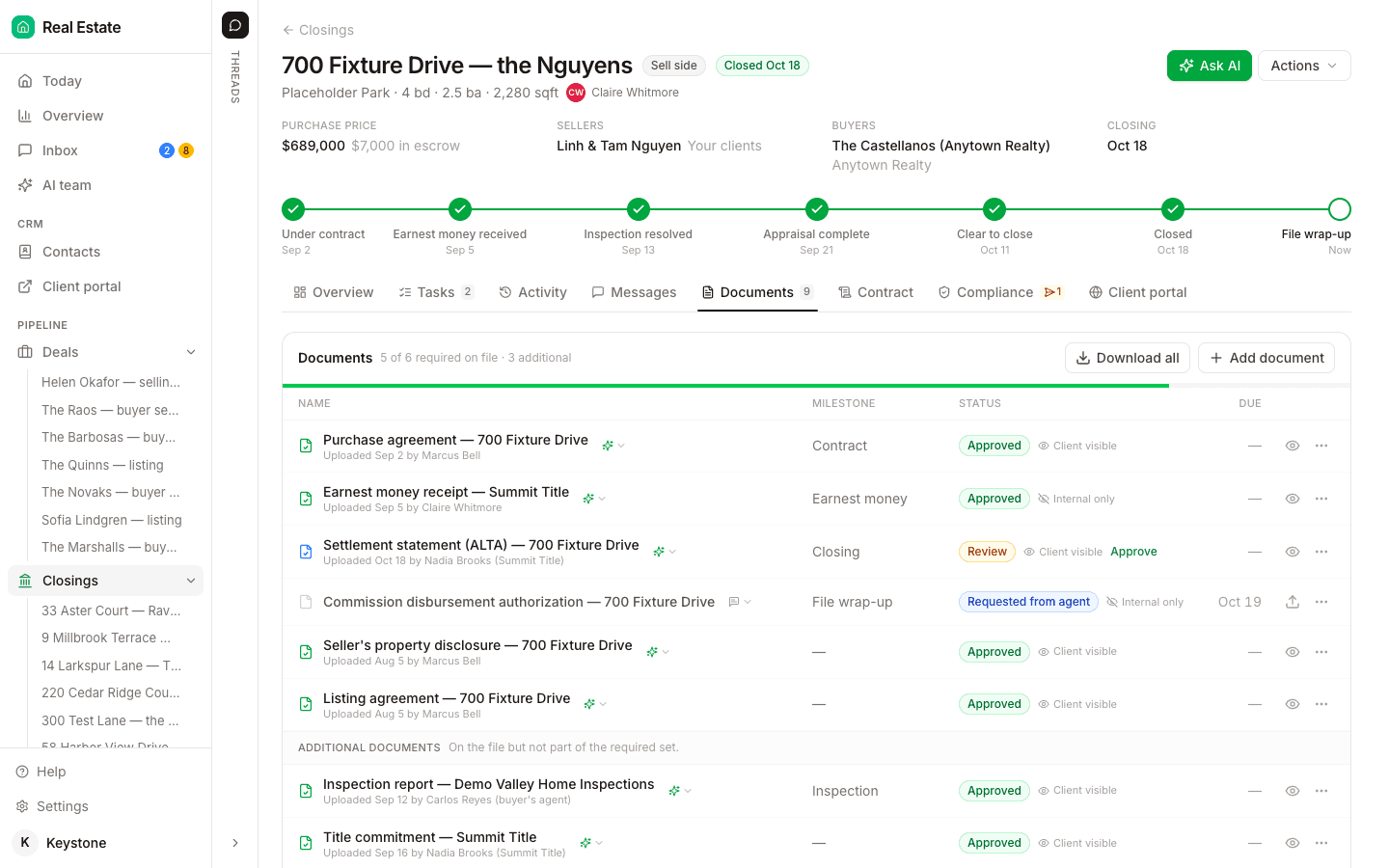
DeedSpring does the filing. When an inspection report, an addendum or a title package arrives by email, the coordinator reads the attachment and adds it to the matching closing on the right document line. A contract packet that lands as one PDF is split into its documents, each filed on its line, with the original packet kept on the file. The Documents tab shows every file on its milestone with a status, and Download all hands you the whole file as a ZIP of the originals or one merged PDF with a cover sheet.
What does a filed transaction look like?
Demonstration data: one buy-side file at 14 Alder Court, invented for this page, with no people in it. Seven things arrive over four weeks. Here is the name and folder each one gets under the template.
Demonstration: seven arrivals on one file, named and filed
| What arrived | File name it gets | Folder |
|---|---|---|
| Offer sent to the listing agent on October 2, nobody has signed | 14ALD_Purchase-Agreement_2026-10-02_SENT.pdf | 01_Contract |
| Same offer back with the buyers' signatures only | 14ALD_Purchase-Agreement_2026-10-02_PARTIAL.pdf | 01_Contract. The SENT file is renamed SUPERSEDED and moved. |
| Fully signed purchase agreement, last signature October 4 | 14ALD_Purchase-Agreement_2026-10-04_EXECUTED.pdf | 01_Contract. The PARTIAL file is renamed SUPERSEDED and moved. |
| Earnest money receipt issued by the title company on October 6 | 14ALD_Earnest-Money-Receipt_2026-10-06_EXECUTED.pdf | 02_Money |
| Inspection report dated October 9 | 14ALD_Inspection-Report_2026-10-09_EXECUTED.pdf | 04_Inspection |
| Repair amendment, both sides signed on October 16 | 14ALD_Amendment-01_2026-10-16_EXECUTED.pdf | 01_Contract. The purchase agreement keeps its name. |
| Closing date extension signed on October 28 | 14ALD_Extension-01_2026-10-28_EXECUTED.pdf | 01_Contract |
Sort 01_Contract by name after October 28 and you see Amendment-01, Extension-01 and one Purchase-Agreement, all EXECUTED. Open _superseded and you see the SENT and PARTIAL copies of the agreement, each dated October 2. Nobody has to open a PDF to know which contract governs.
How do you adapt and check it?
Rename the document types to your checklist's words. Paperless Pipeline links a document to a checklist task when the document's name appears in the task's name, so the type token should be the task name rather than a nickname. Its standard document names list is set once for the whole company, and agents can rename only their own uploads, and only until an admin assigns or reviews the document, so build the list before the agents start uploading. If you run files in more than one state, prefix the type the way that page suggests for multi-office accounts, CA-Sellers-Disclosure, so each office spots its own. Open To Close reads a file role for its automations and its email templates can attach the newest, oldest or all versions of a role, so keep one role per document type and let the SUPERSEDED file keep its role.
Before you archive, run three checks on the folder. Sort by name and confirm each document type shows exactly one EXECUTED. Open _superseded and confirm every file in it has a later EXECUTED sibling. Then zip the folder, unzip it somewhere else, and read the names without the tree around them. If you cannot tell which contract governs, the names failed.