Workflow · Transaction coordinator operations
How to manage cancelled deals in transaction software
A cancelled deal is four separate jobs: get the termination in writing, switch off every future task and message, settle the earnest money, and archive the file with its record intact. Here is what SkySlope, dotloop, Open To Close, Paperless Pipeline and DeedSpring each do when you cancel, and what the dead deal costs you in each of them and in ListedKit.
Who does what when a deal dies?
The agent delivers or receives the termination notice and tells you the same day. You run the software side: status, tasks, scheduled emails, calendar and archive. In SkySlope a cancellation you or the agent start is only a request until an Admin or Broker approves it, and an Office Manager cannot fully cancel a file at all. The escrow or title company moves the deposit once both sides have signed a release, or once the contract's demand process has run.
What counts as a cancellation?
A signed notice from the party terminating. In Texas the buyer's notice is TREC No. 38-8, where the buyer ticks the paragraph they are terminating under. If the reason is financing, the form says the buyer has delivered the lender's written statement of the reasons to the seller, so ask for that letter too. The form also says plainly that it is not an election of remedies and that release of the earnest money is governed by the contract. The notice and the deposit are two steps.
In California the paperwork is C.A.R. Form CC, Cancellation of Contract, Release of Deposit & Joint Escrow Instructions, revised June 2024 on C.A.R.'s forms list. C.A.R.'s published sample purchase agreement names it as the form a buyer delivers to cancel under a contingency, and the same agreement says that, apart from the demand route in step 5 below, release of the deposit requires mutual signed release instructions from the parties, a judicial decision or an arbitration award. A text from the other agent saying the buyers are out starts this step. The signed form ends it.
What happens in each tool when you cancel?
Cancelling a deal in five transaction tools
| What you need to know | DeedSpring | dotloop | Open To Close | Paperless Pipeline | SkySlope |
|---|---|---|---|---|---|
| The dead-deal status | Mark as fell through, then Archive closing, both in the Actions menu. | Set the loop status to Terminated or Withdrawn, then archive it. | Change the Contract Status on the property. | A status in the Fell Through category. It drops off the default lists. | Cancel Transaction. It sits at Canceled/Pending until an admin approves. |
| Open tasks and scheduled messages | Close the open tasks yourself before you mark it. The help page does not say the status does. | Tasks stay on the loop. Archiving a document removes its task. | The status change offers to delete tasks, scheduled emails and calendar dates. Not undoable. | Checklist tasks stay on the file. The Tasks page filters by status. | The file's data is locked once cancelled. |
| What the dead deal costs you | The closing was used when you opened it. On Standard, unused closings roll over. | Nothing per loop. Premium includes unlimited loop creation. | Nothing. Plans are flat from $99 a month, unlimited transactions. | The file counted when you created it. A status change does not count again. | No per-file price is published. Suite starts at $340 a month. |
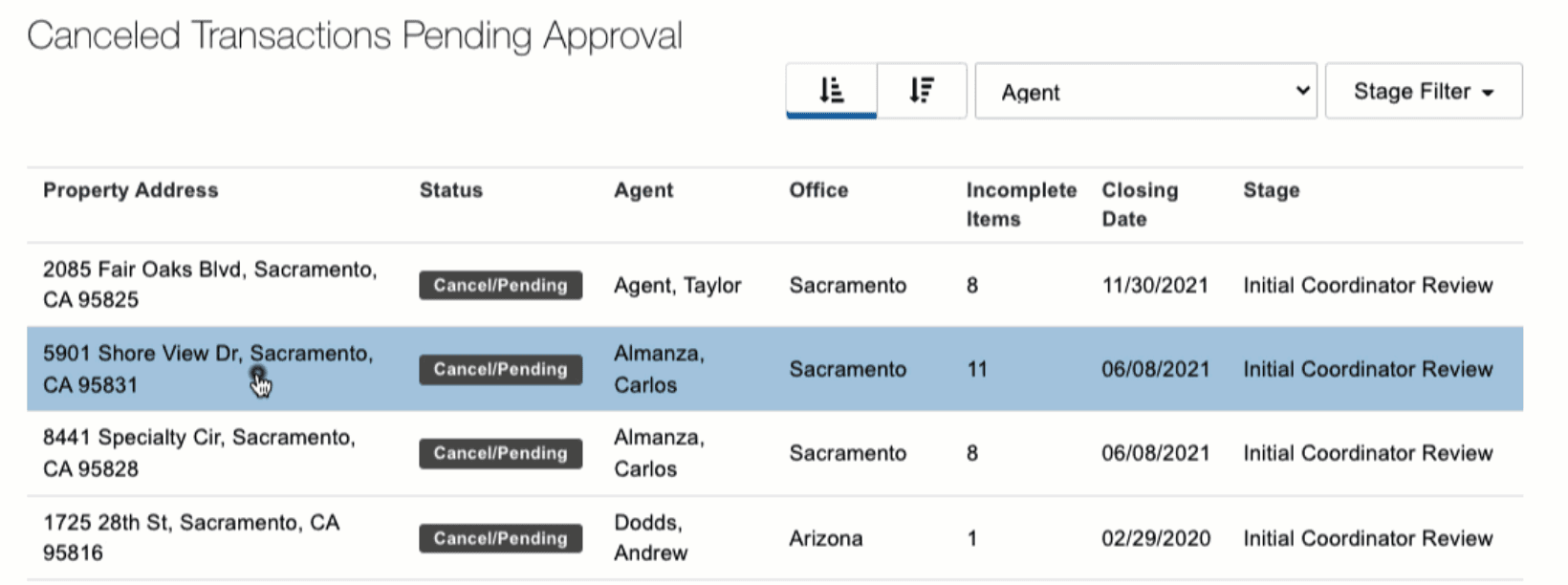
SkySlope is the strictest. Cancel Transaction from the file or the Manage Transactions page, add a comment if you want, and the file moves to Cancelled/Pending Approval. The admin finds it under Canceled Transactions Pending Approval, clicks Approve Cancellation, and the file goes to Canceled Contracts. There is no reject button: to undo an agent's cancellation the admin approves it first and then clicks Reactivate File. While the file is cancelled nothing in it can be edited.
dotloop treats cancellation as two choices. The loop status list for a purchase has Terminated and Withdrawn beside Under contract and Sold, and archiving is a separate act that hides the loop without deleting anything. Loops cannot be deleted, and an archived loop can be unarchived at any time. dotloop remembers the last status for reporting and tells you to set it before you archive, so set Terminated first or the loop keeps reporting under its last live status.
Fell Through is one of Paperless Pipeline's three inactive status categories, with Closed and Expiry. A file in an inactive status leaves the default transaction lists and, if it holds documents, is swept into the next monthly backup as a zip of its documents, notes, checklists, emails and history. Whether agents may set a file to closed, terminated or expired at all is a company-wide switch an admin controls.
What happens to the scheduled emails and tasks?
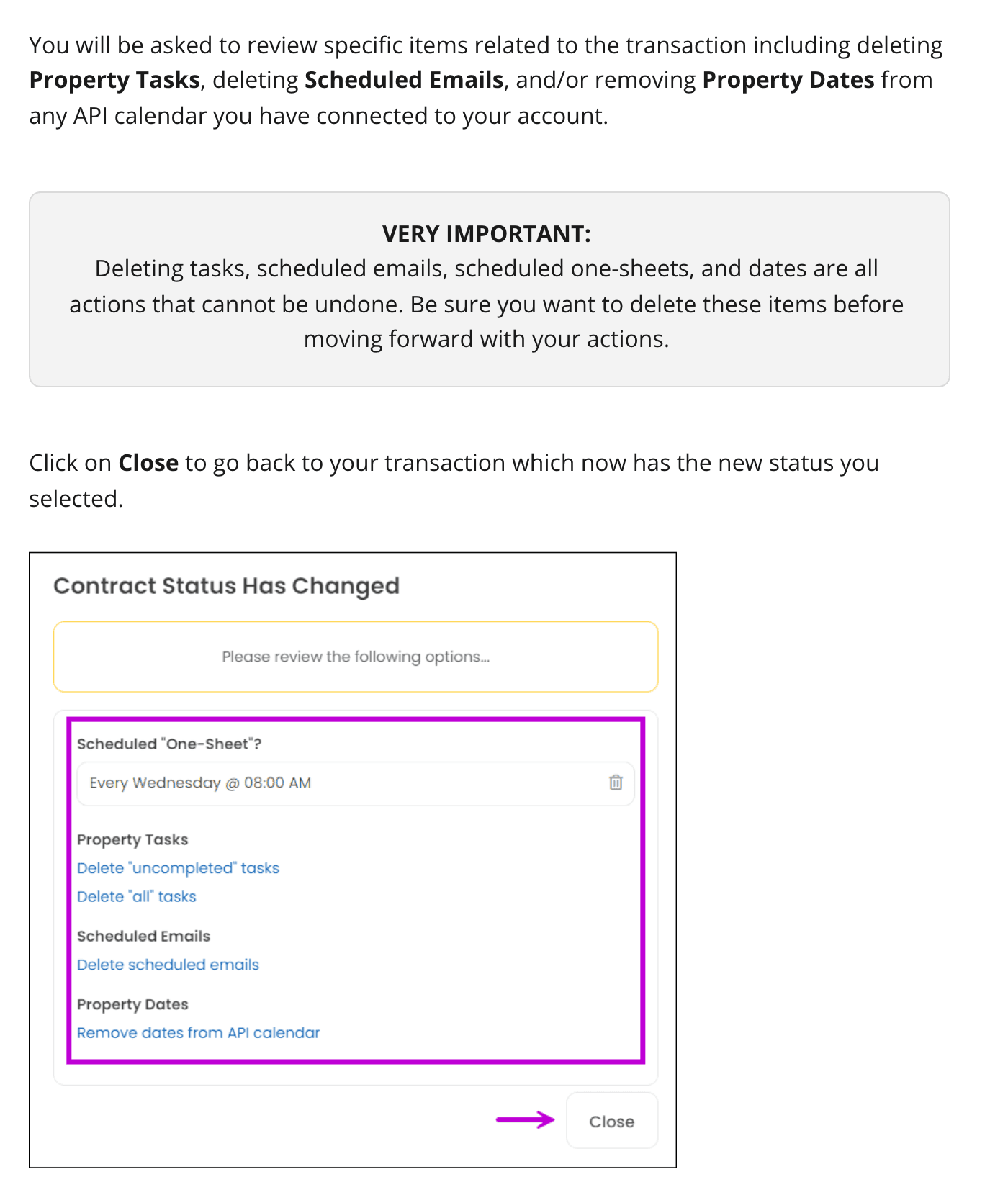
This is where cancelled deals go wrong, because the software keeps working after the people have stopped. Open To Close is the one tool here that asks. When you change the Contract Status it puts up a review box offering to delete the property's tasks, delete its scheduled emails and remove its dates from any connected calendar, and it warns that none of those deletions can be undone. Take the offer, but export or screenshot the task list first if your broker wants proof of what was done before the deal died.
dotloop does not ask. A task with a due date and an assignee notifies that person daily about what is coming up, and the help page on loop tasks says only that archiving a document removes the task tied to it. Tick the tasks off or archive the list before you archive the loop. Paperless Pipeline keeps checklist tasks on the file and lets you filter the Tasks page by the transaction's status, so a Fell Through filter shows you what is still open. SkySlope locks the file's data once it is cancelled, and says nothing about its Tasks and Reminders, so clear them yourself before you cancel.
The steps, in order
Step 1: Get the termination in writing
File the signed notice on the deal the day it arrives, with the lender's letter if financing is the reason.
- Owner
- Agent delivers, coordinator files
- If it fails
- No signed form yet? Leave the deal live and chase the form. Nothing below starts until it is on file.
Step 2: Set the dead-deal status the same day
Terminated or Withdrawn in dotloop, Fell Through in Paperless Pipeline, Cancel Transaction in SkySlope, a status change in Open To Close, Mark as fell through in DeedSpring.
Step 3: Switch off the future
Delete or deactivate scheduled emails, close or remove open tasks, and clear the deadlines from any synced calendar.
- Evidence
- An empty task list and no scheduled sends on the file
Step 4: Tell the other parties once
One message each to title or escrow, the lender, the inspector and the other agent, saying the contract is terminated and who the deposit question goes to.
Step 5: Settle the earnest money
Send the release for both sides to sign and track it like a contingency, because the contract gives it a clock.
- If it fails
- One side will not sign? In Texas either party may make written demand to the escrow agent, who may disburse if no written objection arrives within 15 days. C.A.R.'s sample agreement has the same demand: if the other party does not object within 10 days of the escrow holder's notice, the escrow holder disburses the deposit to the party who made the demand.
Step 6: Keep the record
Archive, never delete. Keep the executed contract, every amendment, the termination notice and the signed release together on the file.
- Owner
- Coordinator, with the broker's retention policy
Step 7: Decide the invoice
Bill according to your agreement for cancelled files, and note on the file which fee applied.
Step 8: Treat a new contract as a new file
If the sellers accept another offer, open a new transaction rather than reviving the dead one, so the old dates and messages cannot leak into the new deal.
- If it fails
- In SkySlope, cancelling the pending transaction asks whether to reactivate the listing. Say yes, then add the new buyers as a new transaction.
The earnest-money step has real teeth in the Texas contract. Paragraph 18 of the One to Four Family Residential Contract says that on termination either party or the escrow agent may send a release to each party, and the parties shall execute it. A party who wrongfully fails or refuses to sign a release acceptable to the escrow agent within 7 days of receiving the request is liable to the other party for damages, the earnest money, reasonable attorney's fees and all costs of suit. The release itself is a Texas REALTORS® member form, TXR 1904, which releases the buyers, sellers, brokers, title company and escrow agent from liability and tells the escrow agent how to disburse. C.A.R.'s sample purchase agreement warns that a party refusing to sign cancellation instructions with no good-faith dispute can face a civil penalty of up to $1,000.
What does a dead deal cost you in each tool?
Flat-rate tools charge nothing for the file that died: Open To Close from $99 a month with unlimited transactions, dotloop Premium with unlimited loop creation, SkySlope Suite from $340 a month with no per-file price published. On the Open To Close trial a deleted transaction still counts against the free allowance, so change the status rather than deleting.
Per-file tools charged you when the file opened. Paperless Pipeline, from $69 a month for five new files, counts a transaction once, in the billing cycle you created it, and a status change later neither adds nor refunds one. ListedKit charges one credit to set up a listing and one more when it goes under contract, at $14.99 a credit before bulk discounts. Its help page lists a 30-day money-back guarantee and its terms call fees non-refundable except under its refund policy, and neither says what happens to a credit when the deal dies. Assume it is spent, and that a second contract on the same listing spends another.
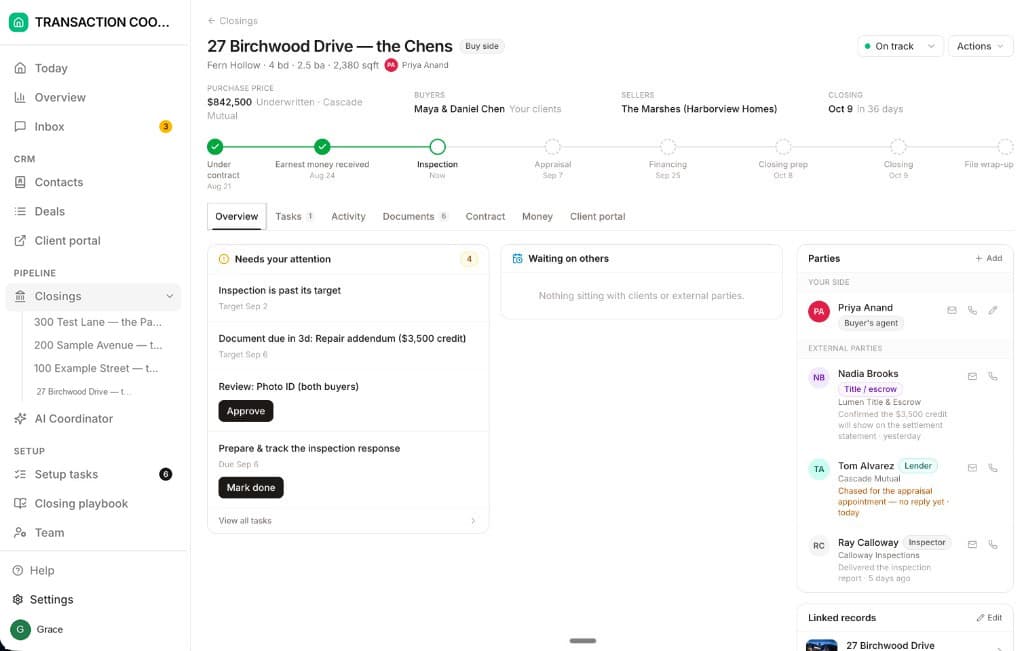
DeedSpring works the same way: opening a closing uses one, so the closing that fell through used one. The difference is what happens to the ones you did not use. On Standard they roll over, so a quiet month after a dead deal builds a balance instead of expiring. On the file itself, Mark as fell through and Archive closing are two separate choices in the Actions menu. The help page does not say the first one clears the open tasks, so close them yourself before you mark it.
The cancelled-deal checklist
Before you archive a cancelled file
- Signed termination notice on the fileTREC 38-8 in Texas, C.A.R. Form CC in California, with the lender's letter if financing was the reason.
- Dead-deal status set, and in SkySlope the cancellation approved by an admin or broker
- Scheduled emails deleted or deactivated, open tasks closed, calendar deadlines removed
- Title or escrow, lender, inspector and the other agent told once, in writing
- Earnest-money release signed by both sides, or the written demand sent and datedTrack the 7-day signing duty and 15-day objection window in the Texas contract, the 10-day window in C.A.R.'s.
- Executed contract, amendments, notice and release kept together, archived not deleted
- Task list exported or screenshotted before anything is deleted, and a copy put wherever the broker keeps files outside the tool
- Invoice decision recorded against the file
- Listing reactivated, and any new contract opened as a new file
What does DeedSpring do when a deal dies?
Most of the work above is undoing what the software set in motion when the contract was executed. DeedSpring is the coordinator that set it in motion in the first place: upload the executed contract and it reads the price, deposits, contingencies and dates into deadlines on the file, checks every active closing every hour, and drafts the chases and client updates for a person to send, with anything sensitive or negotiable always waiting for you. When the deal dies, Mark as fell through and Archive closing sit in the Actions menu on the closing, next to the risk selector.