
Template · Transaction coordinator operations
Agent onboarding checklist for a transaction coordinator: 22 things to settle before the first file
A four-part onboarding checklist for a transaction coordinator taking on a new agent: whose systems you work in and under which login, how the agent wants to hear from you, what you may send without asking, and what the brokerage demands before a file goes for review. With a CSV and a one-page approval worksheet.
What do TC services ask a new agent before the first file?
Less about the deal and more about the agent. A Florida coordinator's New Agent Sign-Up wants the agent's license number and the brokerage's, the brokerage compliance system, the name and email of the person who runs compliance there, at least three home inspectors and three WDO inspectors, and whether the agent wants to be paid at closing. The new-transaction form sends a first-time agent back to that intake, and it must arrive within 24 hours of the effective date.
Margin Co runs a 15-minute discovery call about volume, brokerage and workflow, then an intake that collects brokerage compliance requirements, the preferred communication method and any templates the agent uses, and confirms contact times and escalation preferences before the first file. RE-Ops puts the rules in its terms: the TC starts nothing until a fully executed contract is in place, processes paperwork within 48 hours of acceptance, and the agent grants access to signing software, the lockbox system and the brokerage compliance portal and signs a Broker Load Access form for the MLS. Bay Area Transaction Management's intake asks how the agent is paid at closing, with a check cut by title as the first option, and what split or fee comes out of each transaction.
Three of these four forms also ask for something they should not: the agent's login details, username and password included, for the brokerage compliance system, the e-sign platform, the MLS and the lockbox. That is the one item on the list below where the answer is already decided.
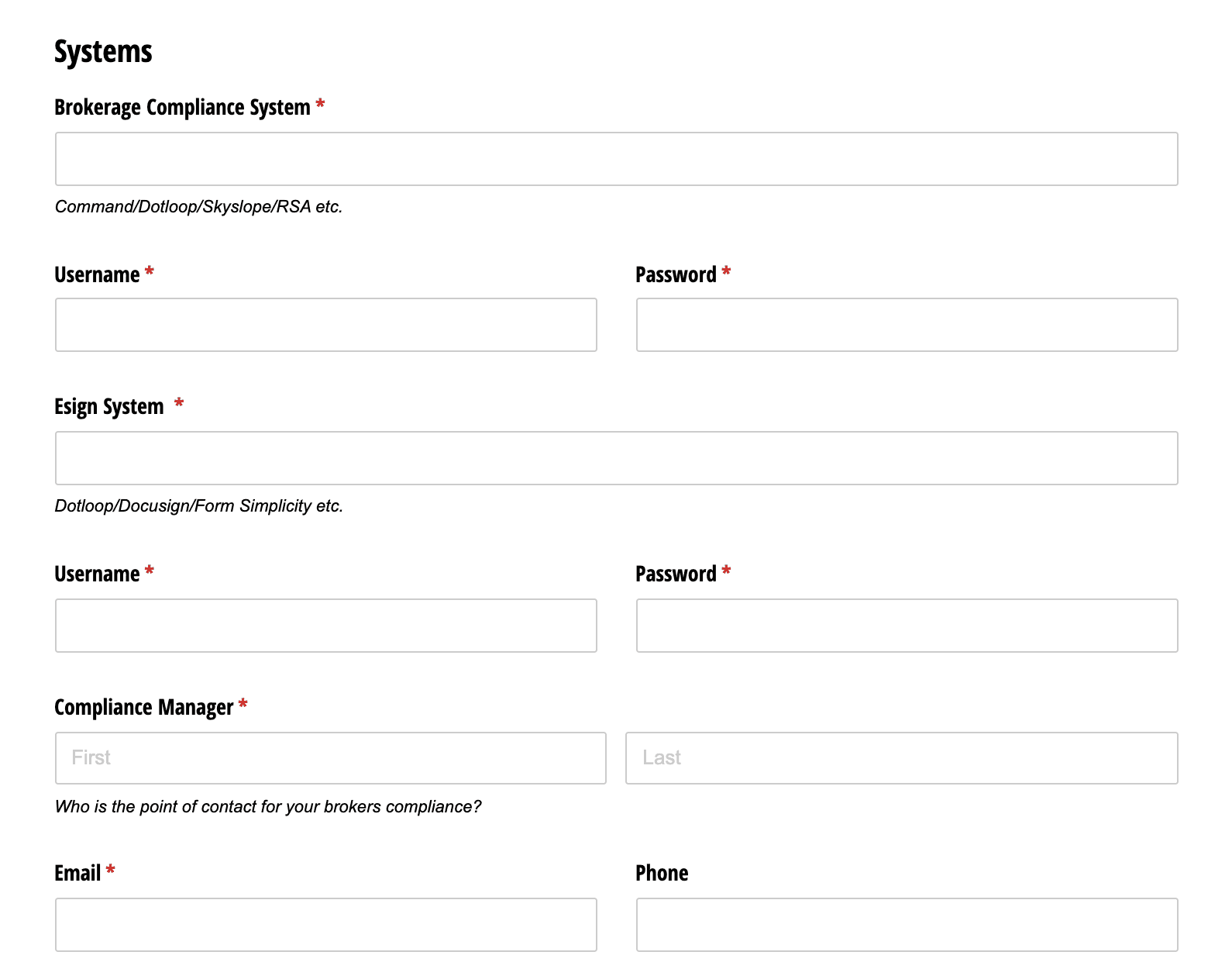
Should the agent give you their passwords?
No. Both brokerage systems have a door built for you. SkySlope's TC Access lets a coordinator with a TC account create files for any agent in the same office who has switched it on, and work the files they created or were granted. It does not open the agent's existing files. The agent shares those one at a time from the Contacts tab, and only to a TC with a SkySlope account under the same brokerage. SkySlope's own compliance answer is the reason: as long as the TC has their own account and is not using the agent's login, every action lands on the file's Log under the name of the person who took it.
dotloop's version is Add to my team: the agent adds you to the loop's People section and ticks the box, you accept the invitation, and you see everything the agent sees in that loop, documents, people and tasks. dotloop says the action cannot be reversed and to use extreme caution, and that an agent on the other side or a client would not normally be on the team. One TC service working in Pennsylvania and New Jersey has written the rule into its terms of service: many platforms prohibit credential sharing, agents should use a team or assistant feature where one exists, and the service does not collect credentials for platforms that offer one, dotloop included.
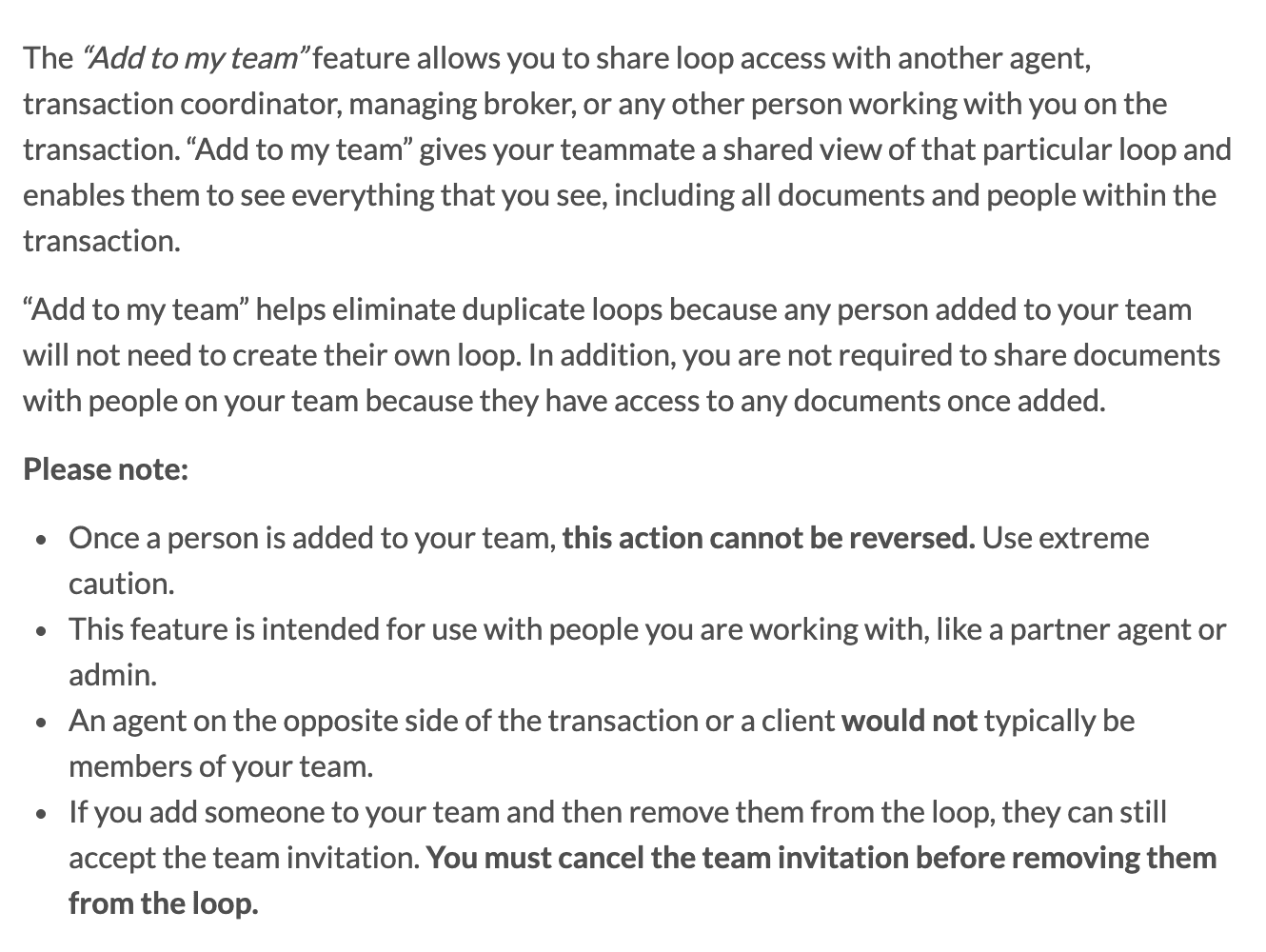
Where a system has no shared seat, one commenter answering an agent on r/AskRealEstateAgents gave the fallback.
“For passwords, I’d recommend using a password manager or delegated access whenever possible.”
The checklist
Fill one copy per agent at onboarding. Replace every [placeholder]. Parts A and D are facts you collect. Parts B and C are decisions the agent makes, so take them on a call and write the answers down yourself. The CSV has the same 22 rows with a column for the answer and a column for where it lives.
Agent onboarding checklist for a transaction coordinator
CSV · 5 KB · No sign-up required · Preview every row
Part A. Ownership and access
- Brokerage system: [SkySlope / dotloop / Transact / other], and your own account in itSkySlope and dotloop both give a coordinator their own seat. Ask for it on day one. SkySlope records who did what on the file's Log only when the TC uses their own account.
- How the agent will give you each file: [TC Access on / Add to my team / per-file share]In SkySlope the agent switches on TC Access and shares existing files one at a time. In dotloop the agent ticks Add to my team on the loop, and that cannot be undone.
- E-sign platform: [dotloop / Docusign / Form Simplicity / other] and who prepares envelopesSay whether you draft and the agent sends, or you send under your own account.
- MLS: [board], [whether you have a login], [Broker Load Access or equivalent form signed]One service's terms make the agent sign a Broker Load Access form before the TC enters or maintains listings.
- Lockbox and showing access: [Supra / combo], [who schedules inspections]A Florida coordinator treats a filled-in inspection block on the new-transaction form as the go-ahead to order. Decide that rule now.
- Agent profile, asked once: [license number], [brokerage license number], [office address], [team and split]The Nina Berrios and Bay Area Transaction Management intakes both ask for the license numbers up front, and the second adds the office address and the split.
- Preferred vendors: [title or escrow], [home and WDO inspectors, three each], [insurance], [sign company]Nina Berrios asks for at least three inspectors in each trade, so the client has a choice.
Part B. Communication preferences
- Channel for routine updates: [email / text / call / the brokerage system], and for urgent onesMargin Co collects the preferred communication method at setup and confirms contact times and escalation preferences before the first file.
- Hours the agent answers, and when a late message waits until morningA form that reaches Nina Berrios after 2:30 pm may start the next business day. Write your own cut-off.
- Update cadence: [every milestone / weekly summary / only when something needs the agent]
- Who is copied on client threads: [agent always / agent on money and dates only / nobody]
- How you are introduced to the client, and by whom: [agent sends the intro / you send it]Margin Co introduces itself to every party on the day it opens the file. Agree the wording once.
- What the agent never wants sent without reading it first: [free text]
Part C. Approval boundaries
- You send without asking: [scheduling confirmations], [document reminders], [status updates]
- You draft and the agent sends: [anything about money], [contract terms], [a deadline that moves], [bad news]This is the line DeedSpring draws for its own AI coordinator. It is the right line for a human one too.
- You never touch: [negotiating], [advising on price or terms], [explaining a contract clause to a client]Where the line sits depends on your state and whether you hold a license. Check what 19 state regulators say an unlicensed transaction coordinator may do before you fill this row in.
- Orders you may place: [inspections], [title], [home warranty], [sign down], and from which vendors
- Signing: [you prepare envelopes], [you send them], [agent sends everything]
Part D. Brokerage submission rules
- Compliance contact at the brokerage: [name], [email], [phone]A required field on Nina Berrios's intake. Yours too.
- Who submits the file for review: [agent / you], and what must be in it before anyone canCovered in the brokerage transaction review workflow from submission to approval. Write the brokerage's answer here, not the vendor's.
- When the brokerage wants the file opened: [within 24 hours of the effective date / other]Nina Berrios wants the new-transaction form within 24 hours of the effective date, and RE-Ops promises to process paperwork within 48 hours of acceptance.
- How you are paid: [disbursement at closing through title / invoiced to the agent / by the broker], and the cancellation feeRE-Ops lets the agent pay the TC fee through title at closing or be billed monthly, and charges $25 on a cancelled contract.
The approval-preference worksheet
Part C deserves its own page, because it is the part a new coordinator reads at 6 pm with a lender on hold. Fill it from the call and pin it to the agent's profile. The first two tiers are the split DeedSpring's own coordinator settings make: routine messages that go out on their own, and anything sensitive or negotiable that waits for a person. The third tier is the agent's alone.
TemplateApproval preferences, one page per agent
Keep the three tiers. Move items between them to match the agent and your state's rules on unlicensed assistants.
APPROVAL PREFERENCES: [Agent name] · [Brokerage] · agreed [date]

SEND WITHOUT ASKING
- Confirm inspection, appraisal and closing appointments once booked
- Remind a party about a document that is already due
- Weekly status to the client on [day], in the agreed wording

DRAFT FOR [AGENT] TO SEND
- Anything about money: earnest money, repairs credits, closing costs
- Any change to a contract date or term
- Bad news: a failed inspection item, an appraisal gap, a delay

NEVER FROM THE TC
- Negotiate, advise on price or terms, or explain a clause to a client
- Sign or initial on anyone's behalf

ORDERS I MAY PLACE: [inspections] [title] [warranty] [sign down]
ASK FIRST FOR: [anything outside the list above]
URGENT = [channel] · ROUTINE = [channel] · QUIET HOURS = [from] to [to]
What does a finished onboarding look like?
Demonstration: an in-house TC onboarding a buyer's agent
Placeholder answers, not a real agent. Part A: the brokerage runs SkySlope, the agent switches on TC Access and shares two existing files from the Contacts tab, the TC already holds a Limited TC account, Docusign envelopes are prepared by the TC and sent by the agent, no MLS login is needed because the agent lists nothing. Part B: text for anything urgent, email for the rest, nothing after 7 pm, a Friday summary to each client that the agent is copied on, and the agent sends the first introduction. Part C: the TC confirms appointments and chases documents on its own, drafts anything about money or dates for the agent, and orders inspections only from the three inspectors on the profile. Part D: the office auditor is the compliance contact, the agent submits for review, the file must be open within one business day of acceptance, and the TC is on salary, so the payment row is struck through.
How do you adapt it?
Three things change it. Whether you are in-house: an employed coordinator strikes the payment row and most of part A, because the brokerage already issued the accounts, and keeps parts B and C in full. The brokerage system: the sharing rows in part A are written for SkySlope and dotloop, so for Transact, Paperless Pipeline or Brokermint write in how that system gives you access instead. And your state: part C's third row is the unlicensed-activity line, and it moves from state to state, so read the rules for yours before you promise an agent what you will handle. For the per-file questions that follow onboarding, use the transaction intake form template.
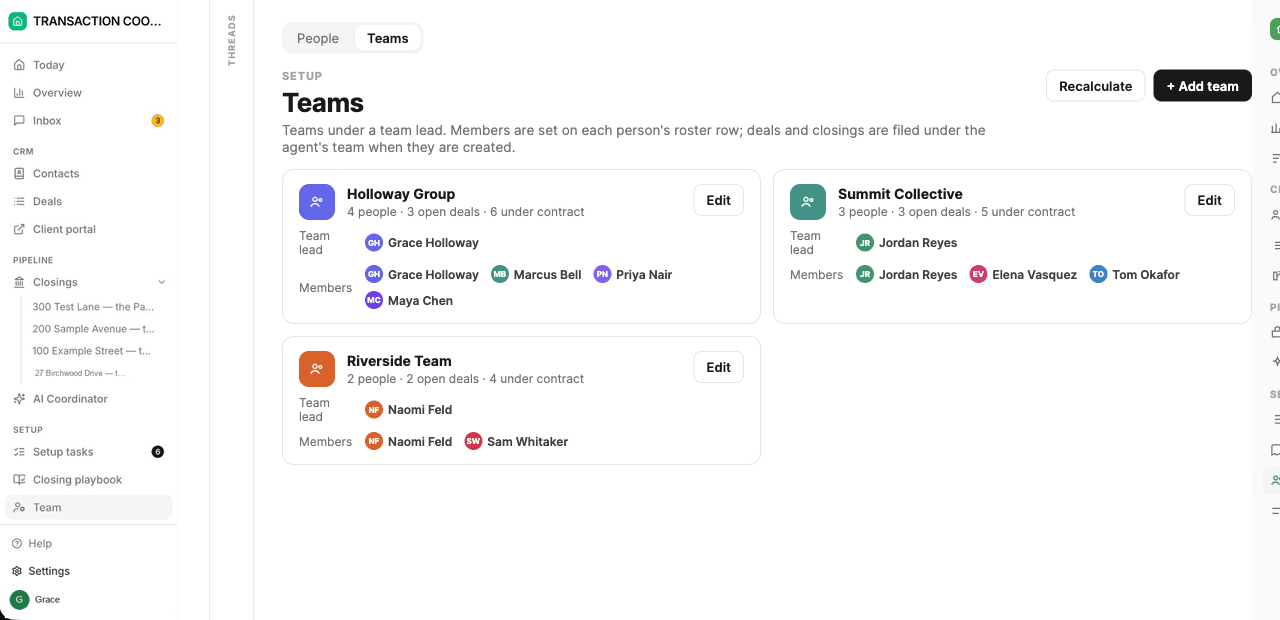
In DeedSpring the four parts are settings rather than a form. The agent is a row on the Team roster and you are another, with the role Transaction coordinator, and a closing names its Agent and its Coordinator. The Sharing grid sets what each role sees, Everyone's, Their team's or Only theirs, and a coordinator always sees the closings they are added to, with the deals and clients behind them. A TC business uses the same switch with each client brokerage as a team and its agents on the roster as Roster only, named on files and never invited. Part C is Sending on its own, one control per channel, set to Approve first on every new workspace, and anything about money, contract terms, a moving deadline or bad news stays a draft whatever the setting says. The display name and address those messages go out under sit on the Email & SMS tab.
How do you check it before the first file?
Open a test file the way the agent will hand you real ones. In SkySlope, have the agent switch on TC Access and share one existing file. If you cannot see it, check whether the agent typed your name into the TC fields instead of picking you from the brokerage directory, which lists your name without granting access. In dotloop, accept the team invitation on one loop and confirm you can see its documents. Then send the agent one routine message from the worksheet's first tier and one draft from the second, and ask whether each landed where they expected.
What runs the checklist for you?
DeedSpring. Add the agent to the roster, add yourself as the coordinator, and the Sharing grid decides whether you see every file or only the closings you are named on. Upload the executed contract and the AI coordinator reads the price, deposits, contingencies and dates into the file for you to confirm. It checks every active file every hour and drafts the chases and client updates. With Approve first set, every one of them waits in your Inbox for you or the agent to send, edit or discard, and anything sensitive or negotiable always does.